
Brand Assets: End Client Confusion
Delivering finalized brand assets to an end client should be a moment of triumph, a clear handover of carefully crafted visual identity. Instead, it o…
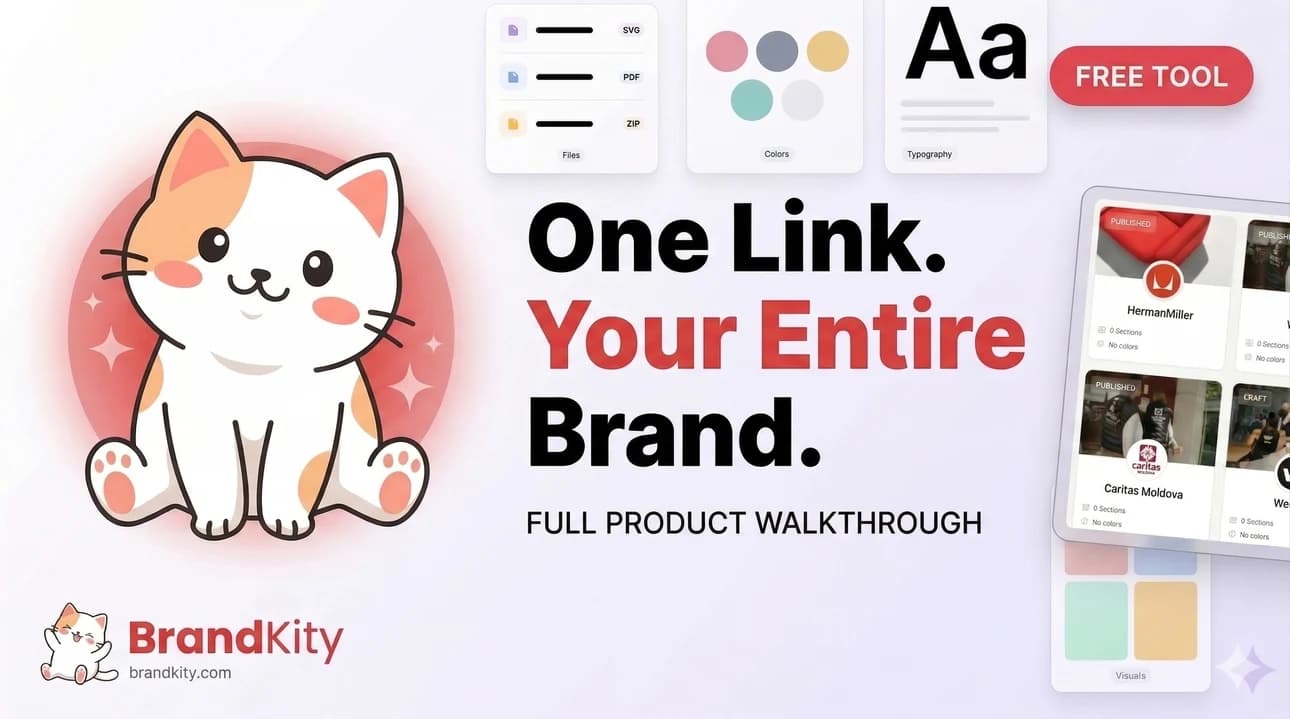
Table of contents
- The Unseen Cost of Disorganized Brand Assets: Why Clients Get Lost
- Common Scenarios: From ‘Where’s the Vector?’ to ‘Which Blue is That?’
- The Ripple Effect: How Asset Chaos Impacts Project Timelines and Budgets
- Identifying the Root Causes of Client Asset Confusion
- Scattered Files: The Digital Bermuda Triangle of Brand Assets
- Inconsistent Naming Conventions and Folder Structures
- Lack of a Centralized Source of Truth
- Bridging the Gap: Educating Your End Clients on Brand Asset Importance
- Translating Technical Terms: Making ‘CMYK’ and ‘RGB’ Understandable
- Demonstrating the Value of Proper Asset Use for Their Business
- Setting Clear Expectations from the Outset
- Structuring for Clarity: Your Agency’s Blueprint for Organized Brand Handoffs
- Defining a Universal Folder Structure (and Sticking to It)
- Establishing Clear Naming Conventions for All Files
- Categorizing Assets: Logos, Colors, Fonts, Imagery, and More
- The Power of the ‘One Link’ Solution for Seamless Brand Delivery
- Why a Single, Unified Link is a Game-Changer
- What to Include in Your Centralized Brand Asset Hub
- Real-World Example: A Designer’s Successful Brand Handoff
- Essential Brand Asset Categories Every Client Needs to Understand
- Logo Variations: From Primary to Secondary and Iconography
- Color Palettes: Primary, Secondary, and Accent Colors Explained
- Typography: Display, Body, and Usage Guidelines
- Beyond Logos and Colors: Managing Visuals and Files Effectively
- Image Libraries: Stock vs. Custom, and Usage Rights
- Document Templates: Presentations, Social Media, and More
- Font Files: Licensing and Installation Guidance
- Common Pitfalls to Avoid in Client Brand Asset Management
- Overwhelming Clients with Too Much Information
- Using Generic or Unclear File Formats
- Neglecting Version Control and Updates
- Leveraging Technology for Smarter Brand Asset Delivery
- The Role of Cloud Storage in Asset Organization
- Tools for Versioning and Access Control
- Streamlining Handoffs with Dedicated Platforms
- Best Practices for Ongoing Brand Asset Governance
- Regularly Reviewing and Updating Asset Libraries
- Training Client Teams on Asset Usage
- Establishing a Feedback Loop for Asset Requests
Delivering finalized brand assets to an end client should be a moment of triumph, a clear handover of carefully crafted visual identity. Instead, it often devolves into a frustrating labyrinth of lost files, mismatched colors, and endless clarification emails. This disconnect stems from a fundamental misunderstanding and poor management of brand assets, leading to significant inefficiency and potential brand dilution for your client.
When clients can’t easily access or correctly utilize the assets they’ve paid for, it creates a cascade of problems. It’s not just about an inconvenient email exchange; it’s about the tangible impact on their marketing efforts, their brand consistency, and ultimately, their business success. Understanding and rectifying this common pitfall is crucial for any agency aiming for professional client relationships and effective brand stewardship.
The Unseen Cost of Disorganized Brand Assets: Why Clients Get Lost
The journey from design completion to client asset utilization is fraught with potential for confusion. When brand assets are not delivered in a clear, organized, and accessible manner, end clients often find themselves adrift, struggling to implement their new visual identity consistently. This isn’t a minor inconvenience; it represents a significant, often underestimated, cost in terms of wasted time, repeated requests, and the risk of brand degradation. The initial investment in professional branding can be severely undermined if the tools to wield that brand effectively are not provided with the necessary clarity and ease.

Common Scenarios: From ‘Where’s the Vector?’ to ‘Which Blue is That?’
The confusion surrounding brand assets manifests in predictable ways. Clients frequently ask for specific file formats they don’t understand the purpose of, such as “Where’s the vector file?” without grasping its necessity for scalable print materials. Equally common is the question, “Which blue is that?”, highlighting a lack of clear color specifications. This often stems from receiving assets in disparate folders without context or guidance. For example, a client might receive a zip file containing multiple logo variations but no indication of which to use for web, print, or social media. Without explicit instructions or a curated selection, they might default to the wrong version, leading to inconsistent branding. This lack of clarity can extend to font files, image libraries, and even basic brand guideline documents, all contributing to a feeling of being overwhelmed and ill-equipped.
The Ripple Effect: How Asset Chaos Impacts Project Timelines and Budgets
The disarray in brand asset delivery creates a significant ripple effect that impacts project timelines and budgets. When clients struggle to locate or identify the correct assets, they are forced to initiate time-consuming email chains or phone calls back to the agency. Each clarification request, each search for a missing file, adds hours to the project’s lifecycle. For an agency, these recurring interruptions divert valuable design and account management time away from new revenue-generating work. For the client, this delay means their marketing campaigns, website updates, or product launches are postponed. Moreover, if a client mistakenly uses an incorrect asset—a low-resolution logo on a banner ad, for instance—it can necessitate costly reprints or redesigns, directly impacting their budget. This inefficiency is a direct cost of poor asset management, a problem that can be avoided with a structured approach to brand asset delivery.
Identifying the Root Causes of Client Asset Confusion
Understanding why end clients become confused by brand assets requires digging into the common practices—or lack thereof—during the asset delivery phase. The root causes are rarely malicious; more often, they are the result of ingrained habits and a failure to anticipate the client’s perspective. Agencies, focused on the creative output, can overlook the critical step of organizing and presenting these assets in a way that is intuitive and immediately useful for a non-designer. This oversight leads directly to the frustration and inefficiencies that plague many client relationships post-project. Addressing these underlying issues is paramount to ensuring a smooth and successful brand handover.
Scattered Files: The Digital Bermuda Triangle of Brand Assets
One of the most pervasive issues leading to client confusion is the practice of scattering brand assets across various unorganized folders, email attachments, and cloud storage links. Imagine a client receiving a single project folder containing subfolders labeled “Logos (Final?),” “Colors (Web vs Print),” “Fonts (Trial Versions),” and “Imagery (Stock – maybe).” This “digital Bermuda Triangle” of files leaves the client unsure of which version is truly final or which asset is appropriate for a given application. For example, they might download a PNG logo expecting it to scale for a billboard, only to discover it pixelates due to its low resolution. Without a single, clearly defined location for all approved assets, clients are left to sift through a disorganized digital mess, wasting valuable time and increasing the likelihood of making costly brand mistakes. A centralized hub, like that offered by platforms designed for organizing brand assets, can prevent this common pitfall.

Inconsistent Naming Conventions and Folder Structures
A lack of standardized naming conventions and logical folder structures is a significant contributor to client confusion. When files are named arbitrarily—like “logo_final_final_v3.eps” or “color_palette.txt”—clients have no way to quickly identify the purpose or version of a file. Similarly, inconsistent folder organization across different projects or even within a single project can leave clients bewildered. If one project uses a structure like “BrandAssets/Logos/Print/Color,” while another uses “Client/Logos/Final_Print_Color,” the client must adapt to a new system each time. This inconsistency forces them to re-learn your organizational logic for every engagement, increasing cognitive load and the potential for errors. Without a predictable and universally understood system, clients are left guessing, which directly impedes their ability to effectively use the brand assets provided. This is a critical element that underscores the need for a streamlined brand delivery process.
Lack of a Centralized Source of Truth
Perhaps the most critical root cause of client confusion is the absence of a single, authoritative “source of truth” for all brand assets. When clients have to pull logos from an old email, colors from a website PDF, and fonts from a shared drive, they lack a definitive reference point. This fragmentation means there’s no guarantee they are using the most up-to-date or correctly formatted versions of any asset. For instance, a client might use a slightly different shade of blue for their social media graphics because they found an older color code in an unverified document. This dilutes brand consistency and can damage the perceived professionalism of their business. A centralized platform that consolidates all approved logos, color palettes, typography, imagery, and other essential brand elements provides an indispensable reference point, ensuring everyone is working from the same, accurate information.
Bridging the Gap: Educating Your End Clients on Brand Asset Importance
Effectively bridging the gap between your agency’s technical understanding of brand assets and your client’s practical needs is crucial for successful brand implementation. Many clients, especially those without dedicated design teams, may not fully grasp the nuances of file formats, color modes, or the strategic importance of consistent asset usage. Your role as an agency extends beyond design creation to include empowering your clients with the knowledge they need to become effective stewards of their own brand. This educational component not only reduces their confusion but also enhances their appreciation for the value you provide and strengthens your long-term partnership. It’s about ensuring the brand you’ve meticulously crafted can be wielded with confidence and precision by everyone on their team.
Translating Technical Terms: Making ‘CMYK’ and ‘RGB’ Understandable
Technical jargon like CMYK, RGB, vector, raster, and EPS can be intimidating and confusing for clients. To bridge this gap, agencies must translate these terms into simple, relatable language. Instead of just providing files, explain why different formats exist. For example, explain that “CMYK is for printing – like your brochures and business cards – to ensure the colors come out right on paper,” while “RGB is for screens – like your website and social media – so the colors look vibrant online.” Similarly, clarify that “vector files, like AI or EPS, are like digital blueprints that can be scaled infinitely without losing quality, perfect for large signs or logos,” whereas “raster files, like JPEGs or PNGs, are made of pixels and are great for web use but can become blurry if made too large.” Providing a simple glossary or embedding these explanations directly within your asset delivery platform can significantly demystify the process for your clients, empowering them to make informed choices about which asset to use for each application.
Demonstrating the Value of Proper Asset Use for Their Business
Clients are more likely to invest effort in understanding and using brand assets correctly if they see the direct business value. Your agency can demonstrate this by highlighting how consistent brand application drives recognition, trust, and professionalism. For instance, show them examples of how a cohesive visual identity across all touchpoints—from their website and social media to their packaging and physical store—builds a stronger, more memorable brand presence. You can also illustrate the risks of inconsistent branding, such as how using a low-resolution logo on a billboard can make their business appear unprofessional and untrustworthy. By framing asset management not just as a technical task but as a strategic business imperative, you elevate its importance in the client’s eyes. This proactive education can be a cornerstone of effective brand delivery.
Setting Clear Expectations from the Outset
Proactive communication and setting clear expectations from the very beginning of a project are fundamental to preventing client confusion about brand assets. Before the design process even starts, outline exactly what assets will be delivered, in what formats, and how they will be organized and provided. This includes specifying the types of logo files (vector, raster, different color spaces), color codes (Pantone, CMYK, RGB, HEX), typography details, and any other essential brand elements. Discussing the client’s anticipated use of these assets will help you tailor the delivery package. For example, if you know they have a robust social media presence, you’ll ensure web-optimized logos and specific color formats are readily available. Establishing these parameters upfront in your proposal or contract and reiterating them during project kick-off prevents surprises and ensures both parties are aligned on the deliverables, laying the groundwork for a seamless asset handoff and a more efficient brand delivery process.
Structuring for Clarity: Your Agency’s Blueprint for Organized Brand Handoffs
A well-organized brand asset handoff is not just a courtesy; it’s a cornerstone of professional client service and a testament to your agency’s attention to detail. By implementing a clear, logical structure for delivering assets, you transform a potentially chaotic handover into a smooth, empowering experience for your client. This blueprint ensures that clients can easily locate, understand, and utilize their brand assets, minimizing confusion and maximizing the impact of their visual identity. It shifts the focus from searching for files to implementing the brand strategy effectively, reinforcing the value of your agency’s work and fostering stronger client relationships.
Defining a Universal Folder Structure (and Sticking to It)
Implementing a consistent, universally understood folder structure is non-negotiable for organized brand asset delivery. This structure should be logical, hierarchical, and easy for clients to navigate, regardless of their technical proficiency. A common and effective approach involves top-level categories such as “Logos,” “Color Palettes,” “Typography,” “Imagery,” and “Brand Guidelines.” Within these, further subfolders can organize assets by application (e.g., “Logos/Print,” “Logos/Web,” “Logos/Social Media”) or by format (e.g., “Logos/Vector,” “Logos/Raster”). For example, your “Logos” folder might contain subfolders like “EPS (Vector),” “AI (Vector),” “PNG (Web),” and “JPG (Print).” Crucially, this structure must be documented and adhered to across all client projects. When clients know what to expect—that the primary logo variations will always be in the “Logos” folder, organized by usage—they can quickly find what they need, eliminating guesswork and frustration. This systematic approach is a key component of professional brand asset management.
Establishing Clear Naming Conventions for All Files
Beyond a logical folder structure, establishing clear and consistent naming conventions for all files is paramount to eliminating client confusion. Arbitrarily named files, like “logo_final_v2.png” or “color_sheet_updated.pdf,” invite ambiguity. Instead, implement a system that provides immediate context. A robust naming convention might include the brand name, asset type, application, color mode, and version, separated by hyphens or underscores. For example: “ClientName_Logo_Primary_RGB_Vector.ai” or “ClientName_ColorPalette_Print_CMYK.ase.” This convention ensures that a client can instantly understand what the file is, its intended use, and its version without needing to open it or ask for clarification. When all assets—logos, fonts, graphics, templates—follow this standardized naming logic, the entire delivery becomes transparent and user-friendly, significantly reducing the learning curve and potential for errors. This practice is integral to mastering brand delivery.
Categorizing Assets: Logos, Colors, Fonts, Imagery, and More
To ensure clients can easily find and utilize what they need, a clear categorization of brand assets is essential. Beyond the primary folders for logos, dedicated sections for other key brand elements are vital. This includes a distinct “Color Palettes” section, offering swatches in formats like ASE (Adobe Swatches), or listing HEX, RGB, and CMYK values clearly. A “Typography” section should provide font files (with appropriate licensing notes) and specify usage guidelines. “Imagery” can be categorized by theme, usage (e.g., “Hero Images,” “Icons”), or format. Furthermore, consider sections for “Templates” (like presentation slides or social media templates) and “Brand Guidelines” documents, ensuring all supporting materials are logically grouped. This comprehensive categorization, much like a well-structured design system, provides a single, intuitive point of access for every brand component, empowering clients to implement their brand consistently and confidently across all platforms.
The Power of the ‘One Link’ Solution for Seamless Brand Delivery
In the realm of professional design and branding, the final handoff of assets to an end client can often be a surprisingly complex and error-prone stage. Traditional methods, involving scattered files across various cloud storage services or email attachments, lead to significant confusion and wasted time for both the designer and the client. This is where the power of a ‘one link’ solution emerges as a critical tool for seamless brand delivery. By consolidating all necessary brand assets into a single, organized, and easily accessible digital hub, designers can transform a potentially chaotic process into a streamlined and professional experience. This approach not only enhances client satisfaction but also minimizes the risk of brand misuse due to a lack of clear direction or accessibility.
The efficiency gains from adopting a unified link strategy are substantial. Instead of clients digging through multiple folders or deciphering unclear file names, they receive a single URL that directs them to a well-structured repository. This central hub acts as the definitive source for all brand elements, from logos and color codes to typography guidelines and imagery. This clarity and accessibility is paramount for ensuring that clients can correctly implement the brand across their own platforms and marketing materials. For agencies, this means fewer repetitive questions about asset versions or file types, freeing up valuable time to focus on new projects and client relationships. It’s about establishing trust and demonstrating professionalism through organized and effortless asset management.
Why a Single, Unified Link is a Game-Changer
A single, unified link for brand assets fundamentally shifts the paradigm of client handoff from a fragmented experience to a cohesive one. It serves as a digital brand bible, offering clients immediate and unambiguous access to everything they need to represent the brand accurately. This centralization combats the common issue of clients using incorrect logo versions, outdated color codes, or inappropriate imagery, which can dilute brand consistency and professional image. For designers, this means a significant reduction in support requests and a lower chance of brand misrepresentation. The link becomes a single point of truth, drastically simplifying the process of onboarding a new client or providing ongoing support for existing ones. It’s the bedrock of professional brand delivery and a key differentiator for design professionals and agencies aiming for operational excellence.
The strategic advantage of a unified link lies in its ability to prevent brand fragmentation. When clients have easy access to a well-organized repository, they are far more likely to adhere to brand guidelines. This is especially crucial in today’s multi-channel marketing landscape where brands are deployed across websites, social media, print collateral, and more. A single link ensures that all these touchpoints are built upon a consistent foundation. Furthermore, this unified approach supports the evolution of a brand; as assets are updated or new ones are added, the client simply accesses the same link to find the latest versions, eliminating the confusion of managing multiple file versions. This proactive management of brand assets empowers clients and safeguards the integrity of the brand identity.
What to Include in Your Centralized Brand Asset Hub
A comprehensive brand asset hub, accessible via a single link, should encompass all essential elements required for consistent brand application. At its core, this includes various logo formats – primary logos, secondary logos, sub-brands, and iconic versions, all provided in vector (SVG, EPS) and raster (PNG, JPG) formats suitable for both digital and print use. Accompanying these should be detailed color specifications, including HEX, RGB, CMYK, and Pantone values for primary, secondary, and accent colors, ensuring accurate reproduction across all mediums. Crucially, typography assets must be included, featuring all necessary font files along with clear usage guidelines for headlines, body text, and calls to action. This structured approach ensures clients have everything they need at their fingertips, fostering brand consistency and reducing the likelihood of errors. For a deeper dive into structuring these elements, exploring resources on design systems can provide valuable insights.
Beyond the foundational elements, a robust brand asset hub should also incorporate visual and document resources. This includes a curated image library featuring approved stock photography, custom illustrations, and icons that align with the brand’s aesthetic. Clear licensing information and usage guidelines for these visuals are essential to prevent misuse. Furthermore, providing a suite of editable document templates can significantly empower clients. These might include presentation decks (e.g., PowerPoint, Google Slides), social media post templates (e.g., Canva, Adobe Express), letterheads, and business card templates. Offering these pre-designed assets, ready for client customization, streamlines their workflow and ensures a consistent visual identity across all their communications. This comprehensive inclusion transforms the asset hub from a simple file repository into a dynamic brand toolkit, directly contributing to more effective and professional client engagement, and is key to mastering brand delivery.
Real-World Example: A Designer’s Successful Brand Handoff
Consider Sarah, a freelance graphic designer who recently completed a branding project for a new sustainable lifestyle startup. Previously, her handoffs involved multiple zipped folders for logos, colors, and fonts, often leading to client confusion and follow-up questions. For this project, Sarah utilized a centralized brand asset platform, accessible via one link. She uploaded the primary and secondary logo variations in SVG, PNG, and JPG formats, alongside HEX, RGB, and CMYK color codes. She also included the brand font files with clear instructions on licensing and usage, and a curated gallery of approved lifestyle imagery. The client, a small team with limited design experience, received the single link post-project completion.
The impact was immediate and overwhelmingly positive. The client’s marketing manager, Emily, reported being able to easily download the necessary logo files for their new website launch within minutes, without needing to contact Sarah for clarification. She also found the color palette information invaluable for ensuring their new print materials accurately matched the digital brand identity. Emily specifically highlighted the usefulness of the included social media templates, which saved them hours of design time while maintaining brand consistency across their platforms. This efficient and intuitive process not only solidified Sarah’s professional image but also empowered the client to confidently implement the brand, showcasing the tangible benefits of a structured brand asset delivery system.
Essential Brand Asset Categories Every Client Needs to Understand
When delivering brand assets to an end client, it’s imperative to go beyond simply providing files; clients need to understand the ‘why’ and ‘how’ behind each asset category. This educational component ensures they become stewards of the brand, not just recipients of digital deliverables. A clear breakdown of logo variations, for instance, helps clients grasp the hierarchy and intended use of each mark. Similarly, explaining the nuances of color palettes and typography goes a long way in ensuring brand consistency across all applications. This proactive approach to client education not only enhances the perceived value of your work but also significantly reduces the risk of brand misuse, fostering a more professional and sustainable brand identity for their business. It’s about building a foundation of understanding that empowers the client.
The process of brand asset delivery should be viewed as an opportunity to empower the client. By clearly articulating the purpose and application of each asset, you equip them with the knowledge to maintain brand integrity independently. This is particularly important for smaller businesses or startups that may not have dedicated internal design teams. Providing context around why certain logo variations exist, or why specific color codes are crucial for print versus digital, demystifies the branding process. This transparency fosters trust and collaboration, ensuring the client feels confident and capable in managing their brand assets moving forward. Ultimately, this knowledge transfer is as valuable as the assets themselves, contributing to a stronger, more cohesive brand presence for the client’s business and directly supporting client confusion resolution.
Logo Variations: From Primary to Secondary and Iconography
Understanding logo variations is fundamental for any client receiving brand assets. The primary logo, often the most detailed and recognizable mark, is typically the first choice for most applications. However, a robust brand system includes secondary logos, which are simplified or alternative versions designed for specific contexts where the primary logo might not fit or be legible. This could include horizontal or stacked lockups, or text-only versions. Finally, iconography represents the most simplified form of the logo, often an emblem or symbol, ideal for small-scale applications like favicons, social media profile pictures, or app icons. Clearly defining the intended use for each variation prevents the common pitfall of clients defaulting to one version inappropriately, which can lead to inconsistent brand messaging and legibility issues across different platforms and sizes.
For instance, a client might mistakenly use the primary logo on a tiny app icon, rendering it illegible and unprofessional. Conversely, using an icon as their main website header would fail to leverage the full brand recognition of the primary logo. Educating clients on these distinctions ensures they select the appropriate logo mark based on the available space and context. It’s about providing them with a toolkit of options that maintain brand integrity while offering maximum flexibility. This detailed guidance is a cornerstone of effective brand asset management, enabling clients to make informed decisions and reinforcing a consistent visual identity. Providing these variations and their usage rules within a centralized hub significantly aids in this understanding and adherence, contributing to overall asset organization.
Color Palettes: Primary, Secondary, and Accent Colors Explained
Color is a powerful element of brand identity, and clients need to understand the strategic role of their designated color palette. The primary colors are the foundation of the brand, typically used most frequently in logos, headlines, and key visual elements to establish immediate recognition. Secondary colors complement the primary palette and are used for supporting elements, backgrounds, or to create visual contrast, adding depth and variety to the brand’s aesthetic without overpowering it. Accent colors are reserved for calls to action, highlights, or to draw attention to specific details, used sparingly to create impact. Providing these colors with their precise values (HEX for web, RGB for screens, CMYK for print, and Pantone for consistency in high-quality printing) is crucial.
Clients must be educated on how to apply these colors correctly to maintain brand consistency across all touchpoints. For example, using an accent color as a primary background could overwhelm the design and dilute its impact. Similarly, substituting primary colors with secondary ones in critical branding moments can weaken brand recall. Explaining that these colors are not interchangeable but rather serve distinct strategic purposes empowers clients to use them effectively. This ensures that whether they are designing a website, a brochure, or a social media graphic, the brand’s visual language remains cohesive and recognizable. This understanding is vital for building a strong, unified brand presence and is a key component of any comprehensive brand delivery strategy.
Typography: Display, Body, and Usage Guidelines
Typography is more than just choosing fonts; it’s about establishing a brand’s voice and ensuring readability. Clients need to understand the different categories of fonts within their brand’s typographic system and their specific roles. Display fonts, often more stylized and decorative, are best suited for headlines, titles, and short bursts of text where visual impact is paramount. They are typically not designed for extended reading due to their complexity or stylistic flourishes. Body fonts, on the other hand, are chosen for their legibility and clarity when used in longer passages of text, such as paragraphs in articles, reports, or website content. These fonts are usually simpler and more utilitarian.
Beyond identifying these font types, clear usage guidelines are essential. This includes specifying appropriate font sizes, line spacing (leading), letter spacing (tracking), and hierarchy for headings, subheadings, and body text. Clients should be informed about when to use each font category and how to combine them harmoniously. For example, pairing a bold display font for a headline with a clean, readable body font ensures both visual appeal and excellent comprehension. Furthermore, providing guidance on fallback fonts for digital applications where the primary fonts may not render correctly is also a critical aspect of comprehensive typographic management. This detailed instruction ensures that the brand’s written communications are not only aesthetically pleasing but also highly accessible and professional, reinforcing the brand’s intended personality.
Beyond Logos and Colors: Managing Visuals and Files Effectively
While logos and color palettes form the core of brand identity, effective asset management extends to a broader range of visual elements and file types. Clients need to understand how to utilize approved imagery, document templates, and font files correctly to maintain brand integrity. This comprehensive approach ensures that all aspects of brand representation are consistent, professional, and legally compliant. By providing clear guidelines and accessible resources for these elements, you empower clients to become confident custodians of the brand, reducing the likelihood of costly mistakes and brand dilution. This holistic management is key to a successful and sustainable brand presence in the marketplace, and a critical part of boosting agency efficiency.
The digital landscape is constantly evolving, and so are the ways brands are implemented. Therefore, the management of brand assets must be equally dynamic and comprehensive. It’s not enough to simply hand over a logo file. Clients require guidance on a spectrum of assets that allow them to express the brand fully and correctly across diverse platforms. This includes understanding the nuances of image licensing, the practical application of document templates, and the proper handling of font files. By addressing these often-overlooked categories, designers and agencies can ensure that clients are equipped with a complete toolkit for brand stewardship, fostering stronger brand consistency and a more professional market presence. This thoroughness is paramount for building lasting brand equity.
Image Libraries: Stock vs. Custom, and Usage Rights
A crucial, yet often complex, aspect of brand asset management involves the client’s understanding of image libraries. It’s vital to distinguish between stock photography and custom imagery. Stock photos, while cost-effective and readily available, must be carefully selected to align with the brand’s aesthetic and message; generic or mismatched images can detract from brand professionalism. Custom imagery, on the other hand, is tailored specifically to the brand, offering unparalleled uniqueness and alignment, though it comes at a higher investment. Both types require clear guidelines on usage rights.
Clients must be explicitly informed about the licensing terms for all provided images. This includes understanding what constitutes permissible use (e.g., marketing collateral, website, social media) and what is prohibited (e.g., resale, use in offensive contexts, modification beyond basic cropping). Failure to adhere to usage rights can lead to legal issues and damage the brand’s reputation. For custom imagery, defining ownership and usage rights is equally important. By providing a curated library with clear stipulations, you equip clients to use visuals effectively and legally, safeguarding the brand’s visual integrity and avoiding potential pitfalls, which is essential for ace brand asset delivery.
Document Templates: Presentations, Social Media, and More
Document templates serve as pre-designed blueprints, empowering clients to create branded materials consistently and efficiently. These templates are invaluable for applications like presentation decks (e.g., PowerPoint, Google Slides, Keynote), social media graphics (e.g., Instagram posts, Facebook banners), letterheads, email signatures, and business cards. Providing editable templates saves clients significant time and design effort, ensuring that all their outward communications align with the established brand identity without requiring extensive design skills.
The key to effective template delivery is ensuring they are user-friendly and fully customizable within defined brand parameters. This means pre-setting fonts, colors, and layouts while leaving sufficient room for clients to insert their own content. Clear instructions on how to edit and save these templates are essential. For instance, guiding clients on how to replace placeholder text or images with their own content, and how to export in the correct formats for their intended use, minimizes errors and frustration. This proactive provision of templates not only streamlines client workflows but also acts as a powerful tool for maintaining brand consistency across all their operational touchpoints, supporting the goal to streamline agency brand delivery.
Font Files: Licensing and Installation Guidance
Font files are critical components of a brand’s identity, dictating its voice and readability. Clients must understand that font files are licensed software, not simply free downloads. Providing the correct font files in appropriate formats (e.g., OTF, TTF, WOFF for web) is necessary, but equally important is offering clear guidance on licensing agreements. This includes specifying whether the license is for desktop use, web embedding, or app distribution, and what the limitations are. Clients need to know if they require separate licenses for different team members or if the provided license covers their anticipated usage.
Beyond licensing, practical installation guidance is crucial. Many clients, especially those less familiar with design software, may not know how to install fonts on their operating systems or integrate them into their design applications. Providing step-by-step instructions for common operating systems (Windows, macOS) and popular software (Adobe Creative Suite, Microsoft Office) can prevent a great deal of frustration and ensure the brand’s typography is implemented correctly. Detailing how to locate and activate the fonts within their design software is also vital. This attention to detail ensures that clients can accurately and legally utilize the brand’s typography, reinforcing its intended visual and communicative impact.
Common Pitfalls to Avoid in Client Brand Asset Management
The process of delivering brand assets to clients, while often the final step in a project, can be a significant source of friction if not managed effectively. Common pitfalls include overwhelming clients with excessive information, using ambiguous file formats that cause compatibility issues, and failing to implement proper version control, leading to confusion and the use of outdated assets. These missteps can undermine the hard work put into building a strong brand identity, resulting in inconsistent applications and a diminished professional image for both the designer and the client. Avoiding these common errors is paramount for ensuring a smooth, professional, and successful brand handoff, ultimately contributing to client satisfaction and long-term brand integrity.
The transition from design concept to client implementation requires careful planning and clear communication. A disorganized or confusing asset delivery process can negate the positive impact of a well-crafted brand. It’s crucial to anticipate potential client challenges and proactively address them. This involves not only providing the necessary files but also offering them in a way that is easily understood and utilized. By being mindful of common mistakes, designers and agencies can elevate their service offerings, build stronger client relationships, and ensure that the brands they create are consistently and effectively represented in the marketplace. Mastering these aspects of asset management is key to demonstrating true professionalism and value, directly impacting the success of the brand long after the project is completed.
Overwhelming Clients with Too Much Information
One of the most significant pitfalls in brand asset delivery is overwhelming the end client with an excessive amount of disorganized information. Presenting clients with dozens of folders, countless file variations without clear naming conventions, or lengthy, jargon-filled documents can lead to confusion, frustration, and a decreased likelihood of them using the assets correctly. Clients, especially those without dedicated design teams, may not understand the nuances of different file formats or the strategic importance of every single logo variation. This overload can cause them to abandon the provided resources altogether or, worse, use assets incorrectly, leading to brand inconsistency.
The solution lies in structured organization and curated delivery. Instead of dumping every possible file type and variation, focus on providing the essentials needed for immediate and common use cases. This typically includes primary logo versions in the most frequently used formats (e.g., SVG, PNG, JPG), key color codes, and the primary brand fonts with basic usage guidelines. For more complex requirements, a centralized, well-organized hub with clear categories and concise explanations is far more effective than a haphazard collection of files. Prioritizing clarity and usability ensures that clients can quickly find what they need and confidently apply the brand assets, making the entire handoff process more professional and less daunting. This focus on simplifying the client experience is vital for fostering trust and ensuring brand consistency, and it aligns with best practices for brand asset simplification.
Using Generic or Unclear File Formats
Employing generic or unclear file formats is another common pitfall that can significantly hinder a client’s ability to use brand assets effectively. When clients receive files with cryptic naming conventions (e.g., `logo_final_v3_revised.png`) or in formats they don’t understand (like `.ai` or `.eps` without context for non-designers), it creates immediate barriers. These unclear formats often require specific software to open or manipulate, leading to frustration if the client lacks the necessary tools. This ambiguity can result in them resorting to using easily accessible but lower-quality formats or images saved from a website, thereby compromising brand integrity and visual quality.
To avoid this, it’s essential to provide assets in universally compatible and clearly labeled formats. For logos, this typically means including vector formats like SVG (Scalable Vector Graphics) for infinite scalability, alongside widely usable raster formats like PNG (with transparent backgrounds) and JPG for digital applications. For print, CMYK versions in formats like EPS or AI might be necessary, but should be accompanied by clear instructions or provided to printers directly if the client lacks technical expertise. Similarly, for other assets like fonts or templates, ensuring they are in standard, easily installable, and editable formats is crucial. Clear, descriptive file names that indicate the logo version, format, and color space (e.g., `Logo_Primary_RGB.png`, `Logo_Secondary_CMYK.eps`) significantly improve usability and reduce confusion, ensuring the client can easily access and deploy brand assets correctly.
Neglecting Version Control and Updates
A critical, yet frequently overlooked, pitfall in brand asset management is the neglect of version control and a clear update strategy. Brands evolve, and assets are updated—logos refined, color palettes adjusted, or new imagery introduced. When clients are not informed about these changes or provided with a system to access the latest versions, they often continue to use outdated assets. This leads to brand inconsistency across different platforms and marketing materials, diluting the brand’s impact and professional appearance. Furthermore, without a system for tracking revisions, it becomes difficult to ascertain which version of an asset is the most current or approved, leading to potential confusion and errors.
To combat this, implementing a robust version control system and a proactive update process is paramount. This involves clearly labeling all asset files with version numbers or dates and maintaining a history of changes. When delivering assets, it’s beneficial to provide a changelog or update log that highlights what has been modified since the last delivery. For ongoing client relationships, utilizing a centralized platform or a dedicated folder for updates ensures clients always have access to the most current brand guidelines and assets. This not only maintains brand integrity but also demonstrates a commitment to the client’s ongoing success, ensuring their brand remains current and effective in the marketplace and supports streamlined design system integration.
Leveraging Technology for Smarter Brand Asset Delivery
Navigating the complexities of brand asset delivery has become significantly more manageable with the advent of specialized technological solutions. Gone are the days of sifting through endless email attachments or fragmented cloud storage folders. Modern platforms are designed to centralize, organize, and distribute brand assets efficiently, minimizing errors and client confusion. The core principle is to move from a reactive, chaotic system to a proactive, structured one, where every asset is accounted for and accessible. This technological shift not only benefits the delivering agency or designer but also empowers the end client by providing a clear, authoritative source for all their brand collateral. Investing in the right tools can drastically reduce the time spent on asset management and distribution, freeing up valuable resources for more creative and strategic work.
When evaluating technology for brand asset delivery, consider solutions that offer robust organization features, intuitive interfaces, and seamless integration with existing workflows. The goal is to create a single source of truth for all brand elements. This approach combats the common pitfall of outdated or incorrect assets being used, which can dilute brand consistency and damage professional reputation. By ensuring that clients always have access to the latest, approved versions of logos, color palettes, typography, and imagery, you establish trust and demonstrate a commitment to brand integrity. Furthermore, many of these tools provide analytics, offering insights into how assets are being accessed and used, which can be invaluable for understanding client needs and identifying potential areas for improvement in future asset creation or delivery strategies.
The Role of Cloud Storage in Asset Organization
Cloud storage forms the bedrock of modern brand asset management, providing a centralized repository that is accessible from anywhere. Unlike traditional local storage or disparate shared drives, cloud solutions offer scalability, security, and the ability to manage vast libraries of assets without compromising performance. The key advantage lies in its structured approach. Implementing a logical folder hierarchy, consistent naming conventions, and clear categorization within the cloud environment is paramount. For instance, a common structure might include top-level folders for “Logos,” “Typography,” “Color Palettes,” “Imagery,” and “Templates,” with subfolders for different file formats (e.g., .AI, .EPS, .PNG, .JPG) or specific campaign uses. This meticulous organization directly addresses client confusion by making it intuitive for them to find what they need, when they need it.
The pitfalls of unorganized cloud storage are many: duplicated files, outdated versions lurking in forgotten folders, and the sheer frustration of searching for a specific asset. To mitigate this, leverage features like tagging and metadata. Tagging assets with keywords such as “primary logo,” “web use,” “print ready,” or “editorial” allows for powerful search capabilities. Metadata, which includes information like creation date, usage rights, and creator, further enriches the asset library. Decision criteria for selecting a cloud storage solution should include its collaboration features, security protocols (like multi-factor authentication and granular permission settings), and integration capabilities with other design or project management tools. Services like Google Drive, Dropbox Business, or specialized Digital Asset Management (DAM) systems all offer varying degrees of functionality in this regard, each with its own strengths for managing creative assets.
Tools for Versioning and Access Control
Effective brand asset delivery hinges on precise version control and stringent access management. Without these safeguards, end clients are susceptible to using obsolete logos or incorrect color codes, leading to brand inconsistencies that can be difficult and costly to rectify. Tools that offer built-in versioning automatically track changes to assets, allowing users to revert to previous iterations if necessary. This is crucial for maintaining a clear audit trail and ensuring that only the most current and approved versions are readily available. Imagine a scenario where a client accidentally uses a retired logo; a robust versioning system means you can quickly identify the issue and guide them to the correct asset.
Access control, conversely, dictates who can view, download, or edit specific assets. This is particularly important when dealing with sensitive brand elements or different client tiers. You might grant a marketing team full download access to approved logos and templates, while a web developer might only need read-only access to specific image formats. Implementing role-based permissions ensures that users only see and interact with the assets relevant to their tasks. Decision criteria for choosing tools with these capabilities should include the granularity of permission settings—can you control access at the individual file, folder, or project level?—and the ease with which these permissions can be managed. For instance, a platform that allows for the creation of custom user groups simplifies the assignment of permissions across multiple team members, significantly reducing administrative overhead and the risk of unauthorized asset usage.
Streamlining Handoffs with Dedicated Platforms
Dedicated brand asset delivery platforms, like BrandKity, are specifically engineered to streamline the final handoff process, transforming a potentially complex and error-prone stage into a smooth, professional experience. These platforms consolidate all necessary brand assets into a single, shareable link, eliminating the need for clients to navigate multiple folders or download large zip files. This “one link” solution provides a unified and structured overview of the brand’s visual identity, making it incredibly easy for clients to access logos, color swatches, typography guides, and imagery. The benefit is a significant reduction in client confusion and support requests, as everything they need is presented clearly and logically.
Key features to look for in these platforms include customizable branding for the delivery portal itself, ensuring the client experience aligns with your agency’s professional image. Furthermore, the ability to categorize assets intuitively, perhaps by use case (e.g., “Web,” “Print,” “Social Media”) or by brand element type, greatly enhances usability. Decision criteria should also encompass the ease of uploading and organizing assets within the platform, as well as the security measures in place to protect valuable brand collateral. By adopting a dedicated platform, agencies can not only simplify the client handoff but also ensure that brand assets are presented in a way that fosters confidence and reinforces the value of the design work delivered. This professional approach to delivery is a critical differentiator, as highlighted in resources discussing how to streamline your agency’s brand delivery.
Best Practices for Ongoing Brand Asset Governance
Effective brand asset governance is not a one-time task but an ongoing process that ensures the long-term integrity and consistent application of a brand’s identity. Without a robust governance strategy, even meticulously organized initial deliveries can degrade over time, leading to diluted brand messaging and potential legal issues related to asset usage. The core of good governance lies in establishing clear policies and procedures for managing brand assets throughout their lifecycle, from creation and distribution to archiving and eventual retirement. This proactive approach is essential for maintaining brand equity and ensuring that all stakeholders are aligned on brand standards, regardless of their location or technical proficiency. It’s about building a sustainable system that supports brand consistency across all touchpoints.
Key elements of brand asset governance include defining who is responsible for asset management, establishing protocols for requesting and approving new assets, and setting guidelines for asset usage. A critical decision point involves determining the scope of asset control. Should governance extend only to core visual elements like logos and color palettes, or encompass broader materials like templates, social media graphics, and video assets? The answer often depends on the organization’s size, industry, and the complexity of its brand presence. Implementing a governance framework requires buy-in from various departments, including marketing, design, legal, and IT, to ensure comprehensive coverage and adherence. A well-governed asset library acts as a single source of truth, mitigating the risks associated with off-brand communications and enhancing overall brand recognition and impact. Embracing these practices is fundamental to achieving masterful brand delivery.
Regularly Reviewing and Updating Asset Libraries
Brand evolution is inevitable; therefore, a static library of assets quickly becomes outdated and ineffective. Regularly reviewing and updating your brand asset library is a cornerstone of strong governance. This involves scheduled audits to identify and remove obsolete logos, superseded color palettes, or discontinued font families. It also means proactively adding new assets that reflect the brand’s current direction, such as updated photography, new graphic elements, or revised templates. A critical decision criterion is establishing a cadence for reviews – quarterly or bi-annual audits are common, depending on the pace of brand change. This process ensures that clients and internal teams are always working with the most current and relevant brand materials, preventing confusion and maintaining a professional, cohesive brand image across all platforms.
Pitfalls to avoid include the temptation to defer updates due to perceived workload or lack of immediate necessity. However, the cost of clients using incorrect assets far outweighs the effort of maintenance. Consider implementing a system where asset expiration dates are tracked, triggering review reminders. When updating, ensure clear communication about changes. For example, if a primary logo is updated, clearly mark the old version as “archived” and make the new one prominent. Decision criteria for what gets updated should prioritize assets that are frequently used or are critical for brand identity. Leveraging a platform that supports version history and archiving significantly simplifies this process, allowing for easy tracking of changes and secure storage of retired assets without cluttering the active library.
Training Client Teams on Asset Usage
Even with perfectly organized and up-to-date assets, confusion can persist if end clients lack clarity on how to use them correctly. Therefore, comprehensive training for client teams is an indispensable part of effective brand asset governance. This training should go beyond simply showing them where to download files; it needs to cover the nuances of brand application. Key decision points in developing training include identifying the target audience within the client’s organization and tailoring the content to their specific roles and responsibilities. For instance, a social media manager will have different needs than someone responsible for print collateral.
Training sessions can cover topics such as correct logo placement and minimum size requirements, appropriate color usage across different mediums (digital vs. print), and guidelines for typography. Demonstrating the use of provided templates can also be highly effective. Pitfalls to avoid include assuming client familiarity with design principles or providing generic, unengaging training materials. Interactive elements, Q&A sessions, and practical exercises are crucial for engagement. A well-executed training program empowers client teams to become brand advocates, ensuring consistent application and reinforcing the value of the brand identity you’ve helped build. Resources on mastering brand delivery can offer further insights into preparing clients effectively, such as by exploring how to master brand delivery.
Establishing a Feedback Loop for Asset Requests
A critical component of ongoing brand asset governance is creating a seamless feedback loop for asset requests and usage. This ensures that the brand asset library remains relevant and meets the evolving needs of the end client. When clients have a clear, accessible channel to request new assets or ask questions about existing ones, it prevents them from creating their own unauthorized versions or using incorrect materials. Decision criteria for establishing this loop include selecting a communication method that is efficient and trackable – often a dedicated support email, a form within a brand portal, or a feature within an asset management platform itself.
The benefits of a structured feedback loop are manifold. It provides valuable insights into how assets are being used in the real world, highlighting any gaps in the current library or areas where clearer guidelines are needed. It also allows for the prompt resolution of any client confusion or issues, reinforcing trust and a positive working relationship. Pitfalls to avoid include ignoring or delaying responses to requests, which can frustrate clients and lead them to circumvent official channels. Regularly analyzing these requests can also inform future asset creation strategies and identify opportunities to improve the overall brand asset delivery workflow, much like optimizing for boost agency efficiency. This continuous improvement cycle is vital for maintaining a dynamic and effective brand asset management system.
Effective brand asset management is crucial for maintaining brand consistency and avoiding client confusion. By leveraging technology, implementing best practices for governance, and fostering clear communication channels, agencies can ensure their clients always have access to the right brand assets, used correctly.
For designers and agencies seeking to simplify and professionalize their brand asset delivery, exploring dedicated platforms can offer a significant advantage. Resources like BrandKity’s blog provide valuable insights and tools to master brand asset management and client handoffs.
Saurabh Kumar
Founder, BrandKity
Saurabh writes about practical brand systems, faster client handoffs, and scalable workflows for designers and agencies building repeatable delivery operations.
Connect on LinkedIn