
Organize Brand Assets: The One-Link Solution
In the fast-paced world of design and client work, the consistent and professional delivery of brand assets can be the difference between a smooth pro…

Table of contents
- The Chaos of Scattered Brand Assets: A Designer’s Nightmare
- The ‘Where is the latest logo?’ Panic
- Client Confusion: The Ripple Effect on Projects
- Wasted Hours: Digging Through Emails and Cloud Folders
- Why ‘The One-Link Solution’ Revolutionizes Brand Handoff
- Centralized Access: All Files, One Place
- Streamlined Client Experience: Professional and Effortless
- Reduced Revisions and Support Overhead
- Structuring Your Brand Kit for Maximum Impact
- Essential Asset Categories: Logos, Colors, Typography, Imagery, etc.
- Versioning and File Format Best Practices
- Naming Conventions that Save Sanity
- Beyond File Storage: The Power of Contextual Asset Delivery
- Adding Usage Guidelines Directly to Assets
- Embedding Brand Voice and Tone Instructions
- Visual Examples: Demonstrating Proper Application
- Implementing Your ‘One-Link’ Solution: Practical Steps
- Choosing the Right Platform: Key Features to Look For
- Populating Your Brand Kit: A Step-by-Step Guide
- Setting Permissions and Access Levels
- Optimizing Your Link for Client Success and SEO
- Crafting a Clear and Branded URL
- Leveraging Metadata for Searchability (Internal & External)
- Encouraging Client Familiarity and Usage
- Real-World Scenarios: How Agencies Master Brand Delivery
- Case Study: A Boutique Agency Streamlines Client Onboarding
- Case Study: Freelancers Elevate Their Professionalism
- The Impact on Repeat Business and Referrals
- Alternatives to a Dedicated Brand Asset Delivery Platform (and When to Choose Them)
- Shared Cloud Drives (Google Drive, Dropbox): Pros and Cons
- Dedicated Brand Guidelines Tools: When They Shine
- DIY Solutions: Evaluating Complexity and Scalability
- Alternatives to a Dedicated Asset Delivery Platform (and When to Choose Them)
- Troubleshooting Common ‘One-Link’ Challenges
- Managing Updates and Version Control
- Ensuring Mobile Accessibility and Responsiveness
- Handling Large File Sizes and Downloads
- The Future of Brand Asset Management: Trends to Watch
- AI-Powered Asset Organization and Tagging
- Integration with Design and Marketing Tools
- Dynamic Brand Asset Generation
In the fast-paced world of design and client work, the consistent and professional delivery of brand assets can be the difference between a smooth project and a cascade of frustrating issues. Scattered files, outdated versions, and unclear guidelines don’t just hinder creativity; they actively undermine client trust and project efficiency. Imagine a single, elegant solution that untangles this complexity.
This is where the “one-link solution” emerges not just as a convenience, but as a fundamental shift in how creative professionals manage and deliver brand identities. It’s about consolidating everything a client or collaborator needs into a single, accessible, and clearly organized hub.
The Chaos of Scattered Brand Assets: A Designer’s Nightmare
The sheer volume and dispersion of brand assets can quickly devolve into a chaotic mess. For designers, agencies, and even clients, the constant search for the correct file is a significant drain on time and resources. This disorganization breeds inefficiency, leading to costly mistakes and a less-than-professional client experience. It’s a problem that plagues creative workflows and needs a robust solution to overcome.
The ‘Where is the latest logo?’ Panic
The most common symptom of scattered assets is the ubiquitous question: “Where is the latest logo?” This panic can strike at any moment, whether a designer is preparing a social media graphic, a developer is implementing a website element, or a marketing team is ordering print collateral. Without a central repository, individuals resort to digging through old email chains, shared drives cluttered with duplicates, and personal cloud storage folders. This frantic search often results in the accidental use of outdated or incorrect versions, leading to brand inconsistency and a need for costly revisions.
Client Confusion: The Ripple Effect on Projects
When clients are faced with a disorganized collection of assets, their confusion can have a significant ripple effect on the entire project. If they’re unsure which file to use for a specific application, they might resort to guesswork or send multiple frantic requests for clarification. This not only delays their own tasks but also inundates the creative team with repetitive inquiries. Such confusion erodes client confidence, making them question the professionalism and efficiency of the agency or freelancer. Ultimately, it can lead to project scope creep and strained client relationships.
Wasted Hours: Digging Through Emails and Cloud Folders
The cumulative effect of searching for assets is a staggering amount of wasted time. Imagine a team member spending 30 minutes each week just trying to locate the correct brand guidelines or the latest iteration of a brand element. Over a month, that’s two hours of lost productivity. Across a team of five, it’s ten hours. If this happens regularly, it translates into dozens, if not hundreds, of hours lost annually across an organization. These hours could have been dedicated to creative work, client communication, or business development, but instead, they are consumed by the tedious and demoralizing task of digital archaeology. This inefficiency directly impacts profitability and the ability to take on more projects.
Why ‘The One-Link Solution’ Revolutionizes Brand Handoff
The concept of a “one-link solution” fundamentally transforms the way brand assets are delivered and accessed. Instead of fumbling through scattered files, clients and collaborators receive a single, organized portal that consolidates all necessary materials. This approach streamlines communication, reduces errors, and presents a polished, professional front that enhances client trust and satisfaction. It’s a paradigm shift from fragmented delivery to a unified, easily navigable brand hub.
Centralized Access: All Files, One Place
The core benefit of a one-link solution is its unparalleled centralization. Imagine a single URL that acts as a gateway to every essential brand asset: logos in various formats (SVG, PNG, JPG), color palettes with HEX, RGB, and CMYK values, typography files, imagery libraries, and even brand guidelines documents. This means no more hunting through endless email threads or disorganized cloud folders. Every authorized user has immediate access to the most up-to-date and correctly formatted assets. This eliminates the guesswork and ensures everyone is working from the same, approved materials, fostering consistency across all brand applications.
Streamlined Client Experience: Professional and Effortless
For clients, receiving a single, well-organized link for their brand assets is a revelation. It signals professionalism and attention to detail from your agency or freelance practice. Instead of being overwhelmed with attachments or cryptic file-sharing links, they are presented with a clear, intuitive interface. This effortless experience builds confidence and trust, as they can easily find what they need, when they need it. A smooth asset handoff contributes significantly to a positive client perception of the entire project lifecycle. It’s about making their interaction with your brand’s identity as straightforward and pleasant as possible, ultimately strengthening your professional relationship.
Reduced Revisions and Support Overhead
By providing clear, consolidated access to approved brand assets and usage guidelines, the one-link solution dramatically reduces the need for follow-up questions and revision requests. When all materials are readily available and clearly categorized, clients and collaborators are less likely to make mistakes that require rework. This proactive approach minimizes the support overhead for your team, freeing up valuable time that would otherwise be spent answering repetitive queries or correcting errors. This directly translates to increased efficiency and profitability, allowing you to focus on delivering high-quality creative work and driving business growth. Discover more about how to slash revisions and master brand delivery with efficient workflows.
Structuring Your Brand Kit for Maximum Impact
A well-structured brand kit is the backbone of effective brand delivery. It’s more than just a collection of files; it’s a comprehensive resource designed for clarity, usability, and consistency. Thoughtful organization ensures that even users with minimal design knowledge can easily find and correctly implement brand elements. Investing time in structuring your brand kit pays dividends in reduced confusion, fewer errors, and a more cohesive brand presence across all platforms.
Essential Asset Categories: Logos, Colors, Typography, Imagery, etc.
To maximize impact, your brand kit should be organized into logical, easily identifiable categories. The foundational elements include logos, with versions for different backgrounds and applications (e.g., full color, monochrome, icon-only). Next, define color palettes, providing specific values (HEX, RGB, CMYK, Pantone) for web, print, and digital use. Typography should include font families, weights, and clear guidance on their usage for headings, body text, and captions. Beyond these core components, consider adding categories for imagery (stock photos or brand-specific visuals), iconography, brand voice and tone guidelines, and even stationery templates. Each category should be clearly labeled and contain all relevant file formats and variations.

Versioning and File Format Best Practices
Maintaining accurate versioning and adhering to file format best practices are crucial for a functional brand kit. For logos, always include vector formats like SVG and EPS for scalability without quality loss, alongside raster formats such as PNG (with transparent backgrounds) and JPG for web and general use. For color, provide values across multiple color spaces (RGB for screens, CMYK for print) to prevent misinterpretations. When it comes to typography, ensure you provide web-safe fonts or links to licensed font files, clearly indicating which weights and styles are approved. Implementing a clear versioning system—perhaps by date or version number—for frequently updated assets helps prevent the use of outdated materials. For a deeper dive into mastering these aspects, explore resources on mastering brand asset delivery workflows.
Naming Conventions that Save Sanity
Consistent and logical naming conventions are the unsung heroes of an organized brand kit. A well-defined system prevents ambiguity and dramatically speeds up the search process. Adopt a clear structure that includes the asset type, its purpose or variation, and potentially a version number or date. For example, instead of `logo.png`, use `Logo_Primary_Color_Web_v2.png`. For color palettes, `Primary-Blue_HEX.txt`. For typography, `Heading-Font_Bold_Web.woff2`. This approach makes it immediately obvious what each file is and how it should be used, saving endless hours of guesswork and reducing the risk of accidental misuse. This meticulous organization is key to an efficient client handoff.
Beyond File Storage: The Power of Contextual Asset Delivery
A truly effective brand asset delivery solution goes beyond merely storing files. It imbues those assets with context, providing clear guidance on their intended use, meaning, and application. This transforms a static collection of files into an active, educational resource that empowers users to represent the brand accurately and consistently. By embedding usage instructions and brand voice details directly, you equip everyone with the knowledge they need to be brand ambassadors.
Adding Usage Guidelines Directly to Assets
One of the most powerful aspects of advanced asset delivery is the ability to attach usage guidelines directly to the assets themselves. Instead of relying solely on separate brand guideline documents, you can provide specific instructions within the context of each asset. For logos, this might include rules about minimum size, clear space, and what not to do (e.g., don’t stretch, don’t recolor). For typography, it could specify when to use a particular font weight or size. This contextual information is invaluable, especially for users who may not have extensive design backgrounds, ensuring that the brand is applied correctly and consistently across all touchpoints. This proactive approach helps prevent common errors and reinforces brand integrity.
Embedding Brand Voice and Tone Instructions
Brand identity extends beyond visual elements to encompass the way a brand communicates. A comprehensive asset delivery platform should allow for the embedding of brand voice and tone instructions. This means including clear descriptions of the brand’s personality—is it playful, authoritative, sophisticated, or casual? Provide examples of how this voice should be applied in different scenarios, such as website copy, social media posts, or customer support interactions. Detailing preferred terminology, common phrases to use or avoid, and the overall communication style ensures that all written content aligns with the brand’s core identity. This holistic approach ensures that both visual and verbal communication work in harmony.
Visual Examples: Demonstrating Proper Application
The most effective way to convey how brand assets and guidelines should be used is through visual examples. Within your asset delivery hub, showcase clear demonstrations of correct application alongside descriptions. For logos, this could include mockups on business cards, websites, and merchandise, highlighting proper placement and sizing. For typography, show examples of headings and body text in use on a webpage or document. Illustrate color combinations in action. These visual references serve as practical, easy-to-understand benchmarks, helping users internalize the brand’s aesthetic and functional requirements. This visual reinforcement is crucial for maintaining brand consistency and elevating the overall professional presentation of the brand. Agencies that focus on efficient processes often find their workflows improve, as seen in advice for agency workflows.
Implementing Your ‘One-Link’ Solution: Practical Steps
Transitioning to a unified asset delivery link requires careful planning and execution. The initial step involves selecting a platform that aligns with your workflow and client needs. Consider features like intuitive organization, version control, and branding customization. A robust platform will not only house your assets but also enhance the professional impression you make on clients. The goal is to create a single, easily accessible hub that eliminates the frustration of scattered files and repeated requests. This approach directly addresses the chaos of managing multiple file versions across various channels, a common pain point for creative professionals. For a deeper dive into solving these common issues, explore strategies for simplifying brand delivery.
Choosing the Right Platform: Key Features to Look For
When evaluating platforms for your ‘one-link’ solution, prioritize features that enhance both your internal management and the client experience. Customizable branding within the platform, allowing you to apply your agency’s or client’s logos and colors, is crucial for maintaining a professional aesthetic. Look for robust organizational capabilities, such as folder structures, tagging, and search functionality, to ensure assets are easily retrievable. Security features, including password protection and granular access controls, are essential for protecting sensitive brand materials. The ability to preview various file types directly within the platform, without requiring downloads, significantly improves usability. Finally, consider integration capabilities with other tools you use, such as project management software or cloud storage, to streamline your overall workflow. A platform that offers a clear hierarchy and easy navigation will prevent confusion for both you and your clients.
Populating Your Brand Kit: A Step-by-Step Guide
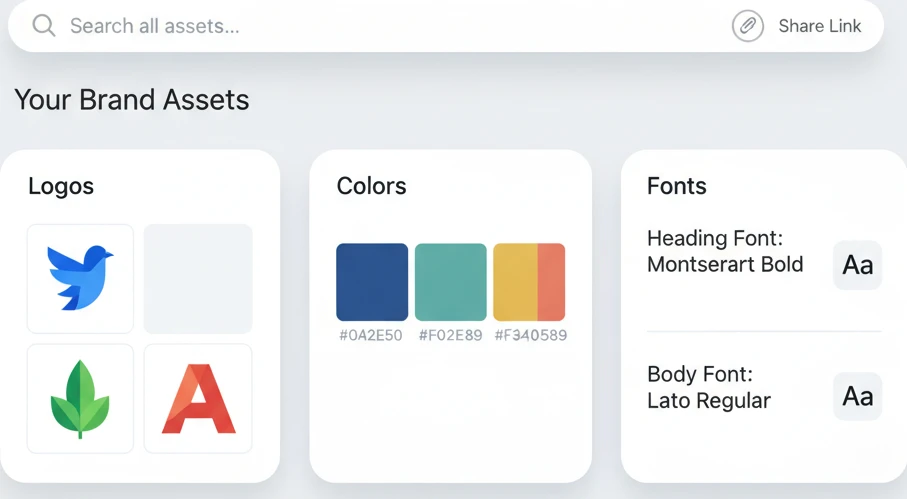
Building your comprehensive brand kit is an iterative process. Begin by gathering all essential brand assets, including logos in various formats (vector and raster), color palettes (HEX, RGB, CMYK), typography files, imagery, and any relevant brand guidelines documents. For logos, ensure you have high-resolution versions suitable for both digital and print applications. Organize these assets into logical categories within your chosen platform. For instance, create folders for “Logos,” “Colors,” “Fonts,” “Imagery,” and “Templates.” Within each category, further subdivide as needed. For example, under “Logos,” you might have subfolders for “Primary,” “Secondary,” and “Iconography.” Add clear descriptions and keywords to each asset to improve searchability. Regularly audit and update your brand kit as brand guidelines evolve, ensuring all stakeholders are working with the most current materials. This structured approach minimizes the risk of outdated assets being used, a common pitfall.
Setting Permissions and Access Levels
Effective access control is paramount to safeguarding your brand assets and ensuring that the right people see the right information. Define distinct user roles within your platform, such as administrator, editor, viewer, or client. Administrators typically have full control, while editors can manage assets but not user permissions. Viewers can access and download assets but cannot make changes. For clients, you might offer different levels of access depending on their role or the project phase; some may only need to view specific asset categories, while others require broader access. Implement password protection for your brand kit link, adding an extra layer of security. Consider setting expiration dates for shared links or specific asset folders, particularly for time-sensitive projects. Regularly review and update user permissions to reflect changes in team structure or client engagement. This meticulous approach prevents unauthorized access and ensures that sensitive information remains secure.
Optimizing Your Link for Client Success and SEO
Beyond mere functionality, your ‘one-link’ solution should be a strategic tool that enhances both client perception and internal discoverability. A well-optimized link is not just a delivery mechanism; it’s a representation of your brand’s professionalism and efficiency. By paying attention to the URL structure, metadata, and user experience, you can transform a simple link into a powerful asset for your business. This optimization ensures that clients can easily find and use the assets, while also making your brand kit more discoverable for internal search purposes and potentially even external search engines if the link is publicly accessible. Ultimately, this leads to a more streamlined workflow and fewer client queries about where to find specific brand elements, directly impacting client satisfaction and project turnaround times.
Crafting a Clear and Branded URL
The URL of your brand asset hub is often the first point of interaction for clients and collaborators. A clear, branded URL not only reinforces your identity but also makes the link more memorable and trustworthy. Aim for a URL that is concise, descriptive, and reflective of your brand. For example, instead of a generic string of characters, opt for something like `youragency.com/brand` or `youragency.com/assets`. If your platform allows custom subdomains, `brand.youragency.com` is an excellent option. Avoid using random numbers or overly technical jargon. Ensure the URL is easy to type and share across different communication channels. A well-chosen URL acts as a mini-advertisement for your brand, conveying professionalism and organization even before the client clicks through. This attention to detail can significantly improve the overall user experience and reduce the likelihood of typos or incorrect link sharing.
Leveraging Metadata for Searchability (Internal & External)
Metadata is the backbone of a searchable and easily navigable brand asset library. Within your chosen platform, ensure every asset is tagged with relevant keywords. This includes the asset type (e.g., “logo,” “icon,” “font”), its intended use (e.g., “web,” “print,” “social media”), color variations, and associated campaigns or clients. For logos, include terms like “vector,” “PNG,” “SVG,” and “EPS.” For fonts, specify “typeface,” “headline,” or “body text.” This detailed tagging significantly improves internal search results, allowing your team to quickly locate specific assets. If your brand kit is intended to be publicly accessible or indexed by search engines, well-optimized metadata can also improve its external search visibility. Consider using descriptive file names that incorporate key terms, further enhancing searchability. Proper metadata management is crucial for preventing the dreaded “can’t find the file” scenario and ensures that your brand guidelines are easily accessible, a key component of maintaining brand consistency across all touchpoints, as discussed in maintaining brand consistency through a central link.
Encouraging Client Familiarity and Usage
The success of your ‘one-link’ solution hinges on adoption. Proactively introduce the link to clients at the beginning of a project or during the handover phase. Explain its purpose and benefits, highlighting how it simplifies access to all their brand materials. Provide clear instructions on how to navigate and download assets. Whenever possible, embed the link in relevant client communications, such as project briefs, invoices, or welcome packets. Regularly remind clients of its existence, especially if new assets are added or updates are made. Consider creating a brief tutorial video or a simple one-page guide demonstrating how to use the brand kit. By making it easy and intuitive for clients to access and use their assets, you foster a sense of ownership and encourage consistent application of their brand identity, ultimately reducing rework and misunderstandings, which is a core benefit of mastering brand delivery to slash revisions.
Real-World Scenarios: How Agencies Master Brand Delivery
The transition to a unified asset delivery link is not just theoretical; it’s a practical shift that has demonstrably improved workflows for numerous creative businesses. By centralizing brand assets, agencies and freelancers are able to overcome common challenges like version control issues, client confusion, and time-consuming asset retrieval. This structured approach allows for a more professional and efficient client handoff, which is crucial for building strong, long-term relationships. The examples below illustrate how different types of creative professionals leverage these solutions to enhance their service delivery and client satisfaction, showcasing the tangible benefits of a streamlined process. Understanding these real-world applications can provide valuable insights for implementing your own successful system.
Case Study: A Boutique Agency Streamlines Client Onboarding
Example: “Chroma Creative,” a boutique branding agency, previously struggled with client onboarding. New clients often received a disorganized collection of files via email, leading to confusion and repeated requests for specific logos or color codes. After implementing a ‘one-link’ brand asset platform, Chroma Creative saw a significant improvement. They now provide clients with a single, branded link at project completion. This link directs clients to a neatly organized hub containing all final logos, brand guidelines, font files, and usage examples. Onboarding time for new clients was reduced by an estimated 30%, and client satisfaction scores related to asset delivery increased by 25%. The agency also reported a 15% decrease in support queries regarding asset availability. This streamlined process allows their team to focus more on strategic creative work rather than administrative tasks.
Case Study: Freelancers Elevate Their Professionalism
Example: Sarah Chen, a freelance graphic designer, needed a more professional way to deliver final brand assets to her clients. Her previous method involved zipping folders and sending them via email, which often resulted in broken links or confusion about which file was the latest version. By adopting a dedicated brand asset delivery platform, Sarah now provides each client with a unique, branded link. This link houses everything from logos and color palettes to social media templates and website imagery. Clients have praised the ease of access and the professional presentation. Sarah estimates that this shift has saved her an average of 2 hours per project in administrative overhead and has led to an increase in client referrals, as her final deliverables are now perceived as more polished and organized. This professionalism directly contributes to her reputation and ability to attract repeat business, a key aspect of the agency workflow for effective brand delivery.
The Impact on Repeat Business and Referrals
A seamless brand asset delivery process cultivates client trust and satisfaction, which are direct drivers of repeat business and referrals. When clients have a positive experience receiving and accessing their brand assets, they are more likely to engage the same agency or freelancer for future projects. A well-organized brand kit reflects positively on the provider’s professionalism and attention to detail, reinforcing their expertise. Happy clients are also more inclined to recommend your services to others. Furthermore, a centralized asset hub can become a valuable resource for clients long after the initial project concludes, encouraging them to revisit and utilize their brand elements, which in turn can lead to new project opportunities. This continuous engagement and positive perception are foundational for sustainable growth in the creative industry, contributing to a stronger client-provider relationship.
Alternatives to a Dedicated Brand Asset Delivery Platform (and When to Choose Them)
While dedicated platforms offer significant advantages, understanding alternative methods for asset delivery is crucial for making informed decisions based on your specific needs and budget. Each approach has its own set of strengths and weaknesses that can impact efficiency, security, and client experience. Evaluating these options allows you to select the most appropriate solution, whether it’s a simpler cloud storage setup for smaller projects or a more robust system for comprehensive brand management. The key is to match the tool to the task, ensuring that your brand assets are delivered effectively without unnecessary complexity or compromise.
Shared Cloud Drives (Google Drive, Dropbox): Pros and Cons
Pros: Shared cloud drives like Google Drive and Dropbox are widely accessible and familiar to most users, making them an easy starting point for asset sharing. They offer generous free tiers, making them cost-effective for freelancers or small teams with limited budgets. File versioning is typically supported, and collaboration features allow for real-time editing if needed. They are relatively simple to set up and manage for basic file distribution. This can be a good initial step for businesses looking to move away from email attachments, as covered in effortless asset delivery strategies.
Cons: The primary drawback is the lack of dedicated branding and customization options, which can make the shared folder look generic and unprofessional. Organizing assets can become cumbersome as folder structures grow, and search functionality is often less sophisticated than in dedicated platforms. Permissions management can be complex to navigate correctly, leading to accidental oversharing or restricted access. They also lack the specific features designed for brand asset management, such as previewing brand guidelines or easily exporting assets in multiple formats directly from the link. Security can also be a concern if not managed meticulously.
Dedicated Brand Guidelines Tools: When They Shine
Dedicated brand guidelines tools, such as Brandfolder or Frontify, excel when the primary need is not just asset delivery but also comprehensive brand governance and management. These platforms are built specifically for housing brand assets alongside detailed usage rules, style guides, and inspirational content. They offer advanced features like workflow approvals, brand consistency checks, and extensive analytics on asset usage. These tools are ideal for larger organizations or agencies managing multiple brands with strict compliance requirements. If your focus is on maintaining rigorous brand consistency across a vast array of materials and stakeholders, and if budget allows for a specialized solution, these platforms offer unparalleled control and governance.
DIY Solutions: Evaluating Complexity and Scalability
Creating a DIY solution for brand asset delivery might involve using a combination of tools like a custom-built website landing page, password-protected galleries, or even a series of well-organized cloud storage links with custom instructions. Pros: This approach offers maximum flexibility and complete control over the user experience and branding. It can be cost-effective if you have in-house development resources or for very niche requirements. Cons: The complexity and scalability are significant concerns. Building and maintaining such a system requires ongoing technical expertise, time, and resources. As your asset library grows or your client base expands, a DIY solution can quickly become unmanageable and less efficient than a purpose-built platform. Ensuring security, version control, and an intuitive user interface requires substantial development effort, making it less practical for most agencies and freelancers.
Alternatives to a Dedicated Asset Delivery Platform (and When to Choose Them)
While dedicated platforms offer robust solutions, several alternatives can serve specific needs effectively. For smaller teams or projects with less complex asset requirements, a well-organized cloud storage solution like Google Drive, Dropbox, or OneDrive can be a viable option. The key to success here lies in meticulous folder structuring, clear naming conventions, and perhaps a supplementary README file outlining asset usage. This is best suited when the primary need is simple file sharing and collaboration, and budget is a significant constraint. However, as mentioned previously, managing permissions and ensuring sophisticated search capabilities can be challenging.
For agencies that prioritize a seamless, branded experience and have specific, repeatable workflows, a custom landing page or a password-protected area on their own website can be an attractive choice. This allows for complete control over branding and user experience, offering a highly professional front. It’s ideal when you need to present assets in a curated way that aligns perfectly with your agency’s visual identity. The main drawback is the development and maintenance overhead. This solution is best for agencies with strong in-house web development capabilities or a clear understanding of their clients’ needs for asset presentation.
When dealing with a high volume of design projects and requiring easy integration with other design tools, consider using project management or design collaboration tools that offer asset storage features. Platforms like Asana, Trello (with power-ups), or even more design-centric tools like Framer can sometimes accommodate asset storage within project contexts. This is beneficial if your workflow heavily relies on these tools already, as it centralizes assets within their intended project. The limitation here is that these are not primarily asset management systems, so advanced features like brand governance or extensive analytics may be absent.
Ultimately, the choice of an alternative depends on a careful evaluation of your specific needs: the volume and complexity of assets, budget constraints, required level of branding and customization, technical expertise available, and the importance of features beyond simple file sharing.
While dedicated Digital Asset Management (DAM) systems offer comprehensive features, several alternatives can serve specific needs effectively. For smaller teams or projects with less complex asset requirements, a well-organized cloud storage solution like Google Drive, Dropbox, or OneDrive can be a viable option. The key to success here lies in meticulous folder structuring, clear naming conventions, and perhaps a supplementary README file outlining asset usage. This is best suited when the primary need is simple file sharing and collaboration, and budget is a significant constraint. However, as mentioned previously, managing permissions and ensuring sophisticated search capabilities can be challenging.
Troubleshooting Common ‘One-Link’ Challenges
While a unified brand asset link offers significant advantages, designers and agencies can encounter specific hurdles. One common issue is managing updates and version control. Clients or internal teams might request minor revisions to logos or iconography. Without a clear system, distributing these updated assets can lead to confusion, with recipients unsure which version is the most current. This can result in outdated branding being used across marketing materials or digital platforms. Establishing a strict naming convention and a clear update protocol within your one-link solution is paramount. For instance, appending version numbers (e.g., `logo_v2.1.png`) or dates to file names, and clearly communicating changes via a changelog within the link’s interface, mitigates this risk. Consider implementing a system where old versions are archived rather than deleted, providing a historical record.
Managing Updates and Version Control
Effective version control is crucial for maintaining brand integrity. When new asset versions are uploaded, ensure that the system clearly marks them as the primary or latest iteration. A robust platform will allow you to either replace old files with new ones seamlessly or maintain a history of previous versions. For example, if a client needs a slightly modified logo, uploading the new version and disabling access to the old one prevents accidental misuse. Some platforms offer built-in versioning, automatically creating a history log. When selecting a solution, prioritize features that allow for rollback capabilities or a clear visual indicator of the most up-to-date asset. A well-organized changelog, detailing what was updated and why, offers transparency and can preempt client queries about modifications.
Ensuring Mobile Accessibility and Responsiveness
The accessibility of your brand asset link across various devices is non-negotiable in today’s mobile-first digital landscape. Users accessing your link on smartphones or tablets should experience a seamless and responsive interface. This means the layout adjusts fluidly to different screen sizes, navigation remains intuitive, and file previews load quickly without excessive data consumption. Pitfalls here include poorly optimized image previews that take too long to load on cellular data or a desktop-centric design that becomes unusable on smaller screens. When evaluating asset delivery platforms, test their mobile performance thoroughly. Ensure that any interactive elements, like color palettes or font previews, function correctly on mobile browsers. A truly effective one-link solution prioritizes a mobile-first design, making it easy for anyone, anywhere, to access and download what they need.
Handling Large File Sizes and Downloads
Brand assets often include high-resolution images, complex vector files, or extensive font libraries, leading to substantial file sizes. A common challenge is ensuring these large assets are delivered efficiently without frustrating users with long download times or hitting data limits. Slow downloads can be a significant roadblock, especially for clients on unstable internet connections. Some solutions might struggle with efficiently compressing or streaming large files. Prioritize platforms that offer optimized file delivery, potentially through cloud-based storage with robust content delivery networks (CDNs). Look for features like selective downloads, allowing users to pick only the assets they need, or progressive loading for previews. For instance, a user might want to download a single logo variation but not the entire brand book; the platform should facilitate this without forcing a full download.
The Future of Brand Asset Management: Trends to Watch
The landscape of brand asset management is continuously evolving, driven by technological advancements and changing user expectations. The move towards centralized, accessible brand assets via a single link is just the beginning. We’re seeing a significant push towards automation and intelligent systems that can streamline the organization, distribution, and even creation of brand assets. For agencies and designers, this means more time freed up from administrative tasks and a greater ability to focus on strategic creative work. Staying ahead of these trends is key to maintaining a competitive edge and offering clients the most efficient and professional brand delivery experience. The integration of AI, dynamic content generation, and seamless tool interoperability are poised to redefine how brands manage and utilize their visual identity in the coming years.
AI-Powered Asset Organization and Tagging
Artificial intelligence is rapidly transforming how we manage digital assets. In the context of brand asset delivery, AI can automate the often tedious process of organizing and tagging files. Imagine uploading a batch of new product photography, and AI automatically identifies objects, colors, and even sentiment within each image, assigning relevant tags. This eliminates the need for manual categorization, significantly reducing the time spent searching for specific assets. For example, an AI could identify all images featuring a specific product model or all brand assets containing a particular shade of blue, making targeted searches incredibly efficient. Furthermore, AI can help in identifying duplicate or outdated assets, further cleaning up your digital library. This advanced tagging not only aids in retrieval but can also inform better asset utilization strategies by understanding usage patterns.
Integration with Design and Marketing Tools
The efficiency of a one-link solution is amplified when it seamlessly integrates with the tools designers and marketers use daily. Future platforms will offer deep connections with popular software like Adobe Creative Suite, Figma, Canva, and various marketing automation platforms. This means assets can be accessed, updated, and placed directly within ongoing design projects or marketing campaigns without constant downloading and re-uploading. Consider a scenario where a marketer needs to update a banner ad; with direct integration, they could access the latest logo from the brand asset link, update it within their platform, and redeploy it, all within minutes. This interoperability minimizes friction in workflows, reduces the risk of using incorrect assets, and ensures brand consistency across all touchpoints. Explore solutions that provide APIs or built-in connectors for your essential toolset. A comprehensive overview of how these integrations can benefit your workflow can be found by examining best practices for maintaining brand consistency with design systems.
Dynamic Brand Asset Generation
The next frontier in brand asset management involves dynamically generating assets based on specific needs and contexts. Instead of pre-creating every possible variation of a logo or graphic, future systems will leverage templates and AI to produce assets on demand. This is particularly useful for personalization in marketing campaigns or for creating localized versions of brand materials. For instance, a system could generate social media graphics with personalized text overlays for different customer segments or create marketing collateral in multiple languages by automatically incorporating translated text. This capability moves beyond static asset delivery to a truly intelligent and responsive brand ecosystem. Such dynamic generation ensures that brands can scale their visual communications efficiently while maintaining a consistent brand identity, adapting quickly to diverse market requirements and audience preferences.
By understanding and addressing these potential challenges, and by anticipating future innovations, you can ensure your chosen brand asset delivery method remains a powerful asset in your creative toolkit. Embracing the evolution of asset management means staying agile and ensuring your brand’s visual identity is always presented with clarity and professionalism.
Saurabh Kumar
Founder, BrandKity
Saurabh writes about practical brand systems, faster client handoffs, and scalable workflows for designers and agencies building repeatable delivery operations.
Connect on LinkedIn




