
Master Brand Asset Delivery Workflow
Delivering brand assets to clients is more than just a final step in a project; it’s the crucial handover that empowers your client to maintain brand consistency. When this process is messy, it can erode trust and create unnecessary friction. A well-defined workflow ensures your clients receive everything they need, organized and accessible, making your
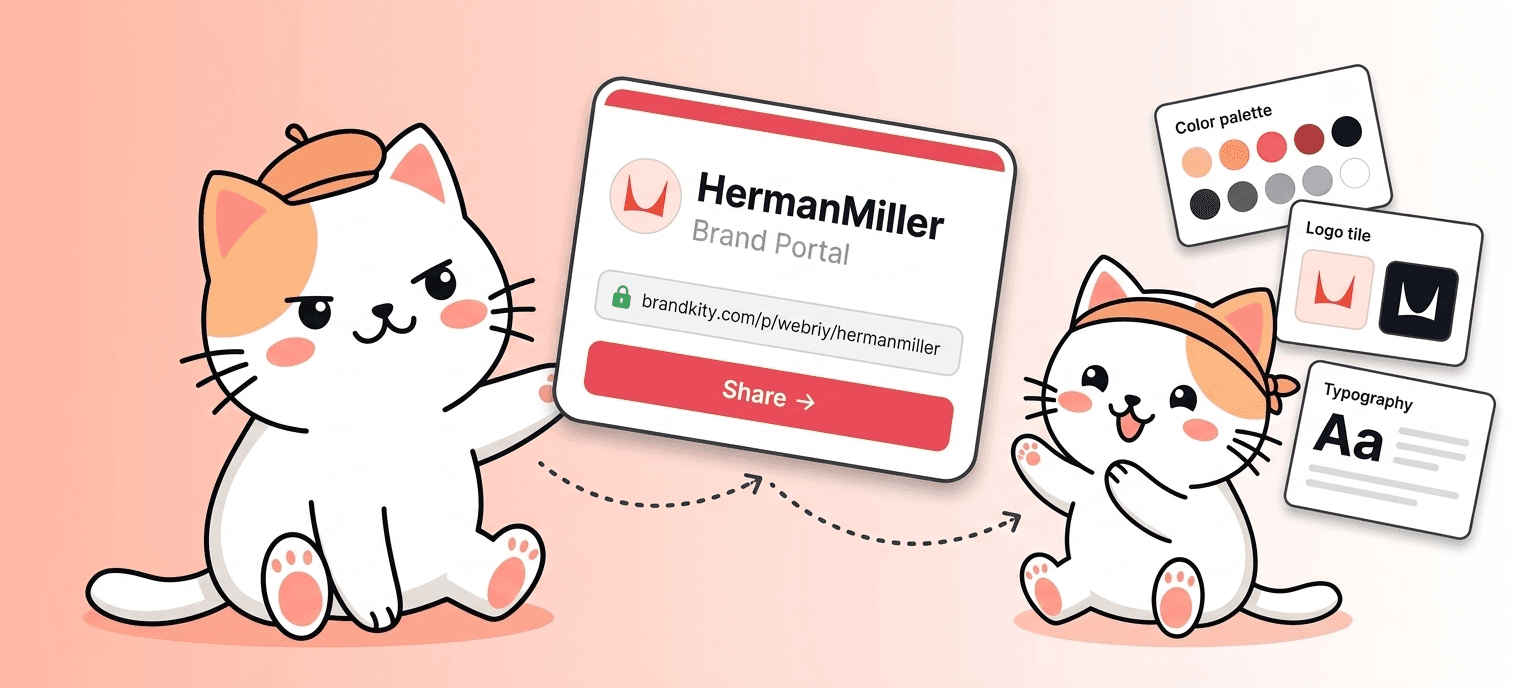
Table of contents
- The Pain of Scattered Brand Files: Why Your Current Handoff is Likely Failing Clients
- The ‘Email Attachment Chaos’ Syndrome
- The Hidden Costs of Repeated Asset Requests
- Client Frustration: The Real Impact on Your Reputation
- Defining Your Brand Asset Delivery Workflow: Beyond Just Sending Files
- Key Components of a Professional Brand Handoff
- Mapping Out Your Client’s Needs: Who Needs What, When?
- Establishing Clear Deliverables for Every Project Stage
- Essential Brand Assets Every Client Needs (And How to Organize Them)
- Logo Variations: From Full Color to Iconography
- Color Palettes: HEX, RGB, CMYK, and PMS Codes
- Typography: Font Files, Weights, and Usage Guidelines
- The Power of One: Streamlining Delivery with a Centralized Link
- Why a Single Source of Truth is Crucial
- Organizing by Category: Logos, Colors, Fonts, Visuals
- Versioning Control: Ensuring Clients Always Have the Latest Assets
- Building Your Brand Asset Library: Best Practices for Designers
- Naming Conventions That Make Sense
- File Format Selection: What Works Best for Each Asset Type
- Metadata and Tagging for Easy Searchability
- Client Handoff: The Art of Presenting Brand Assets Professionally
- Crafting a Clear and Concise Delivery Message
- Guiding Clients Through Their New Brand Assets
- Setting Expectations for Future Asset Usage and Updates
- Leveraging Digital Tools for Seamless Brand Asset Management in 2026
- The Evolution of Brand Asset Delivery Platforms
- Key Features to Look For: Organization, Sharing, Permissions
- Integrating Delivery into Your Existing Creative Process
- Beyond the Deliverable: Educating Clients for Brand Consistency
- Creating Accessible Brand Guidelines
- Providing Usage Examples and Do’s/Don’ts
- Empowering Clients to Be Brand Guardians
- Troubleshooting Common Brand Asset Delivery Roadblocks
- Handling Large File Sizes and Downloads
- Managing Client Access and Permissions
- Addressing Obsolete or Incorrect Asset Requests
- Scaling Your Workflow: From Freelancer to Agency Powerhouse
- Standardizing Handoffs Across Your Team
- Onboarding New Clients with an Efficient Process
- Measuring Success: Client Satisfaction and Reduced Revisions
Delivering brand assets to clients is more than just a final step in a project; it’s the crucial handover that empowers your client to maintain brand consistency. When this process is messy, it can erode trust and create unnecessary friction.
A well-defined workflow ensures your clients receive everything they need, organized and accessible, making your agency look professional and your client feel confident.
The Pain of Scattered Brand Files: Why Your Current Handoff is Likely Failing Clients
The haphazard delivery of brand assets is a common pain point for both designers and their clients. Instead of a streamlined, professional handover, many projects devolve into a chaotic mess of unorganized files scattered across email threads, cloud storage links, and even USB drives. This disarray doesn’t just look unprofessional; it actively hinders a client’s ability to utilize their brand effectively, leading to a cascade of downstream problems.
The ‘Email Attachment Chaos’ Syndrome
The “email attachment chaos” syndrome is perhaps the most ubiquitous symptom of a failing brand asset delivery workflow. Imagine a client requesting a specific logo file – the full color JPG, but perhaps they actually need the transparent PNG for web use, or the vector EPS for print. Without a central, organized repository, this request triggers a frantic search through countless email threads. The designer might attach the wrong version, leading to further back-and-forth. This often involves multiple people on both the agency and client side, consuming valuable time and introducing the risk of miscommunication. Key decision criteria here involve evaluating the volume of asset requests you typically receive and the complexity of your client’s branding. If you’re constantly digging through archives for basic assets, it’s a clear sign of a broken system.
The Hidden Costs of Repeated Asset Requests
Beyond the immediate frustration, scattered brand files incur significant hidden costs. Each time a client has to ask for a specific asset because they can’t find it, it represents a drain on both your time and their resources. This isn’t just about the few minutes it takes to find and re-send a file; it’s the cumulative effect. Consider the hours spent by your project managers or account executives fielding these requests, the potential for errors that lead to costly reprints or redesigns, and the decreased efficiency for the client’s marketing team. A study by the Nielsen Norman Group highlights that poor information architecture leads to significant user frustration and reduced productivity, a principle that directly applies to brand asset management. Avoiding these repeated asset requests is paramount to maintaining profitability and client satisfaction.
Client Frustration: The Real Impact on Your Reputation
Ultimately, the most damaging consequence of a poor brand asset delivery workflow is client frustration, which directly impacts your reputation. When clients struggle to access and use their brand assets, it creates a perception of disorganization and unprofessionalism. This can lead to a loss of trust, decreased likelihood of repeat business, and negative word-of-mouth referrals. Imagine a client needing to quickly update a social media graphic but being unable to locate the correct logo file, forcing them to delay their campaign. This experience, repeated across various touchpoints, erodes their confidence in your agency’s capabilities. The real impact on your reputation far outweighs the perceived effort of establishing a better delivery system.
Defining Your Brand Asset Delivery Workflow: Beyond Just Sending Files
Moving beyond the chaotic methods of the past, defining a robust brand asset delivery workflow is essential for any agency aiming for professionalism and client satisfaction. This process is more than just bundling files into a zip folder; it’s a structured, strategic approach to ensuring your clients have seamless access to everything they need to represent their brand effectively. A well-defined workflow minimizes confusion, reduces errors, and empowers your clients, ultimately strengthening your agency’s reputation.
Key Components of a Professional Brand Handoff
A professional brand handoff comprises several critical components. First, it necessitates a clear inventory of all brand assets. This means knowing exactly what files exist, their variations, and their intended uses. Second, an organized structure is paramount; assets should be logically grouped by type (logos, colors, fonts, imagery). Third, comprehensive usage guidelines are non-negotiable, providing clear instructions on how and when to use each asset. Finally, the delivery mechanism itself must be accessible, reliable, and easy for the client to navigate. Implementing a system that allows for easy searching and downloading is a key differentiator. Consider the depth of brand collateral your clients typically require; the more extensive it is, the more crucial a structured workflow becomes.
Mapping Out Your Client’s Needs: Who Needs What, When?
Effective brand asset delivery starts with understanding your client’s specific requirements. This involves mapping out who within the client’s organization will need access to these assets and when they will need them. A marketing manager might require daily access to a range of files, while an external printer might only need specific print-ready formats at project-specific times. Ask questions like: What are the primary use cases for these assets? Who are the key stakeholders on the client side? What are their technical proficiencies with design software? Understanding these nuances allows you to tailor the delivery package, ensuring clients receive exactly what they need without being overwhelmed by irrelevant files. This proactive approach prevents future confusion and streamlines internal client processes.
Establishing Clear Deliverables for Every Project Stage
To ensure a smooth and predictable brand asset delivery, it’s vital to establish clear deliverables at each stage of a project. This means defining upfront what assets will be provided and at what point in the project lifecycle. For instance, initial logo variations might be delivered during the brand identity phase, while finalized campaign assets are handed over upon campaign completion. This provides the client with transparency and manages expectations. Examples include delivering a foundational brand style guide with core logo and color elements at the midpoint, followed by a comprehensive asset library post-project launch. This clarity on project milestones and associated deliverables prevents last-minute scrambling and ensures a consistent, professional experience.
Essential Brand Assets Every Client Needs (And How to Organize Them)
Beyond the core logo, a comprehensive set of brand assets is crucial for ensuring a client can maintain brand consistency across all their touchpoints. Providing these essentials, properly organized, empowers clients and solidifies your agency’s role as a strategic partner. The goal is to equip them with a versatile toolkit that covers various applications, from digital marketing to print collateral.
Logo Variations: From Full Color to Iconography
A single logo file is rarely sufficient. Clients need a variety of logo formats to suit different contexts. This includes the full-color primary logo for general use, monochrome versions (black and white) for specific printing needs or when color isn’t feasible, and reversed (white) versions for use on dark backgrounds. Beyond these, consider providing simplified versions like an icon or a favicon for web use, and potentially a stacked or horizontal layout variation if applicable. It’s also important to include vector formats (AI, EPS, SVG) for scalability without quality loss, and raster formats (JPG, PNG) for web and standard document use. Properly organizing these under clear subfolders like “Full Color,” “Monochrome,” and “Icons” is key.
Color Palettes: HEX, RGB, CMYK, and PMS Codes
Color is a fundamental element of brand identity, and providing accurate color specifications is non-negotiable. Clients need to understand their brand’s color palette beyond just the visual appearance. This means delivering the primary and secondary color codes in all relevant formats: HEX for web design, RGB for digital displays, CMYK for professional printing, and PMS (Pantone Matching System) codes for precise color reproduction in commercial printing. Including a visual swatch of each color, alongside its corresponding codes, is invaluable. This ensures consistency whether they’re working with a web developer, a printer, or creating internal marketing materials. A clear breakdown by color name (e.g., “Primary Blue,” “Accent Green”) with all associated codes is the most effective way to organize this critical information.
Typography: Font Files, Weights, and Usage Guidelines
Typography plays a significant role in brand voice and legibility. Clients need access to the correct font files for their brand. This includes providing the actual font files (e.g., .otf, .ttf) for desktop installation. Crucially, you must also specify the different weights and styles of the fonts used (e.g., Regular, Bold, Italic) and provide clear typography usage guidelines. These guidelines should explain which fonts are for headings, body text, captions, and other applications, as well as any kerning or spacing recommendations. Mentioning licensing information or directing them to the font foundry for extended licenses is also good practice. Organizing fonts into folders based on their role (e.g., “Heading Fonts,” “Body Text Fonts”) with accompanying style guides enhances usability.
The Power of One: Streamlining Delivery with a Centralized Link
In the quest for efficient and professional brand asset delivery, the concept of a single, centralized link has emerged as a game-changer. This approach consolidates all essential brand collateral into one easily accessible location, eliminating the chaos of scattered files and multiple download points. By providing a unified source of truth, you empower clients with immediate access and drastically simplify your own internal processes.
Why a Single Source of Truth is Crucial
A single source of truth for brand assets is indispensable for maintaining brand integrity and operational efficiency. When clients can access all approved logos, colors, fonts, and imagery from one central hub, the risk of them using outdated or incorrect versions diminishes significantly. This eliminates the common scenario of a client downloading a logo from an old email, only to find a newer, more refined version exists elsewhere. For your agency, it means fewer support requests for forgotten files and a standardized, professional handover process. This also aligns with best practices for design systems, as championed by resources like the InVision”>InVision”>https://www.invisionapp.com/blog/design-systems-101/”>InVision Blog. The ability to manage and update assets in one place ensures everyone is always working with the latest approved materials.
Organizing by Category: Logos, Colors, Fonts, Visuals
The effectiveness of a centralized link hinges on its organization. A logical categorization system is vital for user-friendliness. Typically, assets should be grouped into distinct categories such as “Logos,” “Color Palettes,” “Typography,” and “Imagery” (which can further break down into “Photos,” “Illustrations,” and “Icons”). Within each category, files should be further organized by format (e.g., .SVG, .PNG, .JPG) or variation (e.g., full color, monochrome, reversed). Clear naming conventions for each file are also essential. This structured approach ensures that clients can quickly locate the specific asset they need without having to sift through irrelevant files, making the overall delivery experience intuitive.
Versioning Control: Ensuring Clients Always Have the Latest Assets
A critical, yet often overlooked, aspect of centralized asset delivery is versioning control. This ensures that clients are always accessing the most current and approved versions of your brand assets. When an asset is updated – perhaps a logo refinement or a color palette adjustment – the old version should be clearly marked as retired or removed, with the new version prominently displayed. This prevents accidental use of outdated materials that can lead to brand inconsistencies. Platforms that offer versioning capabilities allow you to maintain a historical record, track changes, and communicate updates effectively to your clients. This proactive management of asset versions is fundamental to maintaining brand consistency over time and across all applications.
Building Your Brand Asset Library: Best Practices for Designers
A well-organized brand asset library is the bedrock of efficient client delivery and long-term brand consistency. For designers, this means establishing clear protocols from the outset, ensuring every logo, icon, color palette, font file, and visual element is meticulously managed. Prioritizing a structured approach saves countless hours and minimizes the risk of outdated or incorrect assets being used by clients or their partners. Think of your asset library as the ultimate source of truth for a brand’s visual identity; its integrity directly impacts the professional presentation of your work. This systematic organization benefits not only your current project but also future brand iterations and updates. Remember, a chaotic library leads to fragmented brand representation, undermining the very identity you’ve worked hard to build.
Naming Conventions That Make Sense
Implementing consistent and intuitive naming conventions is paramount for any brand asset library. This isn’t just about aesthetics; it’s about ensuring that anyone, regardless of their familiarity with the project, can quickly locate the correct asset. A robust naming system should incorporate key identifiers such as the brand name, asset type, format, and version. For instance, a primary logo might be named `BrandKity_Logo_Primary_CMYK_v1.2.ai`, while a social media icon could be `BrandKity_Icon_Social_Twitter_RGB_v1.0.svg`. The benefits of this clarity are immense: reduced search time, fewer errors in asset selection, and a more streamlined workflow for both internal teams and external stakeholders. Pitfalls to avoid include overly complex or jargon-filled names, inconsistent capitalization, and the absence of version control, which can lead to the use of obsolete assets. Regularly reviewing and refining your naming conventions based on team feedback can further enhance their effectiveness.
File Format Selection: What Works Best for Each Asset Type
Choosing the appropriate file format for each brand asset is crucial for ensuring optimal quality, scalability, and compatibility across various applications. For vector-based assets like logos and icons, formats such as .AI (Adobe Illustrator), .EPS (Encapsulated PostScript), and .SVG (Scalable Vector Graphics) are indispensable. These formats maintain sharp lines and can be scaled infinitely without loss of resolution, making them ideal for print and large-scale applications. Raster images, including photographs and complex illustrations, typically use formats like .JPG (Joint Photographic Experts Group) for web and general use where file size is a concern, and .PNG (Portable Network Graphics) when transparency is required, such as for overlays. For font files, standard formats include .OTF (OpenType Font) and .TTF (TrueType Font), while .WOFF and .WOFF2 are optimized for web use. Understanding the intended use of each asset will guide your format selection. For example, a logo intended for a billboard needs a vector format, whereas a logo for a website avatar might be delivered as a .PNG or .SVG. Delivering assets in their most versatile formats ensures clients have the flexibility they need.
Metadata and Tagging for Easy Searchability
Beyond logical naming, rich metadata and strategic tagging transform your brand asset library into a powerful, searchable database. Metadata includes descriptive information embedded within the file or associated with it, such as creation date, author, keywords, and usage rights. Effective tagging involves assigning relevant keywords and categories to each asset, enabling users to find what they need via simple search queries. Consider tags like “social media,” “website,” “print collateral,” “hero image,” “call to action,” or specific campaign names. For instance, a set of social media graphics could be tagged with `social`, `campaign_spring2026`, `facebook`, `instagram`, and `promo`. This layered approach significantly reduces time spent searching for assets and empowers users, especially those less familiar with the brand’s internal structure. Tools that support metadata embedding and custom tagging capabilities are essential for building a truly accessible and efficient asset library. A well-tagged library minimizes repetitive requests for the same assets and ensures brand consistency across all touchpoints. For deeper insights into metadata standards, explore resources from organizations like the Library of Congress, which outlines principles for digital asset management.
Client Handoff: The Art of Presenting Brand Assets Professionally
The client handoff is a critical juncture where your creative work culminates in a tangible deliverable. A professional and well-structured presentation of brand assets not only ensures the client understands how to use them effectively but also reinforces the value and quality of your design services. This process moves beyond simply sending files; it’s about creating a seamless experience that empowers the client to maintain brand integrity moving forward. A thoughtful handoff minimizes confusion, reduces the likelihood of misuse, and sets a precedent for clear communication and organized asset management. Investing time in this stage directly impacts client satisfaction and the long-term success of the brand you’ve helped shape. It’s your final opportunity to showcase your expertise and ensure the brand’s visual identity is preserved and propagated correctly.
Crafting a Clear and Concise Delivery Message
Your delivery message serves as the initial point of contact for the client regarding their new brand assets. It should be both informative and reassuring, setting a positive tone for their ongoing use of the materials. Start with a brief, enthusiastic acknowledgment of the project’s completion and the exciting potential of the new brand identity. Clearly state what is being delivered – a comprehensive package of brand assets – and provide a direct, easily accessible link to where they can be downloaded or viewed. Avoid jargon and technical terms where possible. Instead, focus on the benefits: “This structured delivery ensures you have everything you need to represent your brand consistently and professionally.” Briefly outline what the package includes (e.g., logos in various formats, color palettes, typography files, usage guidelines) and mention that detailed instructions are available. Offering a point of contact for any immediate questions fosters trust and accessibility.
Guiding Clients Through Their New Brand Assets
Once the client accesses the delivered assets, guidance is essential to ensure they understand and utilize them correctly. Begin with a brief overview of the library’s structure, explaining how files are organized and why specific formats were chosen. For example, explain that vector logos (.AI, .SVG) are for scalable applications like print, while raster images (.JPG, .PNG) are optimized for web use. Highlighting key assets, such as primary logos and core color values, can help them orient themselves quickly. If your delivery platform includes a preview function, encourage them to explore it. Provide context for different file versions (e.g., full-color, black and white, reversed) and their intended uses. A simple, step-by-step approach, perhaps with annotated screenshots or short video snippets, can demystify the process and build client confidence. This proactive guidance prevents common errors and reinforces the professional nature of your service.
Setting Expectations for Future Asset Usage and Updates
A crucial, often overlooked, aspect of client handoff is clearly defining the lifecycle and management of brand assets post-delivery. Establish expectations regarding updates, revisions, and ongoing support. Inform the client about the process for requesting new assets or modifications, including any associated costs or timelines. Clarify who is responsible for maintaining the master files and distributing updates. For instance, you might state, “BrandKity will serve as your central repository. For any future brand asset needs, please reach out through [your preferred channel], and we will update the library accordingly.” Advise them on how to handle situations where they might need to share assets with third-party vendors, emphasizing the importance of providing the correct file types and adhering to brand guidelines. This foresight prevents brand dilution and ensures the identity evolves cohesively over time, positioning you as a strategic partner.
Leveraging Digital Tools for Seamless Brand Asset Management in 2026
In 2026, the landscape of brand asset management has evolved significantly, driven by the need for efficiency, collaboration, and robust control over brand identity. Digital tools are no longer a luxury but a necessity for designers and agencies aiming to deliver professional, organized, and accessible brand assets. These platforms move beyond simple file storage, offering sophisticated features that streamline workflows from creation to distribution and ongoing maintenance. By embracing the right technologies, you can eliminate scattered files, reduce version control issues, and enhance client satisfaction. The strategic adoption of brand asset management (BAM) platforms is key to maintaining a competitive edge and ensuring your creative output is always presented in its best light. This section explores the current state and future trajectory of these essential tools.
The Evolution of Brand Asset Delivery Platforms
Brand asset delivery platforms have undergone a dramatic transformation, evolving from basic cloud storage solutions to comprehensive digital asset management (DAM) systems tailored for creative professionals. Early solutions often involved shared folders on platforms like Dropbox or Google Drive, which lacked robust organization, permissions control, and brand-specific functionalities. Today’s leading platforms, like BrandKity, offer a more integrated and user-centric experience. They are designed to centralize all brand collateral—logos, colors, fonts, images, templates, and more—under a single, secure, and branded portal. The emphasis has shifted from mere storage to active management and strategic distribution. Features such as version control, advanced search capabilities, analytics, and integration with design software are now standard. This evolution reflects the growing recognition that efficient brand asset management is integral to maintaining brand consistency, accelerating project timelines, and fostering better client relationships. The trend is towards platforms that are not just repositories but active participants in the brand ecosystem.
Key Features to Look For: Organization, Sharing, Permissions
When selecting a brand asset delivery platform, several core features are non-negotiable for ensuring efficiency and security. Robust organization capabilities are paramount; this includes intuitive folder structures, customizable tagging, and powerful search functionality that allows users to find assets by keyword, color, or asset type quickly. Seamless sharing is another critical element, ideally through a single, branded link that provides access to curated asset collections. This simplifies client handoffs and internal collaboration. Advanced permissions control is equally vital; the ability to define who can view, download, or edit specific assets prevents unauthorized access or accidental misuse. Look for features like role-based access, expiration dates for shared links, and download tracking. Integration with design tools (e.g., Adobe Creative Cloud) and project management software can further enhance workflow efficiency. A platform that offers clear analytics on asset usage can also provide valuable insights into how your brand assets are being utilized.
Integrating Delivery into Your Existing Creative Process
Seamless integration of brand asset delivery into your existing creative workflow is key to maximizing the benefits of a digital platform. This means ensuring that the BAM solution complements, rather than complicates, your current processes. For designers, this might involve plugins or extensions that allow assets to be accessed directly within design software, reducing the need to switch between applications. For agencies, it could mean integrating the BAM platform with project management tools to automate asset distribution upon project completion. Establishing clear internal protocols for asset creation, approval, and uploading to the BAM system is essential. This ensures that only approved and correctly formatted assets enter the library. Training your team on how to utilize the platform effectively, from uploading new assets to retrieving existing ones, is also critical. By making the BAM platform an organic part of your daily operations, you transform it from a separate task into an efficient enabler of your creative output and client service.
Beyond the Deliverable: Educating Clients for Brand Consistency
Delivering brand assets is only one part of the equation; ensuring clients can use them effectively and consistently is equally important for long-term brand health. A proactive approach to client education empowers them to become custodians of their own brand identity, reducing reliance on designers for every minor usage query. This educational component moves beyond the transactional, establishing you as a strategic partner invested in their brand’s ongoing success. By providing clear, accessible resources, you equip clients with the knowledge and confidence to maintain brand integrity across all their communications. Investing in client education is an investment in the longevity and impact of the brand you’ve helped build.
Creating Accessible Brand Guidelines
Comprehensive and accessible brand guidelines are the cornerstone of client education. These documents serve as the definitive manual for how a brand’s visual identity should be applied. Your guidelines should go beyond simply listing logo variations and color codes; they need to explain the ‘why’ behind the rules. Structure the guidelines logically, starting with the brand’s mission and values, then moving into specifics like logo usage (clear space, minimum size, correct placement), color palettes (primary, secondary, and their specific HEX, RGB, CMYK, and Pantone values), typography (primary and secondary fonts, hierarchy, usage examples), and imagery style. Use clear, concise language and plenty of visual examples, including both correct applications and common misuses. For instance, show an example of the logo correctly placed on a dark background and then demonstrate what happens when it’s used incorrectly. Making these guidelines available digitally, perhaps within the brand asset delivery platform itself or as a downloadable PDF, ensures easy access for the client and any external partners they engage.
Providing Usage Examples and Do’s/Don’ts
To truly solidify understanding, supplementing written brand guidelines with practical usage examples and clear ‘do’s and don’ts’ is invaluable. Visual demonstrations are often more impactful than text alone. Create a series of quick, digestible examples showcasing how assets should be applied in real-world scenarios relevant to the client’s business. This could include mockups of social media posts, website headers, business cards, or marketing collateral. Conversely, explicitly list common pitfalls and errors to avoid. For example: “Do: Use the approved brand colors for all digital interfaces. Don’t: Introduce new shades of the brand’s primary blue.” or “Do: Ensure the logo has adequate clear space around it. Don’t: Place text too close to the logo.” These clear directives prevent misinterpretation and reinforce best practices. Consider creating short, animated GIFs or micro-videos demonstrating specific usage scenarios, which can be particularly effective for conveying dynamic brand elements or complex rules.
Empowering Clients to Be Brand Guardians
The ultimate goal of client education is to empower them to become effective guardians of their own brand identity. This means fostering a sense of ownership and responsibility for maintaining brand consistency. Encourage clients to integrate brand asset usage into their internal workflows and to brief any third-party collaborators on the established guidelines. Provide them with a central, easily accessible link to their brand asset library and guidelines, reminding them that this is their single source of truth. Regular check-ins or offering a brief Q&A session can address any emerging questions or ambiguities. Frame this ongoing management not as a chore, but as a vital component of their brand’s success and recognition. By equipping clients with the tools and knowledge to be diligent brand guardians, you ensure the integrity and impact of your creative work extend far beyond the initial delivery.
Troubleshooting Common Brand Asset Delivery Roadblocks
Even with the best intentions, delivery workflows can encounter unexpected hurdles. A frequent culprit is the sheer volume of brand assets. High-resolution logos, extensive photo libraries, or video files can quickly become unmanageable, leading to frustrated clients and prolonged download times. This necessitates a strategy for optimizing file formats and considering efficient delivery methods. Another common issue arises from managing who sees what. In a collaborative environment, ensuring only authorized individuals can access specific brand collateral is paramount to maintaining brand integrity and preventing misuse. Finally, the human element of requests can introduce errors. Clients, or even internal team members, might ask for outdated versions or assets that no longer align with current branding, leading to wasted effort and potential brand inconsistencies.
Handling Large File Sizes and Downloads
Large files are a persistent challenge in brand asset delivery. When dealing with high-resolution logos (e.g., multi-megabyte vector files), extensive image galleries, or video assets, clients can face frustratingly slow download speeds, or worse, incomplete transfers. To combat this, consider implementing tiered delivery options. Offer a primary link with optimized, web-ready assets (e.g., JPGs, PNGs at standard screen resolutions) for immediate use, alongside a separate, clearly labeled link for high-resolution, print-ready files (e.g., EPS, TIFF). Cloud storage solutions like Google Drive or Dropbox, when integrated thoughtfully, can also facilitate large file sharing. For extremely large datasets, explore using file compression tools like ZIP or RAR, but always provide clear instructions on how to extract them. The key is to balance accessibility with file integrity, ensuring clients receive assets they can actually use without undue technical burden.
Managing Client Access and Permissions
Granting appropriate access to brand assets is critical for security and brand consistency. A common pitfall is an all-or-nothing approach, where every client or team member has access to everything, increasing the risk of accidental misuse or deletion. Implement a role-based access control system. This means defining different user groups (e.g., “Marketing Team,” “External Agency,” “Freelance Designer”) and assigning specific permissions to each. For instance, a marketing team might have download rights for all assets, while a freelance designer might only have view-only access to specific file types. Tools that support granular permissions allow you to control not just who can see assets, but also if they can download, edit, or delete them. Regularly auditing these permissions ensures that access remains relevant and secure as projects evolve.
Addressing Obsolete or Incorrect Asset Requests
Requests for outdated logos, incorrect color codes, or superseded font files are a common source of inefficiency and brand damage. This often stems from poor asset organization or a lack of a clear communication channel regarding asset updates. The most effective solution is to establish a single source of truth for all brand assets, meticulously organized and version-controlled. When a client requests an asset, your process should involve cross-referencing their request against your master library. If an obsolete asset is requested, politely inform the requester and immediately direct them to the correct, current version. For example, if a client asks for the “old blue logo,” you would respond by saying, “Thank you for your request. The current approved logo uses our primary brand blue (007bff) and is available in EPS and PNG formats. You can access it here: [link to correct asset].” Proactive communication about asset updates to all stakeholders can also preemptively reduce these types of requests.
Scaling Your Workflow: From Freelancer to Agency Powerhouse
As your design practice grows, so does the complexity of managing and delivering brand assets. What worked efficiently for a solo freelancer may buckle under the demands of an agency with multiple clients and team members. Scaling isn’t just about handling more, it’s about handling it with the same or even greater professionalism and efficiency. This involves establishing repeatable processes, fostering collaboration, and ensuring consistency across all deliverables. A key aspect of scaling is moving from ad-hoc file sharing to a structured, centralized system. This prevents the chaos of scattered files across various cloud drives, email threads, and local hard drives, which inevitably leads to errors, delays, and client dissatisfaction. Investing in a robust brand asset management platform becomes less of a luxury and more of a necessity for sustainable growth.
Standardizing Handoffs Across Your Team
To scale effectively, your team needs a unified approach to brand asset delivery. Inconsistency in how assets are packaged and presented can lead to confusion for clients and create additional work for your support or account management teams. Implement a defined brand asset delivery checklist that every team member follows. This checklist should outline the exact file formats required (e.g., vector for logos, high-res for print, optimized for web), naming conventions, and how assets should be organized within folders. For example, a standard handoff might dictate that all logo files are within a ‘Logos’ folder, further categorized by file type (EPS, PNG, JPG) and color variation (Primary, Secondary, Monochrome). Regularly train your team on this standard and conduct internal reviews of completed handoffs to ensure adherence. This consistency builds trust with clients, assuring them of a professional and organized experience.
Onboarding New Clients with an Efficient Process
The initial client experience sets the tone for the entire project. A smooth, professional onboarding process for brand asset delivery is crucial for building confidence and demonstrating your agency’s capabilities. Develop a pre-defined onboarding kit that clearly communicates what assets you will deliver, in what formats, and the timeline. This kit can include a welcome email with a link to their dedicated brand portal, a brief overview of how to navigate and download assets, and contact information for support. For instance, upon project commencement, a client might receive an email like: “Welcome to [Your Agency Name]! We’re excited to collaborate. Your dedicated brand asset portal is now live at [link]. Here you’ll find your final logo files, color palettes, and typography guidelines, ready for download. Please review and let us know if you have any questions by April 25th.” Automating as much of this initial communication as possible saves valuable time and ensures no critical steps are missed.
Measuring Success: Client Satisfaction and Reduced Revisions
Effective brand asset delivery isn’t just about handing over files; it’s about ensuring your clients are happy and your internal resources are used efficiently. Two key metrics for measuring the success of your workflow are client satisfaction scores and the number of revision requests directly related to asset delivery. After a project is completed and assets are delivered, send out a brief client satisfaction survey focusing specifically on the delivery process. Ask questions like, “How easy was it to access and download your brand assets?” or “Did the delivered assets meet your expectations?” Simultaneously, track how many post-delivery requests you receive for corrected files, missing assets, or format changes. A well-oiled delivery workflow should result in high client satisfaction and a significant decrease in these types of revision requests, freeing up your team for more value-added work. For example, aiming for a client satisfaction score of 4.5/5 or higher and reducing asset-related revisions by 50% within six months are tangible goals.
Saurabh Kumar
Founder, BrandKity
Saurabh writes about practical brand systems, faster client handoffs, and scalable workflows for designers and agencies building repeatable delivery operations.
Connect on LinkedIn




