
Design Systems: Effortless Asset Hub
In today’s fast-paced digital landscape, the way we manage and deliver brand assets is undergoing a significant evolution. Gone are the days of siftin…
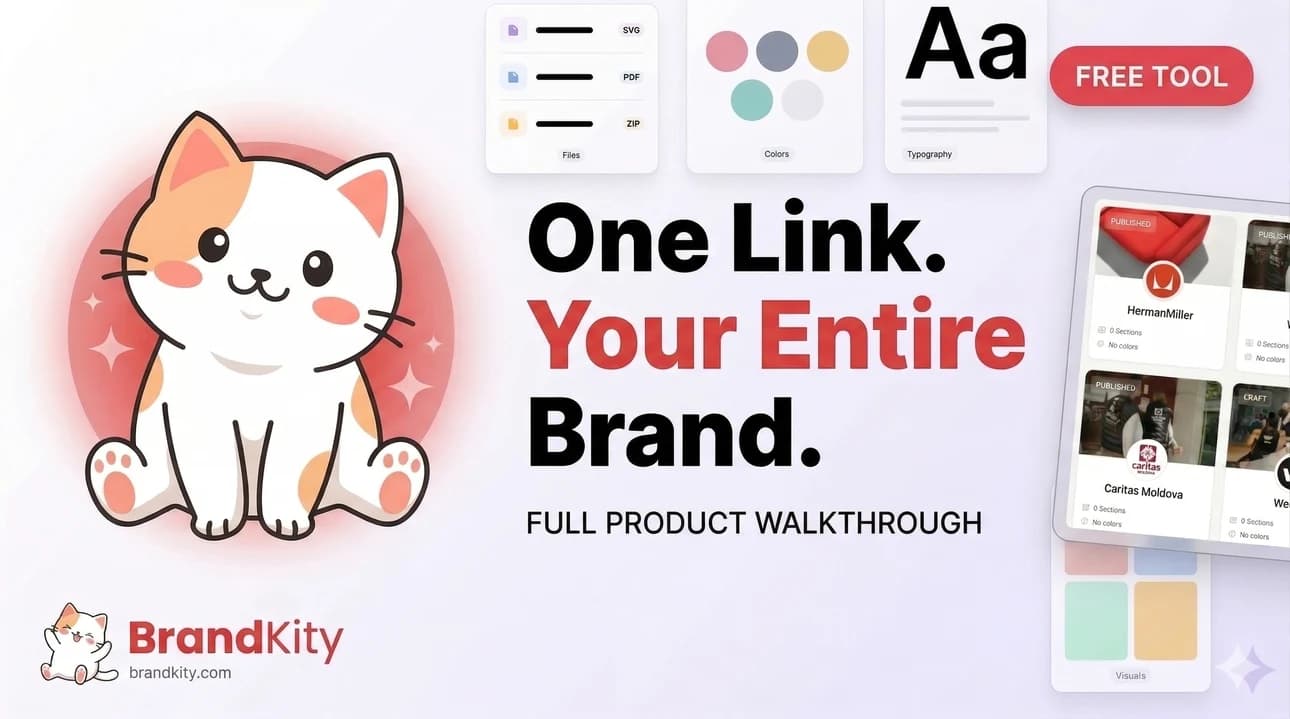
Table of contents
- Beyond Scattered Folders: The Promise of a Unified Brand Asset Hub
- The pain points of traditional brand asset delivery in 2026
- Why ‘organized chaos’ is no longer a sustainable option
- Introducing the concept of a central, accessible asset hub
- What Exactly is a Design System, and Why Does it Matter for Asset Management?
- Defining design systems beyond just UI components
- The core principles: consistency, scalability, and efficiency
- How a design system acts as the foundation for your asset hub
- Building Your Effortless Asset Hub: Key Components to Consider
- Establishing a clear organizational structure for all assets
- Implementing version control for logos, icons, and other creatives
- Standardizing file naming conventions and metadata
- The ‘One Link’ Wonder: Streamlining Client Handoff with a Centralized Hub
- Eliminating the ‘which version is the latest?’ client dilemma
- Providing clients with a professional, branded delivery experience
- Empowering clients with self-service access to approved assets
- From Logos to Lifestyle Shots: Cataloging Your Brand’s Visual Identity
- Essential visual assets every brand needs (and how to categorize them)
- Best practices for organizing photography, illustrations, and video
- Ensuring easy discoverability with tags and search functionality
- Beyond Static Files: Managing Dynamic Brand Elements
- Handling color palettes and typography specifications
- Providing access to font files and usage guidelines
- Integrating interactive elements or motion graphics previews
- The Agency Advantage: Enhancing Team Collaboration and Client Trust
- Reducing internal asset retrieval time and improving designer productivity
- Creating a single source of truth for all brand-related materials
- Building client confidence through organized and professional deliveries
- Future-Proofing Your Brand Assets in the Evolving Digital Landscape
- Adapting to new file formats and accessibility standards
- The role of AI and automation in asset management
- Scalability for growing brands and expanding projects
- Practical Steps to Implementing Your Design System Asset Hub Today
- Assessing your current asset management challenges
- Choosing the right tools and platform for your needs
- Developing a phased rollout plan for adoption
- Common Pitfalls to Avoid When Building Your Asset Hub
- Over-complicating the structure from the start
- Neglecting user experience for both internal teams and clients
- Failing to establish clear ownership and maintenance processes
A well-structured brand asset hub isn’t just a nice-to-have; it’s becoming a fundamental requirement for professional brand delivery. This centralized approach streamlines workflows, minimizes errors, and ultimately enhances the client experience by providing a single source of truth for all brand-related collateral.
Beyond Scattered Folders: The Promise of a Unified Brand Asset Hub
The traditional methods of managing and distributing brand assets are increasingly failing to meet the demands of modern creative workflows. For years, designers and agencies have grappled with the frustration of scattered files, inconsistent brand representation across projects, and the sheer time wasted searching for the correct versions of logos, color palettes, and typography. This fragmented approach not only hinders productivity but also poses a significant risk to brand integrity. The core problem lies in the lack of a single, authoritative source for all brand collateral, leading to confusion and inefficiency for everyone involved.
The pain points of traditional brand asset delivery in 2026
By 2026, the pain points associated with scattered brand assets have become more acute than ever. Designers often face the agonizing task of hunting for the latest logo iteration across multiple cloud drives, local folders, and email threads. This can lead to using outdated or incorrect assets, which subsequently damages brand consistency and requires costly revisions. Clients, too, suffer from this disorganization, experiencing delays in obtaining the necessary materials for their marketing efforts. The constant back-and-forth to clarify which file is the “right” one consumes valuable time and erodes client satisfaction. For agencies, these inefficiencies directly impact profitability, as billable hours are spent on administrative tasks rather than creative output.
Why ‘organized chaos’ is no longer a sustainable option
While some teams might operate under the guise of “organized chaos” – a system that *sort of* works but relies heavily on individual memory and ad-hoc file management – this approach is proving increasingly unsustainable. In a competitive market, relying on intuition and informal systems leads to critical errors and missed opportunities. The risk of using an incorrect brand asset, especially in client-facing materials, can have severe repercussions, from diluting brand identity to damaging client relationships. Moreover, onboarding new team members becomes a steep learning curve, as they must decipher a non-standardized filing structure. A truly efficient workflow demands a more robust and systematic solution to organize design assets effectively.
Introducing the concept of a central, accessible asset hub
The solution to these pervasive problems is the establishment of a central, accessible brand asset hub. This is a dedicated digital space where all approved brand materials – including logos in various formats, color swatches, typography guidelines, imagery, and even key messaging – are stored, organized, and readily available. Unlike scattered folders, a well-implemented asset hub acts as a single source of truth, ensuring that everyone accessing it is working with the most current and compliant brand elements. This significantly reduces the likelihood of errors, speeds up creative processes, and fosters a more professional and cohesive brand experience for both internal teams and external stakeholders. It’s about moving from reactive searching to proactive access, and streamlining the entire brand asset delivery process.
What Exactly is a Design System, and Why Does it Matter for Asset Management?
While the term “design system” often conjures images of UI component libraries for digital products, its application extends far beyond the realm of interfaces. At its core, a design system is a comprehensive set of standards, principles, and reusable components that govern the design and development of products or brands. For asset management, a design system acts as the ultimate guardian of brand consistency, providing a structured framework for how visual and identity elements should be created, stored, and utilized. It’s the blueprint that ensures every touchpoint reflects the intended brand essence, making it an indispensable tool for creating an effortless asset hub.
Defining design systems beyond just UI components
A robust design system encompasses much more than just a library of buttons, forms, and navigation elements for websites or applications. It’s a holistic framework that defines a brand’s visual identity, voice, and functional guidelines. This includes foundational elements like color palettes, typography hierarchies, iconography, illustration styles, tone of voice, photography direction, and even content guidelines. For asset management, this means defining not only *what* assets exist but also *how* they should be used, in what contexts, and in what formats. A well-defined design system acts as the definitive rulebook for your brand’s entire visual language, ensuring that every asset aligns with the overarching brand strategy and aesthetic, thereby creating a unified and powerful professional brand asset delivery.
The core principles: consistency, scalability, and efficiency
At the heart of any effective design system are three critical principles: consistency, scalability, and efficiency. Consistency ensures that all brand assets are harmonized, presenting a unified and recognizable identity across all platforms and touchpoints. Scalability means the system can grow and adapt as the brand evolves or expands into new markets without breaking down. Efficiency refers to the ability of the system to streamline workflows, reduce redundant work, and make it easier for teams to access and utilize brand assets correctly. These principles directly translate into a more effective asset hub, where finding and using brand materials is straightforward, reliable, and contributes positively to the overall brand experience.
How a design system acts as the foundation for your asset hub
A design system serves as the foundational structure upon which a powerful brand asset hub is built. By defining the standards, rules, and accepted formats for every brand element, it dictates how assets should be organized, categorized, and tagged within the hub. For instance, the system’s guidelines on logo usage will inform how logo files are stored (e.g., vector vs. raster, color variations) and what metadata is applied (e.g., “primary logo,” “iconography,” “downloadable”). This structured approach ensures that the asset hub isn’t just a repository but an intelligent, navigable system that actively promotes correct brand application, making it far easier for users to find precisely what they need for any project and avoid common designer’s workflow challenges.
Building Your Effortless Asset Hub: Key Components to Consider
Creating an effortless asset hub requires a strategic approach to organization, standardization, and accessibility. It’s about more than just uploading files; it’s about establishing a robust system that anticipates user needs and ensures the integrity of your brand. By focusing on key components such as clear organizational structures, meticulous version control, and standardized metadata, you can transform a chaotic collection of files into a streamlined, reliable resource for everyone who needs to use your brand assets. This foundational work is critical for enabling smooth client handoffs and empowering teams with confidence.
Establishing a clear organizational structure for all assets
A well-defined organizational structure is the backbone of any successful asset hub. This involves creating logical categories and subcategories that make sense to your users, whether they are internal designers, marketing teams, or external clients. Common categories might include “Logos,” “Color Palettes,” “Typography,” “Imagery,” “Iconography,” and “Brand Guidelines.” Within each category, further sub-organization can be implemented based on usage (e.g., “Web Logos,” “Print Logos”) or project type. A clear structure reduces search time, minimizes confusion, and ensures that users can intuitively locate the specific assets they require, contributing to a more efficient brand delivery.
Implementing version control for logos, icons, and other creatives
Version control is absolutely critical for maintaining brand consistency and preventing the use of outdated materials. For key assets like logos, icons, and core visual elements, it’s essential to implement a system that clearly tracks changes and identifies the latest approved version. This can be achieved through naming conventions that include version numbers or dates, or more sophisticated digital asset management (DAM) systems that automatically manage version history. When a client or team member downloads an asset, they should always be presented with the most current and officially sanctioned iteration, avoiding the prevalent issue of using a brand asset from a previous campaign.
Standardizing file naming conventions and metadata
Beyond just organization and versioning, standardizing file naming conventions and metadata is crucial for searchability and usability. A consistent naming convention (e.g., `clientName_assetType_format_version_date.ext` like `AcmeCorp_Logo_Primary_Vector_v2_20240515.svg`) makes it easier to identify assets at a glance. Metadata, such as keywords, descriptions, and usage rights, enriches the search experience and provides essential context. This ensures that users can not only find assets quickly but also understand their intended application, thereby promoting correct brand usage across all projects and contributing to organized brand assets that build client trust.
The ‘One Link’ Wonder: Streamlining Client Handoff with a Centralized Hub
The culmination of a successful branding project often hinges on the final handover of assets. For designers and agencies, this can be a point of significant friction or a moment of polished professionalism. A centralized asset hub, accessible via a single, elegant link, transforms this critical stage into a streamlined, client-friendly experience. It eliminates confusion, enhances perceived value, and empowers clients with self-service access to the materials they need, fostering a stronger, more collaborative relationship.
Eliminating the ‘which version is the latest?’ client dilemma
One of the most persistent headaches in client handoffs is the ambiguity surrounding file versions. Clients often struggle to identify the correct iteration of a logo or graphic, leading to repeated requests for clarification or, worse, the use of incorrect assets. A centralized hub, delivered through a single, stable link, eradicates this problem entirely. By providing a singular, authoritative source for all approved brand materials, you guarantee that your clients are always accessing the most current and correct files. This not only saves time for both parties but also projects an image of supreme organization and professionalism, crucial for building brand delivery confidence.
Providing clients with a professional, branded delivery experience
The way you deliver brand assets speaks volumes about your agency’s professionalism and attention to detail. Instead of sending a collection of zipped folders or a series of disorganized cloud links, offering a curated, branded asset hub via a single link creates a superior client experience. This hub can be customized with the client’s branding, reflecting the collaborative effort and making the handover feel like a premium service. It transforms a potentially mundane administrative task into a polished presentation, reinforcing the value of your work and leaving clients with a lasting positive impression of your agency’s capabilities and commitment to their brand’s success.
Empowering clients with self-service access to approved assets
A well-structured asset hub empowers clients with the ability to access approved brand materials independently, whenever they need them. This self-service model is a game-changer, reducing the burden on your agency to fulfill ad-hoc asset requests. Clients can quickly find and download logos for presentations, color codes for web development, or fonts for marketing collateral without needing to contact you. This not only frees up your team’s time to focus on higher-value creative work but also fosters greater client autonomy and satisfaction, turning the asset delivery into a seamless part of their ongoing brand management, which is vital for agency profit.
From Logos to Lifestyle Shots: Cataloging Your Brand’s Visual Identity
A robust design system acts as a central, meticulously organized repository for all your brand’s visual assets. This isn’t just about storing files; it’s about creating a dynamic library that reflects the full spectrum of your brand’s identity. From the foundational logos in various formats (vector, raster, monochrome) to high-impact lifestyle photography that embodies brand values, every visual element needs a designated place. This structured approach ensures consistency across all touchpoints and significantly reduces the time spent searching for the right asset.
Essential visual assets every brand needs (and how to categorize them)
At its core, a visual asset catalog should encompass several key categories. Logos are paramount, including primary logos, secondary variations, icons, and logomarks, all tagged with their intended use cases. Beyond logos, consider color palettes, meticulously defined with HEX, RGB, CMYK, and Pantone values, alongside their hierarchical importance (primary, secondary, accent). Typography assets are also critical, detailing primary and secondary fonts, weights, and usage rules. Photography should be categorized by theme, subject matter, and intended application (e.g., website hero images, social media posts, print ads). Illustrations, icons, and graphic elements should similarly be sorted by style and purpose. A well-defined categorization system, often using nested folders or advanced tagging within a digital asset management (DAM) solution, ensures that users can quickly locate precisely what they need, preventing creative bottlenecks and maintaining brand integrity. For instance, a marketing team needing imagery for a new campaign can instantly access a curated selection of approved visuals rather than sifting through an unorganized drive.
Best practices for organizing photography, illustrations, and video
Organizing visual assets effectively requires a strategic approach that prioritizes clarity and accessibility. For photography, metadata is your best friend. Embed keywords, descriptions, usage rights, and even model release information directly into the image files. Group photos into thematic collections or campaigns. For illustrations and graphic elements, consistency in file naming conventions is key, e.g., `[Element_Type]-[Style]-[Description]-[Version]`. Version control is crucial for editable assets like vector illustrations, ensuring everyone is working with the latest approved iteration. Video assets should be cataloged with clear descriptions, durations, formats, and tags indicating their intended platform (e.g., social media short, explainer video, advertisement). Implementing a robust system for these assets allows for quick retrieval, facilitates creative iteration, and ensures that all brand materials are up-to-date and compliant with brand guidelines. Consider establishing a clear workflow for asset submission and approval to maintain the integrity of your visual library.
Ensuring easy discoverability with tags and search functionality
The most comprehensive asset library is useless if users can’t find what they need. Implementing a powerful tagging system is non-negotiable. Think broadly about potential search queries: consider not just descriptive keywords (e.g., “team,” “office,” “product”) but also abstract concepts (e.g., “innovation,” “collaboration,” “trust”) that align with your brand’s narrative. Implement a standardized taxonomy for tags to avoid duplication and ambiguity. Furthermore, robust search functionality is essential. This includes keyword search, filtering by asset type, color, date created, usage rights, and custom metadata fields. Many modern digital asset management (DAM) platforms offer advanced search capabilities, including AI-powered visual recognition that can identify objects or scenes within images. This level of discoverability dramatically reduces the time designers spend hunting for assets, allowing them to focus more on creative work and less on administrative tasks, leading to improved designer productivity.
Beyond Static Files: Managing Dynamic Brand Elements
A comprehensive design system extends far beyond static files like logos and photographs. It must also account for dynamic and fluid brand elements that contribute significantly to brand recognition and user experience. This includes managing the core building blocks of visual identity – color and typography – ensuring their consistent application across all digital and physical touchpoints. Effectively managing these elements is crucial for maintaining a cohesive and professional brand image. This proactive approach to managing dynamic elements prevents inconsistencies that can dilute brand impact and confuse audiences. By treating these as living components of the design system, brands can ensure they remain relevant and impactful.
Handling color palettes and typography specifications
Defining and managing brand colors and typography is a cornerstone of any design system. For color palettes, it’s imperative to specify not only the visual appearance (e.g., HEX, RGB, CMYK, HSL values) but also their intended use and hierarchy. Document which colors are primary, secondary, accent, or used for specific UI elements like error states or success messages. This ensures consistent application and accessibility. Similarly, typography specifications must go beyond simply listing font names. Define usage guidelines for headlines, subheadings, body text, captions, and call-to-actions. Specify font families, weights, sizes, line heights, and letter spacing for different screen sizes and contexts. Tools that allow for the creation of style guides directly within the asset hub can be invaluable here, providing designers with instant access to these crucial specifications. This level of detail prevents subjective interpretation and ensures a unified brand voice across all communications.
Providing access to font files and usage guidelines
Ensuring that team members and external collaborators have access to the correct font files is critical for brand consistency. This involves not only providing the actual font files (ensuring proper licensing is respected and documented) but also offering clear guidelines on their usage. Documentation should cover which fonts are approved for web, print, and specific applications. For example, some fonts might be optimized for screen readability, while others are better suited for large-format print. Additionally, specify fallback fonts in case the primary font cannot be rendered. This prevents jarring visual discrepancies. Centralizing this information within the design system, perhaps with direct download links or integrations with font management services, streamlines the workflow and educates users on best practices, ultimately contributing to a more polished and professional brand presentation.
Integrating interactive elements or motion graphics previews
Modern design systems are increasingly incorporating dynamic and interactive elements. This can include providing previews or templates for interactive elements such as custom buttons, form fields, or navigation components. For motion graphics, offering short preview videos or animated GIFs demonstrating the intended animation or transition can be incredibly beneficial. This allows designers and developers to understand the subtle nuances of brand motion and apply it correctly. Some advanced platforms can even host interactive prototypes or embed playable UI components. By including these dynamic examples, the design system becomes a richer resource, better equipping teams to create engaging and on-brand user experiences. This holistic approach to asset management embraces the evolving nature of digital design and user interaction.
The Agency Advantage: Enhancing Team Collaboration and Client Trust
For agencies, a well-structured design system is not just an internal efficiency tool; it’s a strategic asset that directly impacts client relationships and project profitability. By centralizing all brand assets, agencies can significantly streamline their workflows, reduce the overhead associated with asset retrieval, and present a unified, professional front to their clients. This clarity and organization translate directly into improved project delivery speed and client satisfaction. The ability to quickly access and share approved brand materials ensures that every project adheres strictly to the client’s established visual identity, fostering a sense of reliability and expertise. This professional approach reinforces the agency’s value proposition and builds lasting trust.
Reducing internal asset retrieval time and improving designer productivity
One of the most immediate benefits of a centralized design system for agencies is the dramatic reduction in time spent searching for assets. When logos, brand guidelines, photography, and other creative collateral are organized and easily accessible, designers and account managers spend less time hunting through shared drives or asking colleagues for files. This saved time translates directly into increased designer productivity, allowing them to dedicate more hours to creative problem-solving and project execution rather than administrative tasks. Implementing features like advanced search, clear categorization, and consistent naming conventions within the asset hub empowers the entire team to find what they need quickly. This efficiency boost is a tangible improvement in the designer’s workflow and can lead to faster project turnaround times.
Creating a single source of truth for all brand-related materials
A core challenge for agencies is ensuring that all team members and external collaborators are working with the most up-to-date and approved brand assets. A design system, acting as a single source of truth, solves this problem by consolidating all brand-related materials in one accessible location. This eliminates the confusion and potential errors that arise from using outdated logos, incorrect color codes, or superseded imagery. When everyone is referencing the same library, consistency is maintained across all client projects, regardless of who is working on them. This unified approach is fundamental to delivering high-quality, on-brand work consistently. This is crucial for agencies aiming to streamline brand delivery and boost profit streams.
Building client confidence through organized and professional deliveries
The way an agency presents brand assets to a client speaks volumes about its professionalism and attention to detail. Providing a curated, organized, and easily navigable link to all brand collateral, rather than a disorganized collection of files, significantly builds client confidence. It demonstrates that the agency has a meticulous process for managing brand identity and is committed to delivering a polished final product. This structured delivery method, often facilitated by a single, shareable link, simplifies the client’s experience, making it easy for them to access and utilize their brand assets. This professionalism not only enhances the client’s perception of the agency’s capabilities but also strengthens the overall client relationship, fostering repeat business and referrals, which is key to organized brand assets winning client trust.
Future-Proofing Your Brand Assets in the Evolving Digital Landscape
The digital landscape is in constant flux, with new file formats emerging and accessibility standards becoming increasingly stringent. To ensure your brand assets remain relevant and effective, a proactive approach to future-proofing is essential. This involves anticipating changes in technology, user behavior, and regulatory requirements. By building flexibility and adaptability into your asset management strategy from the outset, you can avoid costly reworks and ensure your brand can seamlessly adapt to new platforms and evolving consumer expectations. A forward-thinking approach to asset management ensures that your brand not only keeps pace but also thrives in the dynamic digital environment.
Adapting to new file formats and accessibility standards
As technology advances, so do the preferred file formats for various digital platforms. A forward-thinking design system should accommodate and integrate emerging formats, such as newer image codecs for better compression and quality, or updated vector standards for enhanced scalability. Equally important is adherence to accessibility standards like WCAG (Web Content Accessibility Guidelines). This means ensuring all visual assets are perceivable, operable, understandable, and robust for all users, including those with disabilities. For instance, providing descriptive alt text for all images, ensuring sufficient color contrast in graphics, and offering transcripts for video content are vital. Regularly reviewing and updating asset libraries to comply with these evolving standards is crucial for maintaining inclusivity and reaching the broadest possible audience, ensuring your brand’s message is accessible to everyone and aligning with future requirements for brand assets in 2026 and beyond.
The role of AI and automation in asset management
Artificial intelligence and automation are rapidly transforming asset management. AI can significantly enhance the process of organizing, tagging, and retrieving visual assets. Technologies like AI-powered image recognition can automatically tag content based on objects, scenes, and even sentiment, drastically reducing manual effort and improving accuracy. Automation can streamline workflows for asset processing, version control, and distribution. For instance, AI can assist in generating multiple variations of an asset (e.g., resizing images for different social media platforms) or identifying redundant files. Embracing these technologies allows for a more efficient, scalable, and intelligent approach to managing a growing library of brand assets. This predictive capability is central to an effective modern asset strategy.
Scalability for growing brands and expanding projects
As brands grow and take on larger, more complex projects, their asset management needs will inevitably expand. A robust design system must be built with scalability in mind. This means choosing a platform or methodology that can accommodate an ever-increasing volume of assets without compromising performance or usability. Consider the system’s ability to handle new asset types, manage multiple brand identities for diverse product lines, and support a growing team of contributors. The architecture should allow for easy integration with other tools and services, ensuring that the system can adapt to future business needs and technological advancements. A scalable solution prevents bottlenecks and ensures that asset management remains an enabler of growth, not a hindrance, supporting the seamless delivery of brand assets through a single link, even as the brand expands.
Practical Steps to Implementing Your Design System Asset Hub Today
Establishing a centralized asset hub, often referred to as a design system asset repository or a brand asset library, requires a strategic approach. Begin by thoroughly assessing your current asset management challenges. This involves identifying where your brand assets are scattered, the inefficiencies this causes, and the types of assets (logos, color palettes, typography, iconography, UI components, templates, etc.) that are most frequently requested or updated. Conduct interviews with your design, development, marketing, and even client-facing teams to gather comprehensive feedback on their pain points. Documenting these issues provides a solid foundation for justifying the investment and guiding the selection of appropriate tools. Understanding the lifecycle of your assets – from creation to archival – is also crucial for building a sustainable system.
Assessing your current asset management challenges
Before diving into solutions, it’s imperative to conduct a granular assessment of your existing asset management landscape. Pinpoint exactly where brand assets are currently stored: are they spread across individual hard drives, disparate cloud storage services, outdated shared drives, or buried within project management tools? Quantify the time wasted searching for specific files, the instances of using incorrect or outdated asset versions, and the frequency of repetitive requests for the same materials. For instance, a hypothetical agency found that designers spent an average of 3 hours per week searching for logos and color codes, leading to a significant drain on creative output. Documenting these quantifiable inefficiencies will serve as a powerful motivator for change and help in defining the core functionalities your asset hub must address. Consider also the risk associated with inconsistent brand application due to scattered assets, impacting brand integrity and client perception.
Choosing the right tools and platform for your needs
Selecting the appropriate platform for your asset hub is a critical decision. Consider factors such as scalability, ease of use, integration capabilities with your existing toolchain (e.g., Figma, Adobe Creative Suite, project management software), and security features. Solutions range from dedicated digital asset management (DAM) systems to specialized brand asset delivery platforms like Brandkity, which are designed specifically for this purpose. When evaluating, prioritize platforms that offer robust search functionalities, version control, clear categorization, and the ability to define access permissions. Think about your budget, the technical expertise of your team, and whether you need to share assets externally with clients or partners. A platform that simplifies the process of creating a single, professional link for all brand assets, as highlighted in our discussion on simplifying brand delivery, can be a game-changer.
Developing a phased rollout plan for adoption
A successful asset hub implementation hinges on a well-defined rollout strategy. Begin with a pilot program involving a small, representative group of users from different teams. This allows for early feedback and refinement of the system before a full-scale launch. Clearly define the scope of the initial rollout, focusing on the most critical asset types and user groups. Develop comprehensive training materials and conduct hands-on workshops to ensure users understand how to navigate and utilize the hub effectively. Communicate the benefits clearly and consistently, highlighting how the new system will streamline workflows and improve efficiency. For instance, an agency might first roll out the hub for logo and color assets, then gradually incorporate typography, iconography, and UI components in subsequent phases, as outlined in approaches to acing designer workflows.
Common Pitfalls to Avoid When Building Your Asset Hub
While the benefits of a design system asset hub are substantial, numerous obstacles can derail implementation and adoption. Many teams fall into the trap of over-complicating the structure from the outset, creating a system that is too complex to navigate or maintain. This often stems from trying to account for every conceivable future need rather than starting with core functionalities and iterating. Another significant pitfall is neglecting the user experience, both for internal designers and developers, and for external stakeholders like clients. A clunky, unintuitive interface will lead to low adoption rates, regardless of the system’s technical capabilities. Finally, a failure to establish clear ownership and maintenance processes is a recipe for obsolescence. Without dedicated responsibility for updates, audits, and user support, the asset hub will quickly become outdated and lose its value.
Over-complicating the structure from the start
A common mistake when establishing an asset hub is the temptation to create an overly intricate organizational structure from day one. This can manifest as too many nested folders, overly granular categorization, or an excessive number of metadata tags that become difficult to manage. The goal should be clarity and accessibility, not an exhaustive taxonomy that overwhelms users. For example, a team might try to categorize every single variation of a logo, leading to hundreds of similar files. Instead, focus on a logical, intuitive hierarchy that reflects how users actually think about and search for assets. Start with broader categories and allow the system to evolve based on usage patterns and user feedback. Prioritize ease of finding essential assets quickly, ensuring that core brand elements are always readily accessible.
Neglecting user experience for both internal teams and clients
The success of your asset hub is intrinsically linked to how easily and effectively people can use it. A complex or poorly designed interface, whether for your internal design team, developers, or external clients, will lead to frustration and low adoption. This means investing time in intuitive navigation, clear labeling, and efficient search functionalities. For clients, the experience should be seamless, providing them with the assets they need without requiring extensive onboarding. Imagine a scenario where a client receives a link to an asset hub but struggles to locate the correct logo file for a small print job; this defeats the purpose of streamlined delivery. Ensuring a positive and efficient user journey for all stakeholders is paramount, as it directly impacts how the system is perceived and utilized, echoing the principles behind winning client trust with organized assets.
Failing to establish clear ownership and maintenance processes
An asset hub is not a set-and-forget solution; it requires ongoing attention to remain valuable. Without defined ownership and clear maintenance protocols, the hub will inevitably become outdated, inaccurate, and a source of misinformation. Assign responsibility for regularly auditing assets, updating them as brand guidelines evolve, adding new materials, and archiving obsolete files. This includes defining who is responsible for managing user permissions and addressing any technical issues that arise. For instance, a company might fail to update its logo in the asset hub after a rebrand, leading to employees and partners using the old visual identity. Establishing a proactive maintenance schedule and assigning dedicated roles ensures the asset hub remains a reliable and up-to-date source of truth for all brand materials, a crucial aspect of maintaining professional brand assets through a single link via professional brand assets, one link.
Saurabh Kumar
Founder, BrandKity
Saurabh writes about practical brand systems, faster client handoffs, and scalable workflows for designers and agencies building repeatable delivery operations.
Connect on LinkedIn