Professional Brand Assets, One Link
Delivering brand assets to clients can feel like juggling chainsaws. Scattered files, version control nightmares, and endless email threads leave both…
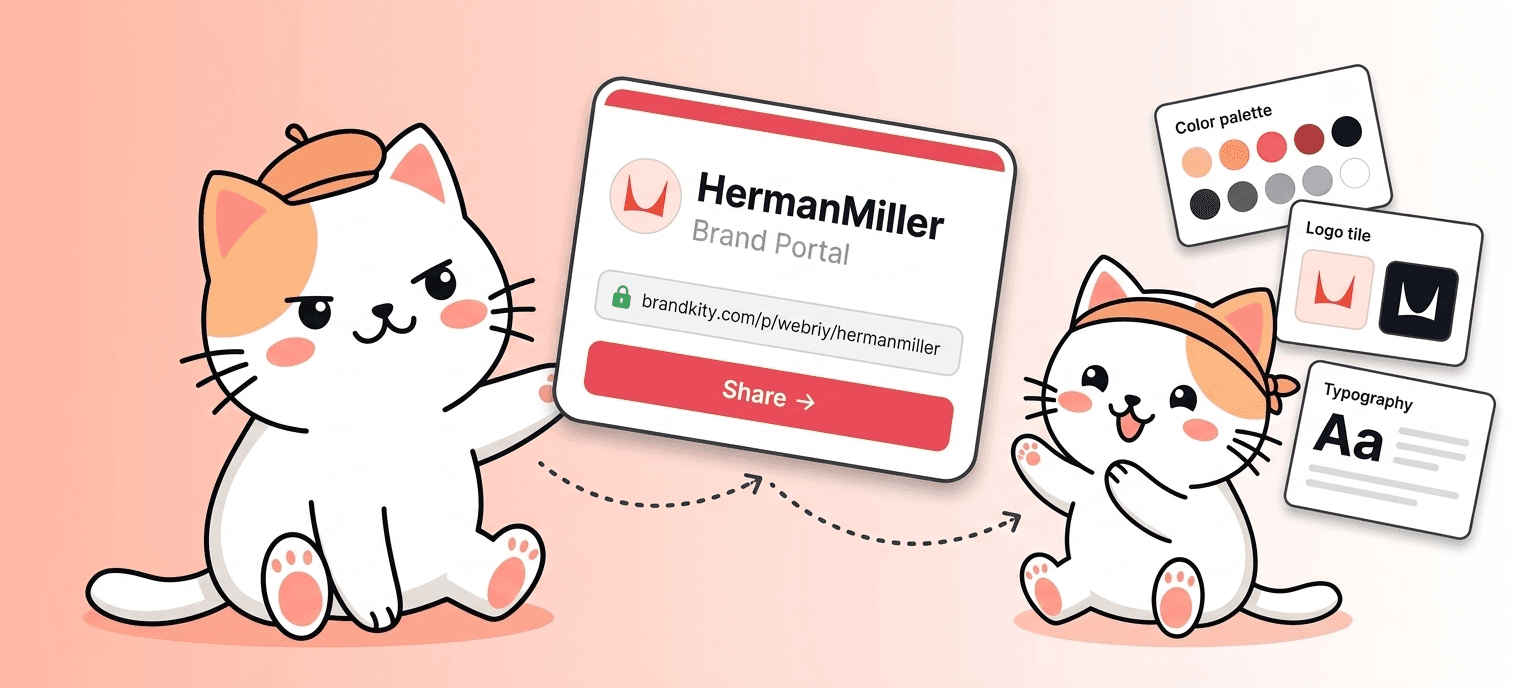
Table of contents
- The Client Handoff Headache: Why Scattered Files Kill Professionalism
- From Chaos to Clarity: Unifying Your Brand Assets for Clients
- Beyond the Zip File: What Makes a Truly Professional Brand Delivery
- The Anatomy of a Single, Powerful Brand Asset Link
- Organizing for Impact: Structuring Your Brand Assets Intelligently
- Key Brand Asset Categories Every Designer Must Include
- Implementing a ‘One Link’ Strategy: Practical Steps for Agencies
- Streamlining Client Communication: Reducing Confusion and Repeated Requests
- Ensuring Brand Consistency with Centralized Assets
- Leveraging Your Brand Assets for Future Projects and Growth
- The Designer’s Toolkit: Essential Features for Effortless Asset Management
Delivering brand assets to clients can feel like juggling chainsaws. Scattered files, version control nightmares, and endless email threads leave both designers and clients frustrated. This common pain point isn’t just inefficient; it actively erodes the perception of professionalism and can lead to costly misunderstandings.
Imagine a scenario where a client needs a specific logo variation at 3 AM for an urgent print run, but the correct file is buried deep within a disorganized folder structure. This is where the “handoff headache” becomes a full-blown crisis. The solution lies not just in delivering files, but in delivering them with strategic intent and structure.
The Client Handoff Headache: Why Scattered Files Kill Professionalism
The traditional method of brand asset delivery often involves a chaotic jumble of files. Think multiple cloud storage folders, disorganized download directories, and an endless stream of email attachments. This approach creates significant friction for clients, who are often not designers and struggle to navigate complex file structures. They might inadvertently use the wrong file format, an outdated logo, or a low-resolution image, leading to brand inconsistencies and a tarnished brand image. For instance, a client might grab a JPEG logo intended for web use and try to print it, resulting in a pixelated mess that undermines their professional presentation. This lack of organization directly impacts the perceived value of your work and can lead to repeat, time-consuming requests for the “right” file, eating into your profitability and client satisfaction. It’s a cycle of inefficiency that many creatives unfortunately accept as standard practice.
The pitfalls of scattered brand assets extend beyond mere inconvenience. They can introduce genuine business risks. Imagine a client accidentally using an unapproved color palette because the correct brand guidelines were hard to find. This can lead to significant rebranding costs and a loss of brand equity. Furthermore, the time spent by designers fielding requests for “that one file” or clarifying file usage detracts from their ability to focus on high-value creative work. A study by Forrester found that poor customer experience costs businesses billions annually, and disorganized brand asset delivery is a significant contributor to this. The reputational damage from inconsistent branding can be even more profound, taking years to repair. This is why moving beyond ad-hoc file sharing is critical for establishing trust and ensuring long-term client relationships.
Decision criteria for evaluating your current handoff process should focus on clarity, accessibility, and security. Ask yourself: Can a client easily find any asset they need within 30 seconds? Are there clear instructions on file usage? Is the delivery method secure and professional? If the answer is no, it’s time for a strategic overhaul. Many agencies, like “Creative Spark Studios,” reported spending an average of 5 hours per client project just locating and sending out brand assets before they implemented a structured system. This time is now reinvested into client strategy and creative development, leading to a 15% increase in project profitability.
From Chaos to Clarity: Unifying Your Brand Assets for Clients
The core of a professional brand asset delivery lies in its unification. Instead of providing clients with a daunting collection of disparate files, the goal is to present a single, cohesive package. This means consolidating all necessary brand elements—logos in various formats (vector, raster, different color variations), color palettes with HEX, RGB, and CMYK values, typography files, imagery, and any relevant usage guidelines—into one accessible location. Think of it as creating a digital brand bible that clients can easily reference and utilize. This centralized approach not only simplifies the client’s experience but also ensures brand consistency across all their marketing efforts. For example, providing a clear, organized set of logos ensures a client will always use the correct version, whether for a business card or a billboard, preventing embarrassing visual mishaps.
Implementing a unified system requires a strategic approach to organization. Start by auditing your existing asset library. Categorize files logically, using clear naming conventions. For instance, instead of “logo_final_really_final.ai,” use “Logo_Primary_Vector_AI.” Group assets by type (logos, fonts, colors, imagery) and then by format or use case (e.g., “Logos/Print/EPS,” “Logos/Web/PNG”). This structured organization is the bedrock of a professional handoff. Websites like organized-brand-assets-win-client-trust offer deeper dives into effective file management. Consider implementing a version control system, even a simple one, to track revisions and ensure clients always have access to the latest approved versions, avoiding confusion and potential legal issues related to outdated materials.
The benefits of this unified approach are manifold. Clients feel more confident and empowered when they can easily access and use the brand materials correctly. This leads to fewer support requests for designers and a more streamlined workflow for everyone involved. For agencies, it’s a key differentiator that signals professionalism and attention to detail, fostering stronger client relationships and encouraging repeat business. Furthermore, a well-organized asset library can serve as a valuable tool for onboarding new team members within the client’s organization, ensuring they also adhere to brand standards from day one. The ability to demonstrate this level of organization can be a significant selling point for your services.
Beyond the Zip File: What Makes a Truly Professional Brand Delivery
A simple zip file, while functional, is rarely the pinnacle of professional brand asset delivery. It often signifies an afterthought rather than a considered process. A truly professional handoff goes beyond merely bundling files; it involves curated presentation, clear context, and ongoing accessibility. This means providing not just the assets themselves, but also comprehensive usage guidelines, explaining the ‘why’ behind design choices and establishing clear do’s and don’ts. For example, specifying when to use the full-color logo versus the monochromatic version, or detailing preferred typographic hierarchies, empowers clients to use the brand assets effectively and maintain integrity. This educational component is crucial for clients who may not have in-house design expertise. As highlighted in articles on delivering brand assets the professional way, this approach builds confidence and reduces misuse.
Key elements that elevate a brand delivery beyond a basic file transfer include: interactive brand guidelines, a dedicated portal for asset access, and clear, concise instructions. Interactive guidelines can include clickable links to download specific assets, embedded videos explaining usage, and searchable content. A dedicated portal, accessible via a single, clean link, offers a branded, user-friendly experience, unlike a generic cloud storage folder. This portal should be intuitively organized, allowing clients to filter assets by type, color space, or usage. Consider offering different access levels if needed, for instance, allowing marketing teams access to web-ready assets while providing developers with technical specifications. This level of polish demonstrates a deep understanding of the client’s needs and a commitment to their brand’s long-term success, setting you apart from competitors who offer less sophisticated solutions.
The pitfalls of relying solely on zip files include their static nature and lack of interactivity. Clients can easily lose track of them, and updating them requires resending entire archives. This inefficiency can lead to frustration and outdated brand usage. For instance, if a logo is updated, clients might continue using an old version from a previously sent zip file, causing brand fragmentation. A professional delivery system, however, allows for seamless updates and centralized management. It also provides a richer user experience, turning a potentially dry file dump into an engaging brand resource. Implementing such a system can significantly reduce client inquiries about asset usage and ensure a consistent and polished brand representation across all platforms, ultimately strengthening the client’s market presence.
The Anatomy of a Single, Powerful Brand Asset Link
The concept of a “single link” for all brand assets is the ultimate distillation of efficiency and professionalism in client handoffs. This isn’t just about convenience; it’s about creating a centralized, easily shareable hub for every brand element a client will ever need. Such a link should lead to a dedicated interface, not a raw folder. This interface should be clean, intuitive, and branded to reflect the client’s identity. Imagine a client receiving a single URL after project completion, clicking it, and being greeted by a visually appealing dashboard categorizing logos, color palettes, fonts, imagery, and documentation. This single point of access eliminates the confusion of multiple file locations and ensures everyone on the client’s team is referencing the same, up-to-date materials. It’s the digital equivalent of a well-organized binder, but far more dynamic and accessible.
What constitutes the anatomy of such a powerful link? Firstly, it must be easy to remember and share. Secondly, the landing page should offer immediate clarity through logical categorization. Think sections like “Logos,” “Color Palettes,” “Typography,” “Imagery,” and “Guidelines.” Within each section, assets should be clearly labeled and available in multiple formats and resolutions suitable for various applications—print, web, social media, etc. For example, under “Logos,” a client should find EPS for print, SVG for web, and PNGs in various sizes for quick use, all downloadable with a single click. Offering an example like “Agency X reduced client queries by 70% after implementing a single brand asset link solution,” underscores the practical impact. This structure empowers clients to self-serve, drastically reducing back-and-forth communication, which is a cornerstone of streamlining your brand delivery process.
Furthermore, a truly robust brand asset link should incorporate elements that enhance usability and protect the brand. This includes clear instructions on file usage, interactive color swatches that users can copy HEX or RGB values from, and font previews. For advanced users, embedding snippets for web implementation or providing links to detailed documentation adds significant value. Security is also paramount; the link should lead to a platform with appropriate access controls. The beauty of this single-link approach, as detailed in discussions about making one link rule brand assets, is its scalability and maintainability. Updates to assets or guidelines can be made centrally on the platform, and the single link always points to the latest, most accurate information, ensuring brand integrity is maintained over time without further manual intervention.
Organizing for Impact: Structuring Your Brand Assets Intelligently
Effective organization of brand assets isn’t just about tidiness; it’s fundamental to building client trust and ensuring the longevity of their brand identity. A disorganized collection of logos, color palettes, and typography can lead to misuse, brand dilution, and ultimately, a frustrated client. The first step is establishing a clear, logical hierarchy. Think of it like a well-designed file cabinet, where each drawer serves a specific purpose, and each folder within holds relevant items. For instance, a primary folder for “Logos” might contain subfolders for “Primary,” “Secondary,” “Iconography,” and “File Formats” (like .PNG, .SVG, .EPS). This structured approach prevents clients from sifting through a chaotic mess, allowing them to quickly locate precisely what they need, thereby enhancing their overall experience with your agency’s service. This meticulous organization is a hallmark of agencies aiming to win client trust through professionalism and efficiency.
Consider the decision criteria for your asset structure. Scalability is paramount; the system should accommodate growth as the brand evolves and new assets are created. A common pitfall is creating a rigid structure that breaks down under the weight of new brand elements or variations. Another critical factor is accessibility. Assets should be easy to find regardless of the user’s technical expertise. This means clear naming conventions and intuitive folder structures. For example, instead of naming a logo file “Logo_Final_V3_ClientApproval.png,” opt for “BrandName_Logo_Primary_FullColor.png.” Furthermore, include a readme or index file within the main asset folder that briefly explains the structure and provides guidance on usage. This acts as an immediate onboarding tool for clients, minimizing potential confusion and reducing the likelihood of them reaching out for basic clarification, which directly contributes to a smoother deliver brand assets: the professional way.
Implementing this intelligent structure offers tangible benefits. For a hypothetical agency, “Creative Solutions Inc.,” adopting a standardized asset organization system for all clients resulted in a 25% reduction in client inquiries about file locations within the first quarter. This freed up their account managers’ time, allowing them to focus on strategic client development rather than repetitive logistical support. The core principle is to anticipate user needs and proactively address potential roadblocks. By investing time upfront in structuring your brand assets logically, you not only streamline the delivery process but also significantly elevate the perceived value of your agency’s services, demonstrating a commitment to clarity and professional excellence in every interaction. This proactive approach is essential for long-term client satisfaction and building a reputation for dependable brand management.
Key Brand Asset Categories Every Designer Must Include
Beyond the universally recognized logo, a comprehensive brand asset library necessitates a thoughtful inclusion of several critical categories. The logo suite is foundational, encompassing primary logos, secondary variations (horizontal, vertical), sub-brand logos, and distinct iconographic elements. Each variation should be provided in multiple file formats suitable for diverse applications—vector files (.SVG, .EPS, .AI) for scalability and print, and raster files (.PNG, .JPG) for web and digital use. Critically, consider providing logos with transparent backgrounds, as these are essential for overlaying on various backgrounds without visual disruption, a common requirement that can cause significant client friction if overlooked.
The color palette is another indispensable component. This goes beyond simply listing HEX or RGB values; it requires defining primary, secondary, and accent colors, along with their specific usage guidelines. For example, indicating which colors are best for calls-to-action, background elements, or text ensures consistency across all brand applications. Include swatches in common formats such as Adobe ASE (for design software integration) or simple image files. Equally important is the typography system. This involves specifying the brand’s primary and secondary typefaces, their weights (e.g., bold, regular, light), and recommended usage for headlines, body text, and captions. Providing font files themselves, if licensing permits, or clear instructions on where clients can acquire them, is crucial for maintaining typographic integrity and a future-proof your brand assets library. Without this, clients might resort to substituting similar-looking but incorrect fonts, leading to brand dilution.
Furthermore, consider including categories for imagery and illustration guidelines, even if you’re not providing a full library of stock photos. This section can outline the style, tone, and subject matter of approved photography and illustrations, offering examples of what is on-brand and what is not. This is particularly useful for clients who manage their own social media or marketing content. Don’t forget iconography and pattern assets if they are integral to the brand’s visual language. These elements, when organized and clearly presented, empower clients to apply the brand consistently across all touchpoints, from marketing materials to website design. A well-curated set of these assets can significantly reduce the need for ad-hoc design requests and support simplify brand delivery: designer’s edge.
Implementing a ‘One Link’ Strategy: Practical Steps for Agencies
The “one link” strategy is about consolidating all essential brand assets into a single, easily shareable URL. This drastically simplifies the handover process for agencies and empowers clients with immediate access to everything they need. The foundational step is choosing a platform that supports this consolidation. Services designed specifically for brand asset management, like Brandkity, excel at this by allowing you to upload and categorize diverse asset types—logos, color palettes, fonts, templates, and even brand guidelines—into a single, branded portal. The goal is to eliminate the need for clients to download multiple files from disparate cloud storage folders or sift through lengthy email attachments, thereby creating a streamlined and one link to rule brand assets experience.
Once a platform is selected, the practical implementation involves meticulous organization as discussed previously. Each asset uploaded must be correctly tagged and categorized within the platform’s structure. This ensures that when a client clicks the link, they are presented with a visually intuitive interface, not just a generic file directory. Consider adding usage instructions or quick guides directly within the platform. For example, for the logo section, you might include a brief explanation of which logo version is suitable for print versus web. This proactive approach minimizes user error and reduces the reliance on agency support. A hypothetical agency, “Brand Builders Co.,” implemented a single link for all new client brand kit deliveries and saw a 40% decrease in support tickets related to asset retrieval within three months, demonstrating the direct impact of this strategy.
Another crucial aspect of the “one link” strategy is ensuring the link itself is professionally branded and accessible. This means using a custom domain or a white-labeled URL if your platform supports it, reinforcing your agency’s brand identity. Permissions management is also key; ensure you can control who has access to the link and what level of access they have (e.g., view-only or download capabilities). Regularly review and update the assets within the link to reflect any brand changes or new additions. This commitment to maintaining an up-to-date, single source of truth for brand assets is what truly distinguishes a professional delivery process and allows agencies to boost agency profit: streamline brand delivery by saving time and enhancing client satisfaction.
Streamlining Client Communication: Reducing Confusion and Repeated Requests
Confusion during brand asset delivery is a common pain point for both designers and clients, often leading to repeated requests for clarification or files. Streamlining this process begins with establishing a single, authoritative source for all brand assets. Instead of sending multiple links to cloud storage, email attachments, or design software files, consolidate everything into one accessible location. This central hub acts as the definitive reference point, ensuring everyone is working with the most current and correct versions of logos, colors, fonts, and other brand elements. This clarity directly reduces the likelihood of clients misinterpreting instructions or using outdated materials, which in turn minimizes stop wasting time: streamline brand delivery.
To further reduce confusion, proactively provide clear usage guidelines alongside the assets themselves. This can be integrated directly into the asset delivery platform, formatted as a dedicated brand guidelines document, or even presented as short video tutorials explaining how to use specific elements. For instance, demonstrating the correct application of a logo on different backgrounds or explaining the hierarchy of typography can prevent common mistakes. A hypothetical scenario: An agency noticed clients frequently used the wrong color hex codes. By adding a prominent color swatch with clickable hex codes and a brief note on their primary use cases, they reduced incorrect color application by over 60%. This level of detail empowers clients and reduces their need to ask clarifying questions, saving valuable agency time and ensuring brand consistency.
Implementing a structured handover checklist can also be highly effective. Before officially sending the final link, ensure all required categories are populated, files are correctly named, and usage notes are clear. This internal quality control step prevents potential issues before they reach the client. Regularly solicit feedback from clients on their experience with the asset delivery process. Understanding their pain points can reveal areas for improvement, such as the need for more specific file formats or simpler navigation. By focusing on clarity, accessibility, and proactive guidance, agencies can transform brand asset delivery from a potential point of friction into a demonstration of their professionalism and commitment to client success, effectively ace client delivery: organized brand assets.
Ensuring Brand Consistency with Centralized Assets
Maintaining a consistent brand identity across all platforms is paramount for establishing trust and recognition. When brand assets like logos, color palettes, typography, and imagery are scattered across various cloud storage services, email threads, or local drives, the risk of inconsistency escalates dramatically. This is where a centralized asset management system, accessible via a single, structured link, becomes indispensable. It acts as the single source of truth for all brand elements, ensuring that every team member, client, or external partner is using the correct, most up-to-date versions. Without this, a marketing team might use an outdated logo, a web developer might implement incorrect hex codes, or a social media manager might select imagery that doesn’t align with the brand’s visual narrative. This not only dilutes the brand’s impact but also necessitates time-consuming corrections and can lead to a fragmented perception in the market. For instance, a hypothetical startup, “Innovate Solutions,” initially struggled with brand consistency because their marketing team used a slightly different shade of blue than their product design team. This led to a visual disconnect in their launch materials, causing potential customers to perceive them as less professional. Once they adopted a centralized platform, all approved assets were accessible through one link, eliminating such discrepancies and reinforcing a unified brand image.
Decision criteria for choosing a centralized asset solution should focus on accessibility, organization, version control, and security. An ideal platform should offer intuitive navigation, allowing users to quickly find what they need without extensive training. Key features include robust categorization, tagging capabilities, and the ability to preview assets before downloading. Version control is critical; it prevents the use of outdated files by clearly indicating which version is current and providing access to historical versions if needed. Security measures, such as user permissions and secure storage, protect sensitive brand assets from unauthorized access or accidental deletion. A common pitfall is overlooking the need for clear naming conventions and folder structures within the system, which can lead to disorganization even with a centralized approach. For agencies managing multiple clients, a platform that allows for distinct client portals within the same system is highly beneficial. This prevents asset crossover and ensures that each client’s specific brand guidelines are respected. By implementing a streamlined system, businesses can significantly reduce the time spent searching for assets and the effort required to correct inconsistencies, thereby fostering a stronger and more recognizable brand identity.
Actionable steps to ensure brand consistency begin with a thorough audit of all existing brand assets. Identify redundant, outdated, or unofficial files. Then, establish clear guidelines for asset creation, naming conventions, and storage protocols. Once these standards are in place, select a platform that supports your organizational structure and provides the necessary features for version control and access management. Upload all approved, current assets into the system, meticulously categorizing and tagging them for easy retrieval. Finally, communicate the new process to all stakeholders – designers, marketers, developers, and even external partners – emphasizing the benefits of using the centralized link for all brand-related needs. This proactive approach not only safeguards brand integrity but also streamlines workflows, ensuring that every touchpoint reflects a cohesive and professional brand presence. For a deeper dive into optimizing your asset delivery, consider exploring strategies for mastering your brand asset delivery in the current landscape.
Leveraging Your Brand Assets for Future Projects and Growth
Beyond immediate project needs, a well-managed library of brand assets serves as a powerful engine for future growth and scalability. When all your core visual and verbal identity elements are neatly organized and readily accessible, embarking on new initiatives becomes significantly faster and more efficient. Imagine launching a new product line, expanding into a new market, or developing a comprehensive marketing campaign. With a single link to your professional brand assets, your team can instantly access approved logos in various formats, brand color palettes for web and print, consistent typography guidelines, and a repository of approved imagery. This eliminates the common bottleneck of asset retrieval, allowing creative and marketing teams to focus on strategy and execution rather than searching for files or requesting them from others. For instance, a growing e-commerce company, “Urban Threads,” needed to quickly design new packaging for a seasonal collection. Because their brand assets were centrally managed, the design team downloaded the correct logo files and color swatches in minutes, enabling them to finalize designs ahead of schedule and meet the tight production deadline.
The strategic advantage of accessible brand assets extends to fostering a more agile and responsive business. In today’s fast-paced digital environment, the ability to quickly adapt and deploy consistent branding is a competitive edge. A robust asset library allows for rapid iteration of marketing materials, social media campaigns, and website updates, ensuring that the brand’s message remains clear and impactful. Furthermore, it facilitates a stronger connection with your audience by maintaining a recognizable and trustworthy visual identity, which is crucial for building long-term customer loyalty. A key pitfall to avoid is neglecting to update the asset library as the brand evolves. Brands are dynamic; as they mature, logos might be refined, color palettes updated, or new messaging incorporated. Failing to reflect these changes in the central repository means older, inconsistent materials might still be used, undermining the very consistency you aim to achieve. Consider the benefits of having a dedicated space for all your brand collateral, enabling you to deliver brand assets professionally, making every interaction a reinforcement of your brand’s strength.
To effectively leverage your brand assets for future endeavors, implement a system that supports easy sharing and collaboration. Granting appropriate access levels to internal teams and external partners ensures everyone can utilize the assets they need without compromising security. Regularly review and update your asset library to reflect any brand evolution, and ensure version history is maintained for auditability. Encourage a culture where the centralized asset link is the primary point of reference for all branding materials, discouraging the use of unofficial or outdated files. By treating your brand assets as valuable, dynamic resources, you empower your organization to maintain a strong, consistent presence and capitalize on growth opportunities with speed and confidence. This proactive management ensures that your brand identity remains a powerful, cohesive force, driving recognition and loyalty across all platforms and projects.
The Designer’s Toolkit: Essential Features for Effortless Asset Management
For designers and agencies, the ideal brand asset management platform is more than just a digital filing cabinet; it’s an integrated part of their workflow designed to enhance efficiency and client satisfaction. Key features that transform asset management from a chore into a seamless experience include intuitive organization, robust search capabilities, and versatile download options. Intuitive organization means using clear categories, customizable tags, and logical folder structures that designers can easily navigate. When a client needs a specific logo variation or a set of social media templates, they should be able to find it within seconds. Furthermore, powerful search functionality, supporting keyword searches, file types, and even color attributes, significantly speeds up the retrieval process. This is especially critical when dealing with extensive asset libraries or multiple client brands.
Beyond basic organization, advanced features like version control and asset previews are non-negotiable for professional design workflows. Version control ensures that only the latest, approved versions of assets are accessible, preventing the costly and time-consuming errors that arise from using outdated files. Preview functionality allows designers and clients to see assets before downloading, confirming they have selected the correct item, which reduces download times and potential mistakes. Consider the benefit of granular permissions, allowing agencies to give clients view-only access to certain folders while providing full download capabilities to their internal design team. Pitfalls to watch out for include platforms with clunky interfaces, poor search performance, or limited file format support. An example of a streamlined process might be an agency needing to deliver updated brand guidelines and assets to a client. With a platform offering a single, shareable link, they can package all necessary logos, color swatches, typography files, and updated brand book PDFs, sending one URL instead of multiple attachments. This professionalism in delivery is key to acing client delivery.
Essential features for effortless asset management also include support for a wide range of file formats (vector and raster), collaboration tools for team feedback, and integration capabilities with other design software. The ability to download assets in multiple formats directly from the platform—such as AI, EPS, SVG for logos, and JPG, PNG for images—saves significant time. For agencies, features that allow for easy client onboarding and management of multiple brands within one account are invaluable. A robust toolkit empowers designers to deliver professional, organized, and complete brand packages, enhancing their reputation and streamlining client handoffs. This focus on user experience and practical functionality ensures that brand asset management becomes a supportive function rather than a barrier to creative output, ultimately contributing to a more efficient and profitable design business. To truly simplify your workflow, explore how to gain the designer’s edge through optimized asset delivery.
Saurabh Kumar
Founder, BrandKity
Saurabh writes about practical brand systems, faster client handoffs, and scalable workflows for designers and agencies building repeatable delivery operations.
Connect on LinkedIn