
Organize Design Assets: Your Client’s Toolkit
Delivering design assets to clients can feel like navigating a maze of scattered files and unclear instructions. For designers and agencies, a chaotic…
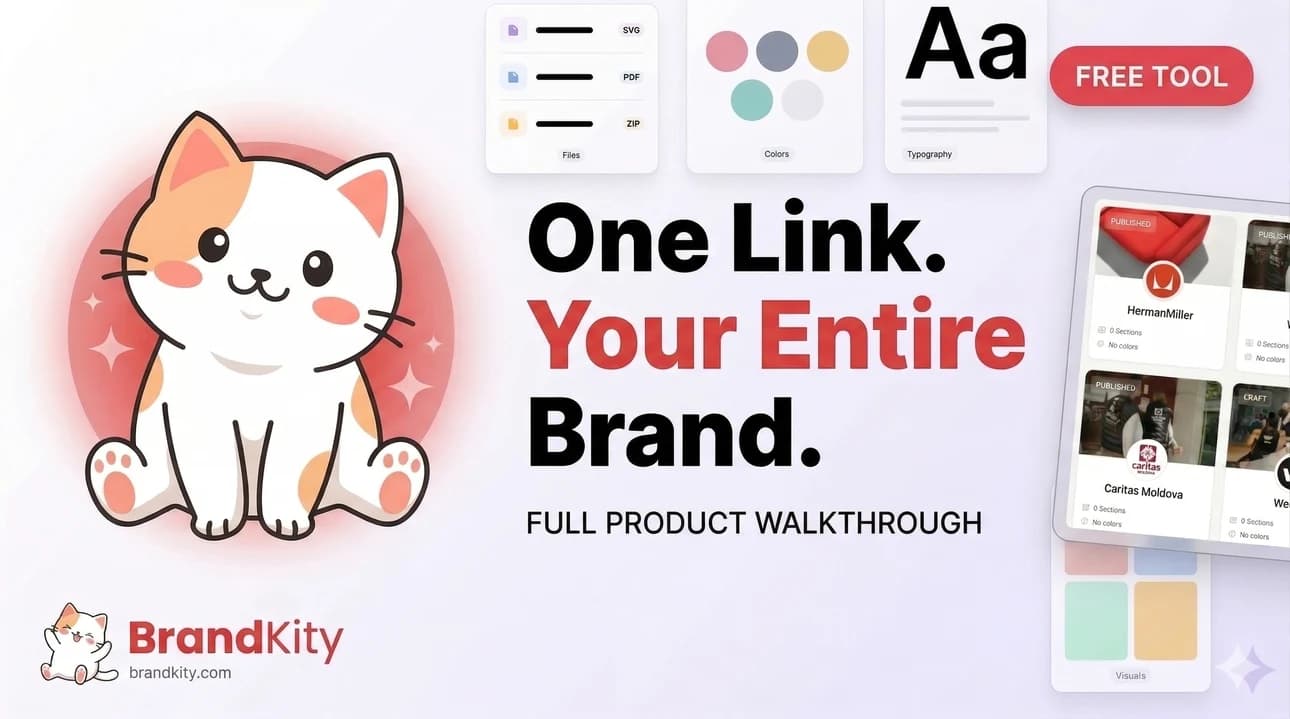
Table of contents
- Beyond the Zip File: The Modern Client Handoff Dilemma
- Why Traditional Asset Delivery Fails Clients (and You)
- The Cost of Disorganization: Time, Revisions, and Reputation
- The ‘One Link’ Promise: Simplifying Complex Brand Assets
- Building the Client’s Ultimate Brand Asset Arsenal
- Essential File Types Every Client Needs (Logos, Colors, Fonts, Visuals)
- Beyond Static Files: Including Usage Guidelines and Mockups
- Categorizing and Tagging for Instant Recall
- Structuring for Clarity: The Backbone of Your Toolkit
- Hierarchical Folders vs. Tag-Based Systems: Pros and Cons
- Defining Naming Conventions That Stick
- Version Control: Ensuring Clients Use the Latest Assets
- The Power of Visual Storytelling in Asset Delivery
- Leveraging Style Guides for Context and Understanding
- Show, Don’t Just Tell: Integrating Visual Examples
- Interactive Elements: Demos and Walkthroughs
- Streamlining Client Access: The ‘Shareable Link’ Advantage
- Why a Centralized Link Beats Email Chains and Cloud Drives
- Controlling Access: Permissions and Expiration Dates
- Branding Your Handoff Link for Professionalism
- Anticipating Client Needs: Pre-empting Common Asset Questions
- Color Palettes: Explaining CMYK, RGB, HEX, and Spot Colors
- Typography: Licensing, Web Fonts, and Fallbacks
- Image and Iconography Usage Rights and Best Practices
- Integrating Your Toolkit into Your Design Workflow
- When to Start Organizing: Early vs. Late Stage Asset Curation
- Collaborative Organization: Involving Your Team
- Automating Aspects of Asset Management
- Alternatives to a Dedicated Platform (and When to Choose Them)
- Manual Folder Structures and Cloud Storage
- Project Management Tools with File Sharing
- When to Stick with Manual and When to Upgrade
- Ensuring Long-Term Client Success with Organized Assets
- Empowering Clients for Consistent Brand Application
- Reducing Future Support and Revision Requests
- Building Trust Through Professional Deliverables
- The Future of Brand Asset Delivery: Trends to Watch in 2026 and Beyond
- AI-Powered Asset Tagging and Search
- Dynamic Asset Generation
- Seamless Integration with Design Systems and Development Tools
Delivering design assets to clients can feel like navigating a maze of scattered files and unclear instructions. For designers and agencies, a chaotic handoff not only wastes precious time but also erodes client confidence. This pivotal stage demands a structured, professional approach to ensure your hard work is understood and easily utilized.
The client’s experience with your brand assets directly reflects your professionalism and attention to detail. A disorganized delivery can lead to frustration, incorrect usage, and ultimately, a weakened brand identity. It’s time to move beyond the outdated zip file and embrace a modern solution that empowers your clients.
Beyond the Zip File: The Modern Client Handoff Dilemma
Why Traditional Asset Delivery Fails Clients (and You)
The ubiquitous zip file, once a staple for asset delivery, now represents a significant bottleneck in the client handoff process. Clients often struggle to navigate nested folders, identify the correct file formats, or understand the nuances of each asset. This manual extraction and sorting process is not only time-consuming for the client but also opens the door to potential errors. Imagine a client needing a favicon and instead downloading a high-resolution print banner – the disconnect is immediate and frustrating. For designers, this translates to an increased risk of misuse, requiring constant follow-up and asset resupply, thereby diminishing the perceived value of your services. This inefficiency can halt client projects dead in their tracks or lead to off-brand implementations that require costly corrections.
Furthermore, the lack of context within a simple folder structure means clients might not understand how or where to use certain assets. A logo might be provided in multiple formats (vector, raster, web-optimized), but without clear guidance, a client might unknowingly choose a low-resolution JPG for a large print ad. This misunderstanding of asset purpose and application is a common pitfall that a simple zip file cannot address. The inherent limitation of zip files is their inability to convey vital information like brand usage rules, color codes, or font pairings, leaving clients to guess or make potentially damaging assumptions.
The Cost of Disorganization: Time, Revisions, and Reputation
Disorganized asset delivery incurs tangible costs. For clients, it means wasted hours deciphering file structures and searching for the correct variations of logos, images, or fonts. This often leads to rushed decisions and incorrect asset usage, necessitating frequent revision requests. Each revision request eats into both your time and the client’s budget, creating a cycle of inefficiency. For an agency, these extra hours spent managing asset requests and corrections directly impact profit margins. A study by [a reputable design industry association] found that 30% of project delays were attributed to poor asset management and client confusion during handoff.
Beyond the immediate financial and temporal costs, persistent disorganization can severely damage your professional reputation. Clients expect a seamless and professional experience, especially when investing in branding and design services. When they struggle to access or use the assets you’ve painstakingly created, it reflects poorly on your agency’s competence and attention to detail. This can lead to negative word-of-mouth, lost referrals, and a decreased ability to attract premium clients who value efficiency and clear communication. Maintaining a high standard for how you deliver brand assets is crucial for long-term success and client trust, and a simple zip file often falls short of this expectation.
The ‘One Link’ Promise: Simplifying Complex Brand Assets
The concept of a “one link” solution revolutionizes asset delivery by consolidating all necessary brand materials into a single, easily accessible URL. This approach bypasses the cumbersome process of downloading and sorting multiple files. Instead, clients receive a clean, organized, and navigable portal where they can instantly find exactly what they need, when they need it. Whether it’s logos in various formats, color palettes, typography guidelines, or imagery libraries, everything is presented in a user-friendly interface. This eliminates the confusion and frustration associated with traditional methods, streamlining the client’s experience and empowering them to use your designs confidently.
A well-structured single link acts as a comprehensive brand hub, offering immediate clarity and accessibility. It’s not just about providing files; it’s about delivering an experience that reinforces your brand’s professionalism and your commitment to client success. This consolidated approach ensures that clients always have access to the most up-to-date assets and adhere to brand guidelines without constant oversight. By adopting this method, you simplify the entire branding process, making it effortless for clients to integrate your designs into their marketing efforts and ensuring brand consistency across all touchpoints.
Building the Client’s Ultimate Brand Asset Arsenal
Essential File Types Every Client Needs (Logos, Colors, Fonts, Visuals)
A robust client toolkit must encompass a comprehensive range of essential brand assets, presented in formats suitable for diverse applications. At the core are logo files, provided in vector formats (AI, EPS, SVG) for scalability without quality loss, alongside raster formats (PNG, JPG) optimized for web and specific use cases. Including variations like full-color, monochrome, and reversed versions is crucial. Equally important are color palettes, offering HEX, RGB, CMYK, and Pantone codes to ensure accurate brand representation across digital and print mediums. This precise color information is vital for maintaining brand consistency.
Typography is another cornerstone; clients need access to the approved font families, ideally with clear indications of primary, secondary, and accent fonts, along with guidance on weights and styles. For visual assets, this includes a curated library of approved photography, illustrations, and iconography. These visuals should be organized by theme or application (e.g., website banners, social media posts, marketing collateral). Providing these assets in appropriate resolutions and file types (like high-resolution JPGs for print and optimized PNGs or SVGs for web) ensures they can be used effectively without compromising quality. This structured delivery of foundational elements forms the bedrock of a client’s ability to represent their brand accurately and consistently.
Beyond Static Files: Including Usage Guidelines and Mockups
Simply providing a collection of files is often insufficient. Clients benefit immensely from clear, concise usage guidelines that dictate how each asset should (and should not) be employed. This includes detailed instructions on logo spacing, minimum size requirements, acceptable color variations, and common pitfalls to avoid. For instance, explicitly stating that a logo should never be stretched or have its colors altered provides critical guardrails. These guidelines serve as a proactive measure against brand dilution and misuse, empowering clients with the knowledge to apply assets correctly.
Integrating visual examples through mockups and templates significantly enhances understanding and application. Showing a logo applied to a business card, a website header, or a social media graphic provides tangible context. Similarly, providing templates for common collateral like presentations or email signatures allows clients to immediately implement brand elements with confidence. These practical demonstrations go far beyond static file lists, offering a clear visual narrative of brand application and reducing the cognitive load for clients. It transforms a dry asset delivery into an educational and empowering experience, ensuring your design vision is realized consistently.
Categorizing and Tagging for Instant Recall
To truly empower clients, asset organization must move beyond basic folder structures. Implementing a system of intelligent categorization and robust tagging allows for quick and precise retrieval of any asset. Instead of manual searching, clients can filter by application (e.g., ‘web’, ‘print’, ‘social media’), by asset type (‘logo’, ‘icon’, ‘illustration’), or even by campaign or theme. This granular organization is akin to a well-curated digital archive, ensuring that the specific asset needed can be found in seconds, not minutes or hours.
Consider a client needing a specific social media graphic. With effective tagging, they can simply search for ‘Instagram Story’ and instantly see all relevant, approved visuals. This tagging system acts as a powerful search engine within the asset library, drastically reducing the time spent on asset hunting. By proactively tagging assets with relevant keywords, designers ensure that clients can easily discover and utilize the full spectrum of provided materials. This not only enhances the client experience but also minimizes the likelihood of them resorting to using unapproved or outdated assets out of sheer frustration.
Structuring for Clarity: The Backbone of Your Toolkit
Hierarchical Folders vs. Tag-Based Systems: Pros and Cons
The traditional approach to organizing digital assets relies on hierarchical folder structures. This method, while familiar, often becomes unwieldy as projects grow. The primary advantage is its intuitive, nested layout, mirroring how many users naturally organize their own files. However, its significant drawback is the rigidity; an asset can only reside in one place, leading to duplication if it serves multiple purposes or categories. For example, a logo variation might belong in both the ‘Logos’ folder and a specific ‘Campaign Assets’ folder, forcing a choice or creating redundant copies. This lack of flexibility can lead to confusion and challenges in maintaining a single source of truth.
In contrast, tag-based systems offer unparalleled flexibility and searchability. Assets are associated with multiple keywords or tags, allowing users to find them from various perspectives without being constrained by a physical location. This is ideal for large, diverse asset libraries where items serve multiple functions. The primary challenge is the initial setup and ongoing maintenance of accurate tagging; a poorly tagged system can be as confusing as a disorganized folder structure. However, when implemented effectively, tag-based systems dramatically improve retrieval speed and user experience, ensuring clients can locate precisely what they need, when they need it, by simply filtering through relevant descriptors rather than navigating deep folder trees. This is a core element of stopping asset chaos.
Defining Naming Conventions That Stick
Establishing and adhering to clear naming conventions is paramount for maintainable asset organization. A consistent naming structure reduces ambiguity and makes it instantly clear what a file contains without needing to open it. A robust convention typically includes elements like the client name, project, asset type, version number, and file format. For instance, `BrandKity_Logo_Primary_RGB_20260604.png` provides a wealth of information at a glance. This systematic approach minimizes the risk of confusion and ensures that both you and your client can easily identify the correct asset, especially when dealing with multiple versions or variations.
The key to making naming conventions stick is simplicity and universality. Avoid overly complex or project-specific codes that only you understand. The convention should be easily understandable and applicable by anyone interacting with the asset library. Communicating these conventions upfront to clients is also essential. When clients understand the logic behind file names, they are more likely to respect the system and avoid renaming or creating duplicates. This shared understanding fosters a more organized and efficient workflow, preventing common errors such as overwriting crucial files or using outdated versions unknowingly, which is vital for a professional brand asset delivery.
Version Control: Ensuring Clients Use the Latest Assets
The challenge of ensuring clients always use the most current versions of assets is a significant hurdle in design handoffs. Without a clear version control system, clients may inadvertently use older, superseded files, leading to brand inconsistencies or outdated designs. Implementing a structured approach, such as clearly marking files with version numbers (v1, v2, v3) or dates, alongside robust naming conventions, is crucial. However, relying solely on file names can still lead to confusion if not managed meticulously.
A more effective strategy involves a platform that inherently manages versions, automatically presenting the latest iteration while perhaps archiving older ones. This prevents clients from accessing outdated assets through automated display. When a client views or downloads an asset, they are guaranteed to get the most recently approved version. This eliminates the need for clients to guess which file is current, significantly reducing errors and the subsequent need for costly revisions. A well-implemented version control ensures that the brand’s integrity is maintained, providing peace of mind for both the designer and the client.
The Power of Visual Storytelling in Asset Delivery
Leveraging Style Guides for Context and Understanding
A comprehensive brand style guide is more than just a document; it’s the narrative that explains the ‘why’ behind your design choices. By integrating detailed brand guidelines directly into the asset delivery, you provide clients with the essential context needed to understand and utilize assets effectively. This includes explaining the rationale behind color selections, font pairings, and logo usage. For example, describing why a specific shade of blue was chosen for a logo—perhaps to evoke trust and stability—helps the client connect with the brand’s intended message.
When style guides are easily accessible and interwoven with the assets themselves, clients can make informed decisions. Instead of simply downloading a logo, they can view it alongside rules for clear space, appropriate backgrounds, and prohibited modifications. This proactive education minimizes misunderstandings and encourages correct application. It transforms the handoff from a simple file transfer into a collaborative onboarding experience, empowering clients to become brand custodians. This deepens their appreciation for the design work and ensures long-term brand consistency, moving beyond just delivering files to delivering understanding.
Show, Don’t Just Tell: Integrating Visual Examples
Abstract instructions can only go so far. The most effective way to ensure clients understand how to use brand assets is to demonstrate their application visually. Instead of merely listing approved fonts, show examples of those fonts used in headings, body copy, and call-to-action buttons. When providing logo files, pair them with mockups of those logos realistically placed on various marketing materials—business cards, websites, social media templates, and merchandise. This visual reinforcement makes the guidelines tangible and actionable.
This approach is particularly powerful for complex elements or when introducing a new brand identity. For instance, showcasing how different logo lockups (horizontal, vertical, icon-only) can be used in specific scenarios provides immediate clarity. Similarly, demonstrating appropriate image treatments or illustration styles through real-world examples helps clients grasp the brand’s visual language intuitively. By showing, not just telling, you equip clients with the confidence and competence to apply brand assets correctly, minimizing errors and ensuring a cohesive brand presence across all their communications.
Interactive Elements: Demos and Walkthroughs
To elevate the client asset delivery experience further, consider incorporating interactive demos and guided walkthroughs. These elements transform a static delivery into an engaging learning experience. A short video tutorial demonstrating how to navigate the asset library, download specific file types, or understand key usage guidelines can be incredibly effective. This caters to different learning styles and ensures that even less tech-savvy clients can confidently access and utilize the provided materials.
For complex design systems or extensive brand guidelines, interactive elements are indispensable. Imagine a clickable walkthrough that guides a client through a new website’s design system, allowing them to explore components and their usage. Or perhaps a simple tool that lets them experiment with different color combinations on a sample asset. Such engaging tools not only improve comprehension but also foster a sense of partnership and support. This proactive, interactive approach demonstrates a commitment to client success and can significantly streamline the adoption of your design work, reinforcing the value of a professional brand asset delivery.
Streamlining Client Access: The ‘Shareable Link’ Advantage
Providing clients with a single, organized link for all their design assets can dramatically improve the handover process. Instead of navigating cluttered email threads or searching through disparate cloud storage folders, a well-structured shareable link acts as a centralized hub for everything they need. This approach not only saves the client time and reduces frustration but also elevates your professionalism. The advantage lies in its simplicity and accessibility; clients can bookmark it, revisit it as needed, and always know where to find the latest versions of their brand materials. This curated experience minimizes the back-and-forth for minor clarifications, allowing both parties to focus on future projects or refinements.
Why a Centralized Link Beats Email Chains and Cloud Drives
Email chains and generic cloud drive folders are notorious for becoming chaotic digital graveyards. Files get misnamed, versions become ambiguous, and crucial assets can be buried under irrelevant communication. A centralized shareable link, however, presents assets in a structured, easily digestible format. Think of it as a curated brand portal rather than a digital dumping ground. For instance, a client might receive an email with 15 attachments of various logo files, color swatches, and font files, each with slightly different naming conventions. Compare this to receiving a single link that opens to a clean interface, categorized by asset type (logos, colors, fonts, imagery), with clear descriptions and designated download options. This directness significantly reduces the chances of a client using an outdated or incorrect asset, which can lead to costly brand inconsistencies. This method aligns with best practices for efficient client communication and asset management, as highlighted in guides on how designers can simplify brand delivery.
Controlling Access: Permissions and Expiration Dates
Beyond just providing access, the ability to control it is paramount. A robust shareable link solution allows you to set specific permissions, determining who can view, download, or edit assets. This is crucial for maintaining brand integrity and managing project scope. For example, you might grant a client full download access to final logos but only view access to in-progress mockups. Furthermore, implementing expiration dates for links adds another layer of security and control. This is particularly useful for time-sensitive projects or beta releases. If a client no longer needs immediate access or if the project has formally concluded, the link can expire, preventing unauthorized access to older or superseded materials. This proactive measure helps safeguard your intellectual property and ensures clients are always working with the most current approved assets.
Branding Your Handoff Link for Professionalism
The appearance of your shareable link contributes significantly to your brand’s perception. Instead of a generic URL that screams “DIY,” a branded link makes the asset delivery feel polished and professional. This can involve using a custom domain or a sub-domain that matches your agency’s branding, or at least a clean, easily recognizable URL. Many platforms allow you to customize the landing page itself with your logo, brand colors, and a personalized welcome message. This reinforces your brand identity at the crucial handover stage. For example, a link like `assets.youragency.com/clientname` is far more impactful than a long, alphanumeric string from a generic cloud service. This attention to detail communicates that you value your clients and take the final delivery of their brand assets seriously, enhancing the overall client experience and fostering trust.
Anticipating Client Needs: Pre-empting Common Asset Questions
A truly effective asset toolkit goes beyond simply storing files; it anticipates the questions and potential confusions your clients might have. This means not only providing the necessary files but also offering context and clarity around their usage. By proactively addressing common queries about color formats, typography licensing, and image rights, you empower your clients to use the assets correctly. This reduces the likelihood of them making mistakes that could compromise their brand’s consistency or lead to legal issues down the line. Think of it as creating a mini-brand guide embedded within the asset delivery itself. This foresight saves both you and your client significant time and potential headaches, turning a standard handover into a valuable educational moment.
Color Palettes: Explaining CMYK, RGB, HEX, and Spot Colors
One of the most frequent points of confusion for clients revolves around color formats. Providing a clear explanation alongside the color palette swatches can prevent a myriad of issues. For print, clients will need CMYK (Cyan, Magenta, Yellow, Key/Black) values, especially for professional printing. For digital applications like websites and social media, RGB (Red, Green, Blue) values are essential, alongside HEX codes which are a shorthand for RGB in web design. If the brand utilizes specific, custom colors that require precise reproduction, explaining the concept of spot colors (like Pantone) and providing their corresponding codes is also vital. For example, you might include a table showing: “Logo Primary Blue: CMYK (90, 60, 0, 10), RGB (30, 80, 150), HEX (#1E5096), Pantone 280 C”. This detailed breakdown ensures clients understand which color values to use for different mediums, saving them from inaccurate color reproduction.
Typography: Licensing, Web Fonts, and Fallbacks
Fonts are more than just letterforms; they are licensed assets with specific usage rights. It’s crucial to clarify these for your clients. When delivering font files, you should indicate whether they are for desktop use only, web use, or both. Explain that web font licenses are typically different from desktop licenses and often priced per impression or monthly. For instance, if you’ve used a premium font like ‘Proxima Nova’ for the client’s website, you must inform them that they need to purchase their own web license for it, or you might offer to procure it for them as part of the project. Additionally, specifying fallback fonts is a best practice. These are generic fonts (like Arial, Helvetica, or Times New Roman) that will display if the primary font fails to load on a user’s device, ensuring a degree of visual consistency. Clearly outlining these details prevents accidental copyright infringements and ensures the client’s brand is displayed correctly across all platforms.
Image and Iconography Usage Rights and Best Practices
Clients may not always understand the nuances of image and icon usage. Clearly define the licensing terms for any stock photography or custom icons provided. Specify whether images are for web use only, print, or both, and if there are any restrictions on how they can be altered or combined with other elements. For instance, state clearly if an image is licensed for editorial use only and cannot be used in advertising. Similarly, for custom icons, detail if the client has full rights to modify them or if they should only be used as provided. Best practices include advising clients to always use the provided high-resolution versions and to maintain consistent sizing and spacing to preserve the visual integrity of the brand. Providing this guidance helps prevent misuse and maintains a cohesive brand presentation.
Integrating Your Toolkit into Your Design Workflow
Developing a client asset toolkit isn’t a task to be completed once and forgotten; it’s an integral part of your ongoing design workflow. The most effective approach involves curating assets progressively rather than attempting a massive overhaul at the very end of a project. This means building and organizing the client’s asset library concurrently with the design process itself. By weaving this practice into your daily or weekly tasks, you prevent the last-minute scramble that often leads to incomplete or disorganized handoffs. It fosters a mindset of continuous refinement and ensures that by the time a project nears completion, the asset library is already comprehensive, accurate, and ready for delivery. This proactive integration ensures that your asset delivery is as seamless as your design process.
When to Start Organizing: Early vs. Late Stage Asset Curation
The timing of asset organization significantly impacts its effectiveness. Ideally, asset curation should begin early in the project lifecycle. As soon as a foundational element is established—whether it’s a logo variation, a specific color palette, or a key font choice—it should be added to the client’s organized collection. This “build-as-you-go” method prevents the common pitfall of asset chaos where final files are scattered across various drives and email attachments. Waiting until the late stage to organize means you’re often rushing to find, rename, and categorize files, increasing the risk of errors and omissions. An early-stage approach also allows for iterative refinement; you can add new variations or updates to the organized library as the design evolves, ensuring clients always have access to the most current, approved assets. This contrasts sharply with the reactive approach of trying to gather everything just before the final sign-off.
Collaborative Organization: Involving Your Team
If you work within an agency or a team, collaborative organization is key to maintaining a consistent and high-quality asset library. Designating clear roles and responsibilities for asset curation ensures that no one person becomes a bottleneck. Team members can be tasked with uploading and categorizing assets relevant to their specific contributions, such as a UI designer handling icon sets or a brand specialist organizing logo files. Implementing a shared process and a central repository for asset collection within your team ensures that everyone is working from the same system. Regular team check-ins focused on asset organization can help identify any gaps or inconsistencies. This collaborative effort not only distributes the workload but also leverages the collective knowledge of the team to create a more robust and accurate client toolkit, supporting efficient client handoff processes.
Automating Aspects of Asset Management
While manual organization is essential, incorporating automation can significantly enhance efficiency and accuracy in asset management. Many modern design and project management tools offer features that can help. For example, some platforms can automatically rename files based on predefined naming conventions as they are uploaded, or categorize assets based on file type. Features like version control automatically track changes and allow easy rollback to previous iterations, eliminating confusion over which is the latest file. Furthermore, integration with cloud storage services can automate the syncing of finalized assets from your design software directly to your client delivery platform. Exploring these automation possibilities can free up valuable designer time, reduce manual errors, and ensure a consistently organized and up-to-date asset library for your clients.
Alternatives to a Dedicated Platform (and When to Choose Them)
While dedicated brand asset delivery platforms like BrandKity offer robust solutions, they aren’t the only way to manage and share client assets. Depending on your project volume, client type, and budget, simpler methods might suffice. However, each alternative comes with its own set of advantages and disadvantages. Understanding these trade-offs is crucial for choosing the right approach for your specific needs. The decision often hinges on the complexity of your projects, the number of clients you manage, and the level of professionalism you aim to convey in your asset handoffs. Considering these factors will help you select a method that streamlines your workflow without becoming an unnecessary burden.
Manual Folder Structures and Cloud Storage
The most basic approach involves creating well-defined folder structures within standard cloud storage services like Google Drive, Dropbox, or OneDrive. This requires meticulous manual organization. You’d create a primary client folder, then subfolders for different asset types (e.g., Logos, Colors, Fonts, Imagery, Templates). Within each, you’d further categorize by file format (e.g., JPG, PNG, SVG for logos) and perhaps by project phase. The key here is consistent naming conventions and clear labeling. While this method is cost-effective and familiar, its main pitfalls are the potential for human error, difficulty in managing versions, and a less polished presentation to the client. It can quickly become cumbersome for larger projects or multiple clients, leading to the very disorganization you aim to avoid. This is a viable option for very small-scale freelance work or one-off projects with tech-savvy clients.
Project Management Tools with File Sharing
Many project management platforms, such as Asana, Monday.com, or Trello, include integrated file-sharing capabilities. These tools can serve as a centralized location for project-related assets. You can attach files directly to tasks, projects, or specific client communications within the platform. This approach benefits from keeping assets tied directly to project context, making it easier to track which files relate to which deliverables. For teams already using such tools, it can be a natural extension of their existing workflow. However, the asset management features are often secondary to the core project management functions. This means you might lack specialized organizational tools, advanced permission controls, or the polished, branded delivery experience that a dedicated platform provides. It’s a good middle-ground if your team is already heavily invested in a particular PM system.
When to Stick with Manual and When to Upgrade
The decision to stick with manual methods or upgrade to a dedicated platform depends on several factors. If you are a solo freelancer handling a few small clients per year and your clients are accustomed to receiving assets via organized cloud folders, manual folder structures might suffice. This is especially true if budget is a primary concern. However, if you manage multiple complex projects, work with larger clients who expect a highly professional presentation, or frequently receive requests for asset clarification, it’s time to consider an upgrade. Agencies that value brand consistency, want to reduce client support overhead, and aim to streamline their delivery process will find significant ROI in a dedicated platform. The key indicator to upgrade is when your current method starts to consume excessive time, leads to recurring client confusion, or detracts from your professional image. For many, moving towards a unified link delivery system represents a significant step up in efficiency and client satisfaction.
Ensuring Long-Term Client Success with Organized Assets
Providing clients with meticulously organized design assets is more than just a professional courtesy; it’s a foundational element for their sustained brand success. When clients can easily access and correctly utilize brand elements, they are empowered to maintain consistency across all their marketing and communication channels. This consistency builds stronger brand recognition and fosters a sense of reliability, which is invaluable in today’s competitive landscape. A well-structured asset library acts as a single source of truth, preventing the dilution or misinterpretation of brand identity that can arise from using outdated or incorrect files. Ultimately, empowering your clients with organized assets translates directly into a more polished and professional representation of their brand in the market.
Empowering Clients for Consistent Brand Application
The true power of organized assets lies in enabling your clients to become effective brand stewards. When logos are provided in multiple formats (vector, raster, different color variations), fonts are clearly labeled with usage guidelines, and color palettes are presented with hex, RGB, and CMYK values, clients can confidently apply them across diverse mediums. Consider a small business client needing to create social media graphics, print flyers, and update their website. Without clear guidance and accessible files, they might resort to low-resolution JPEGs or incorrect color profiles, leading to a disjointed visual experience. A comprehensive asset delivery, like that facilitated by a platform designed for professional brand assets, ensures they always have the right tool for the job, maintaining visual integrity and a cohesive brand voice. This proactive approach significantly reduces the risk of brand drift and reinforces the value of your design work.
Reducing Future Support and Revision Requests
Scattered files and unclear instructions are breeding grounds for client confusion and, consequently, more support requests. When a client can’t find a specific logo file or isn’t sure which version of a color palette to use, they’ll likely reach out for clarification. Each of these interactions consumes your valuable time and resources, detracting from your capacity to take on new projects or focus on strategic client work. By investing in a structured asset delivery system, you preemptively answer these questions. Imagine a scenario where a client needs a specific logo for a favicon and another for a large-format banner. If these are clearly labeled and categorized within a centralized link, the client can self-serve, identifying the correct files without needing to contact you. This not only saves you time but also projects an image of efficiency and preparedness, which is crucial for streamlining brand delivery and boosting agency profit.
Building Trust Through Professional Deliverables
The way you deliver your creative work significantly impacts client perception. A messy, ad-hoc handover of files can unintentionally communicate a lack of organization and attention to detail, potentially undermining the client’s confidence in your capabilities. Conversely, a polished, structured presentation of brand assets builds immediate trust and demonstrates a deep understanding of their brand’s importance. This professional presentation, often consolidated into a single, shareable link, makes the handover process seamless and reassuring. It shows you’ve thought beyond the design phase to consider the client’s practical needs for implementation. This level of thoroughness not only solidifies your relationship with the current client but also makes them a powerful advocate, more likely to recommend your services based on a demonstrably superior brand asset delivery experience.
The Future of Brand Asset Delivery: Trends to Watch in 2026 and Beyond
The landscape of design and brand management is perpetually evolving, and the way we deliver and manage brand assets is no exception. As technology advances, particularly in areas like artificial intelligence and automation, the methods for organizing and distributing brand assets will become even more sophisticated and user-friendly. Staying ahead of these trends ensures that designers and agencies can continue to offer cutting-edge services and maintain a competitive edge. These upcoming shifts promise to make asset management more intuitive, powerful, and integrated into broader creative workflows, ultimately enhancing the value proposition for both creators and their clients. Anticipating these changes allows for proactive adoption, ensuring your delivery methods remain at the forefront of industry best practices.
AI-Powered Asset Tagging and Search
Artificial intelligence is rapidly transforming how we interact with digital content, and brand assets are no exception. In the near future, expect AI to play a significant role in automatically tagging and categorizing design files. Imagine uploading a logo, and AI instantly identifies its core elements—color, shape, style—and assigns relevant keywords. This would dramatically accelerate the search process, allowing clients or team members to find specific assets using natural language queries. For example, instead of navigating folders, one could simply type “find the blue circular logo with the abstract bird” and receive precise results. This level of intelligent organization, often discussed in the context of advanced brand asset management, moves beyond manual categorization to create a truly dynamic and responsive asset library, minimizing time spent searching and maximizing time spent creating.
Dynamic Asset Generation
The next frontier in asset delivery involves not just providing static files, but enabling dynamic generation of assets on demand. This means clients could, for instance, input specific parameters—like a particular campaign message or a product name—and have an AI-powered system generate variations of marketing banners, social media posts, or even simple logos tailored to that input. Platforms will likely offer intuitive interfaces where users can customize elements like text, color overlays, or background images, with the system automatically rendering the final asset in the correct format and resolution. This capability offers unparalleled flexibility and speed, allowing brands to react quickly to market trends or specific promotional needs without requiring constant designer intervention. Such advancements are poised to revolutionize how marketing collateral is produced and managed, making asset utilization incredibly adaptable.
Seamless Integration with Design Systems and Development Tools
The future of brand asset delivery is intrinsically linked to tighter integrations with the tools designers and developers use daily. Expect enhanced connectivity between brand asset platforms and popular design software (like Figma, Sketch, Adobe Creative Suite) and development frameworks. This means that brand assets won’t just be a standalone delivery; they’ll be accessible directly within the creative or coding environment. For example, a designer could pull a logo directly into their Figma project with a single click, ensuring they’re always using the most up-to-date version. Similarly, developers could access brand colors and typography styles straight from the asset library to implement on a website or application. This seamless flow aims to eliminate friction in the workflow, making the application of brand guidelines more efficient and error-free, a key aspect of maintaining brand integrity in designers’ workflows.
By embracing these forward-looking trends, designers and agencies can ensure their client handoffs are not just organized and professional today, but are also prepared for the evolving demands of tomorrow’s digital landscape.
Saurabh Kumar
Founder, BrandKity
Saurabh writes about practical brand systems, faster client handoffs, and scalable workflows for designers and agencies building repeatable delivery operations.
Connect on LinkedIn