
Design Systems: Simplify Asset Management
As a designer or agency, the sheer volume of brand assets can quickly become overwhelming. Logos in various formats, color palettes, typography guidel…
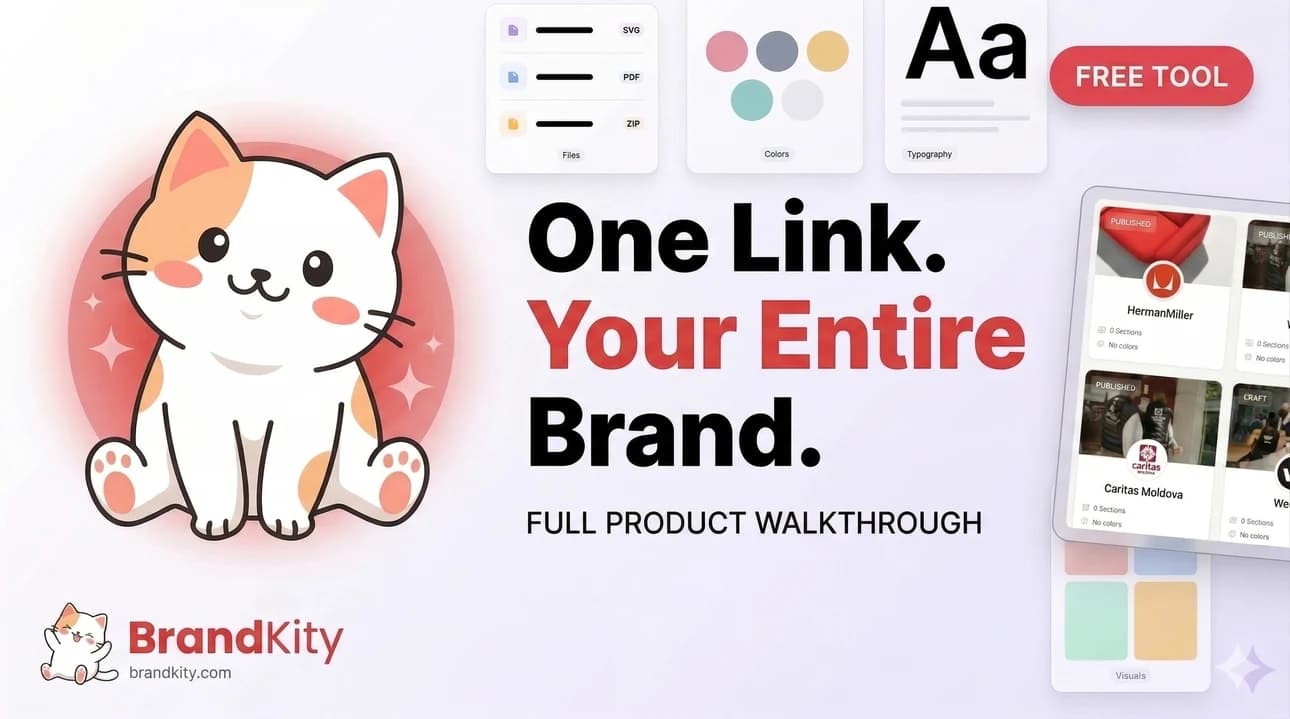
Table of contents
- Tired of Brand Asset Chaos? There’s a Better Way.
- The Scavenger Hunt for Client Files: A Designer’s Nightmare
- When ‘Just Send Me Everything’ Becomes a Bottleneck
- What Exactly is a Design System and Why Does It Matter for Asset Management?
- Beyond UI Kits: The Broader Definition of a Design System
- The Core Components: From Colors to Code Snippets
- How Design Systems Reduce Redundancy and Foster Consistency
- The Power of Centralized Brand Assets: One Source of Truth
- Eliminating Scattered Files Across Cloud Drives and Emails
- Ensuring Everyone Uses the Latest, Approved Brand Elements
- The ‘Single Source of Truth’ Advantage for Global Teams
- Streamlining the Client Handoff: From Stressful to Seamless
- Common Client Handoff Pitfalls and How to Avoid Them
- Structuring Assets for Client Understanding and Usage
- The ‘One Link’ Solution for Professional Brand Delivery
- Building Your Design System’s Asset Library: A Practical Framework
- Categorizing Your Assets: Logos, Colors, Typography, Imagery, and More
- Defining Naming Conventions and Metadata for Discoverability
- Version Control: Tracking Changes and Maintaining Historical Records
- Designing for Discoverability: Making Assets Easy to Find and Use
- Leveraging Search and Filtering for Quick Access
- Clear Visual Representation: Previews and Usage Examples
- Providing Context: When and How to Use Each Asset
- The Benefits of a Unified Design System for Agency Workflows
- Reducing Repetitive Design and Asset Request Tasks
- Empowering Junior Designers and New Team Members
- Improving Collaboration Between Design, Development, and Marketing
- Beyond Static Files: Managing Dynamic Brand Elements
- Handling Font Licenses and Accessibility Requirements
- Incorporating Video and Animation Assets Effectively
- Guidelines for Iconography and Illustrations
- When Clients Ask for Assets: The Design System as Your Lifeline
- Turning ‘Can I have the logo in vector?’ into a Quick Share
- Educating Clients on Brand Consistency Through Asset Access
- Reducing Support Overhead with Self-Serve Asset Libraries
- Future-Proofing Your Brand Assets with a Robust Design System
- Adapting to New Branding Guidelines and Iterations
- Scalability: Growing Your Asset Library as Your Brand Evolves
- The Long-Term Value of Organized and Accessible Brand Assets
As a designer or agency, the sheer volume of brand assets can quickly become overwhelming. Logos in various formats, color palettes, typography guidelines, imagery, and more – keeping track of it all, especially across multiple clients, feels like a constant uphill battle.
This disorganization doesn’t just impact your workflow; it directly affects client satisfaction and brand integrity. Imagine the frustration of delivering outdated files or the embarrassment of a client using the wrong logo version. Fortunately, there are strategic approaches and tools that can transform this chaos into a streamlined, professional process.
Tired of Brand Asset Chaos? There’s a Better Way.
The Scavenger Hunt for Client Files: A Designer’s Nightmare
For many designers and agencies, managing client brand assets feels less like organization and more like an endless scavenger hunt. Files are scattered across various cloud storage services like Dropbox, Google Drive, or OneDrive, buried within email threads, or even residing on individual team members’ hard drives. This fragmentation means that before any design work can even begin, significant time is often wasted just locating the correct, most up-to-date versions of essential elements. The risk of using an incorrect or obsolete asset – like a logo in the wrong color space or an outdated font file – is incredibly high, leading to costly revisions and a damaged professional reputation. This constant search for truth erodes productivity and drains creative energy.
This chaotic environment creates a significant bottleneck. Imagine a new team member joining, or a client requesting a specific asset on short notice. Without a centralized system, they’re immediately thrown into this disarray, asking colleagues, digging through shared drives, or sending out frantic emails. The process becomes inefficient, unprofessional, and prone to errors. This lack of a single source of truth for brand assets is a pervasive problem that directly impacts efficiency and the final output. It’s a situation that breeds frustration for both the creative team and the client.
When ‘Just Send Me Everything’ Becomes a Bottleneck
The common client request, “Just send me everything,” often masks a deeper need for structured and understandable brand guidance. While well-intentioned, fulfilling this request literally can lead to delivering a disorganized mess of files. Clients might receive dozens or even hundreds of individual assets across multiple formats and folders, leaving them equally confused about which files to use and when. This is particularly problematic for clients without dedicated design teams who rely on clear instructions. The sheer volume can be intimidating, and without context or organization, the assets are often underutilized or misused, defeating the purpose of a robust brand identity. This unstructured data dump can cause more harm than good, leading to inconsistent brand application across their own marketing materials.
This is where the value of curated delivery becomes paramount. Instead of a generic file dump, providing a structured and easily navigable repository of approved brand assets ensures that clients can quickly find what they need and understand how to use it. This not only saves them time but also empowers them to maintain brand consistency independently. The goal is to move from a reactive “send everything” approach to a proactive, organized delivery that anticipates client needs and promotes proper brand stewardship. Such a system facilitates professionalism and clarity in every interaction.
What Exactly is a Design System and Why Does It Matter for Asset Management?
Beyond UI Kits: The Broader Definition of a Design System
While many associate design systems primarily with UI kits for digital products, their scope is far more expansive, particularly concerning brand asset management. A comprehensive design system is essentially a single source of truth that defines and governs how a brand is expressed across all touchpoints. It’s a collection of reusable components, guided by clear standards, that can be assembled to build anything from a website interface to a marketing brochure. For asset management, this means moving beyond just storing individual files. It involves documenting the purpose, usage guidelines, and correct variations of every brand element. This holistic approach ensures that logos, color palettes, typography, imagery, iconography, and even tone of voice are consistently applied, creating a cohesive and recognizable brand identity. It’s about establishing a framework for consistency that permeates all creative output.
A well-defined design system acts as the ultimate guardian of brand integrity. It provides a structured methodology for developing, organizing, and distributing brand assets. This means that instead of designers and marketers independently interpreting brand guidelines, they refer to a single, authoritative document or platform. This centralized repository of knowledge minimizes misinterpretations and ensures that every application of the brand adheres to established principles. It’s a critical tool for maintaining brand equity and preventing fragmentation, especially in larger organizations or when working with multiple external partners. Implementing such a system is an investment in long-term brand health.
The Core Components: From Colors to Code Snippets
At its heart, a design system encompasses a wide array of reusable elements that define a brand’s identity and functionality. This includes foundational elements like a defined color palette (primary, secondary, accent colors with their precise hex, RGB, and CMYK values), extensive typography guidelines (font families, weights, sizes, line heights for various use cases), and a library of approved logos in all necessary formats (SVG, PNG, JPG, EPS) and variations (full color, monochrome, horizontal, vertical). Beyond these visual staples, a robust system also incorporates components like icons, imagery style guides, and even sound branding if applicable. For digital applications, this extends to UI components like buttons, forms, and navigation elements, often accompanied by ready-to-use code snippets. Each component within the system is meticulously documented with usage rules, common pitfalls, and accessibility considerations, providing clear direction for implementation.
These components are not merely static assets; they are living building blocks designed for efficiency and consistency. The interconnectedness of these elements ensures that when one part of the system is updated, the impact is understood across the entire brand expression. For instance, a change to a primary brand color would be reflected not only in the color documentation but also in all associated UI components and visual assets that utilize that color. This systematic approach prevents inconsistencies and ensures that all brand applications are harmonized. The benefit is a significant reduction in design debt and a more agile creative process, allowing teams to build with confidence.
How Design Systems Reduce Redundancy and Foster Consistency
Design systems are intrinsically designed to combat redundancy and cultivate uniformity. By providing a library of pre-approved, reusable components – from entire UI elements to simple color swatches – they eliminate the need for designers and developers to recreate these assets from scratch for every project. This reusability is a cornerstone of efficiency, saving significant time and resources. More importantly, it ensures that every application of the brand adheres to the same visual and functional standards. For example, a button component within a design system will have defined states (hover, active, disabled), precise styling, and even accessibility considerations built-in. When this single component is used across a website or application, it guarantees a consistent user experience and visual language. This systematic approach is the antidote to brand fragmentation and inconsistency, making it easier to maintain a strong, recognizable identity.
The impact of this consistency is profound. When stakeholders consistently interact with a brand that looks and feels the same across all touchpoints, it builds trust and recognition. A design system acts as the enforcement mechanism for this consistency. It provides a clear, accessible reference point for everyone involved in brand creation and implementation. Instead of relying on memory or subjective interpretation, teams can access a definitive guide to brand execution. This shared understanding and standardized toolkit dramatically reduce errors and misunderstandings, allowing teams to focus on innovation rather than reinventing the wheel. Ultimately, design systems empower organizations to present a unified and professional front, bolstering brand equity and customer loyalty through unwavering brand integrity.
The Power of Centralized Brand Assets: One Source of Truth
Eliminating Scattered Files Across Cloud Drives and Emails
The pervasive issue of scattered brand assets – living in a fragmented ecosystem of cloud drives, individual hard drives, and endless email attachments – is a major drain on productivity and a risk to brand integrity. Imagine needing a high-resolution logo for a print ad; searching through multiple Google Drive folders, sifting through email chains from years ago, and potentially finding outdated versions is not just time-consuming, but also incredibly frustrating. A centralized asset management system directly addresses this chaos by consolidating all approved brand materials into a single, easily accessible location. This eliminates the “scavenger hunt” mentality and ensures that team members, whether they are designers, marketers, or account managers, can quickly locate and download the correct files. The result is a significant boost in efficiency and a reduction in the errors caused by using incorrect or obsolete assets, establishing a clear foundation for consistent branding.
By consolidating assets, you create a single point of access that mitigates the risk of version control issues. No longer will a client or team member unknowingly use a deprecated logo or an old color palette. This streamlined accessibility not only saves time but also protects the brand’s visual identity. When all approved assets are in one place, the likelihood of unauthorized or inconsistent usage diminishes drastically. This structured approach fosters a more professional workflow and ensures that the brand is always represented in its intended form, building trust and recognition with every application. This single, authoritative location becomes the definitive reference for brand representation.
Ensuring Everyone Uses the Latest, Approved Brand Elements
One of the most significant benefits of centralizing brand assets is the assurance that everyone is working with the most current and approved versions. In environments where files are scattered, it’s common for outdated logos, color palettes, or typography to persist, leading to brand inconsistencies. A centralized system, acting as the definitive library of brand assets, solves this by serving as the single source of truth. When a brand element is updated – perhaps a logo refinement or a shift in brand colors – the centralized system is updated, and the previous version is archived or removed. This ensures that any team member, freelancer, or agency partner accessing the system will automatically be using the latest iteration. This guarantees brand uniformity across all outputs, from marketing collateral to digital interfaces, and significantly reduces the risk of brand dilution.
This controlled environment prevents the accidental or intentional misuse of brand elements. Without a clear, singular source, individuals might use lower-resolution images, incorrect file formats, or misinterpret brand guidelines. By providing direct access to approved assets, you empower users while maintaining strict control over brand representation. This not only enhances brand professionalism but also saves considerable time and effort that would otherwise be spent correcting inconsistencies. It’s a proactive approach to brand management that safeguards brand equity and ensures a cohesive, recognizable presence in the market. This commitment to using the latest approved elements builds a stronger, more reliable brand identity.
The ‘Single Source of Truth’ Advantage for Global Teams
For organizations with distributed teams, particularly those operating across different regions or time zones, establishing a ‘single source of truth’ for brand assets is not just advantageous – it’s essential. When every team member, regardless of their location, can access the same up-to-date library of logos, color palettes, fonts, and imagery, it eradicates confusion and ensures a consistent brand experience worldwide. This global accessibility of approved assets prevents discrepancies that can arise from localized interpretations or outdated files. It means a marketing campaign launched in Asia will align perfectly with one rolled out in Europe, maintaining a unified brand voice and visual identity. Such a system is key to scalable brand management, enabling seamless collaboration across borders.
Implementing a centralized system fosters a shared understanding and adherence to brand standards, regardless of geographical separation. This is crucial for maintaining brand equity and trust in an increasingly interconnected world. When all global stakeholders rely on the same repository, it streamlines workflows, reduces the need for constant back-and-forth communication to verify asset versions, and minimizes the potential for costly errors. A unified brand presence is built upon the foundation of easily accessible, consistently applied assets. This makes your brand more agile, resilient, and professional on a global scale, allowing for faster deployment of marketing materials and campaigns without compromising on brand integrity. It’s about empowering every team member, everywhere, to be a confident brand steward.
Streamlining the Client Handoff: From Stressful to Seamless
Common Client Handoff Pitfalls and How to Avoid Them
The client handoff of brand assets is a critical juncture, yet it’s fraught with potential pitfalls that can lead to frustration for both the designer and the client. A common mistake is simply dumping a folder full of disorganized files without explanation. This can overwhelm clients, leading them to misuse assets, revert to incorrect versions, or simply abandon the provided materials out of confusion. Another pitfall is failing to provide assets in the necessary formats and resolutions for various applications, forcing clients to request revisions or conversions. Lack of clear usage guidelines is also a major issue; clients may not understand when to use a specific logo variation or how to apply brand colors correctly. To avoid these problems, a structured, annotated approach is crucial. This includes categorizing assets logically, providing clear file format explanations, and offering concise usage instructions. Think of it as delivering a well-organized brand toolkit, not just a pile of files.
Furthermore, neglecting to include essential brand elements like typography files, color codes, or even a simple brand guideline summary can leave clients struggling. The handoff shouldn’t be the end of the engagement but rather the beginning of the client’s empowered use of their brand. Offering a clear, intuitive delivery platform that can be easily navigated ensures that clients feel confident and supported. This proactive approach minimizes follow-up questions, reduces the likelihood of brand misuse, and leaves a lasting professional impression. It transforms what can be a stressful administrative task into a positive reinforcement of the value you’ve delivered.
Structuring Assets for Client Understanding and Usage
Effective client handoff goes beyond just delivering files; it’s about ensuring clients can easily understand and utilize their new brand assets. The key is structured organization with context. Instead of a chaotic dump of various file types, assets should be neatly categorized into logical folders. For example, separate sections for logos (with subfolders for different file formats like SVG, PNG, JPG), color palettes (with clear CMYK, RGB, HEX values), typography (including font files or links to licensing), and imagery. Within each category, files should be clearly named to indicate their purpose or intended use (e.g., `logo_primary_rgb.png` for web use, `logo_secondary_cmyk.eps` for print). Adding a brief README file or a link to a concise brand guideline document within the delivery package can further clarify usage rules, preferred applications, and best practices.
Consider the client’s perspective: they need to quickly find what they need without extensive searching. This means providing assets in the most common formats required for their daily operations. For digital use, high-quality PNGs and SVGs are essential. For print, CMYK-ready files like EPS or AI are crucial. If you’re using web fonts, provide clear instructions on how to implement them. The goal is to empower the client, making it easy for them to maintain brand consistency across all their platforms. A well-structured handoff demonstrates professionalism and a commitment to the client’s long-term success, fostering trust and reducing post-delivery queries.
The ‘One Link’ Solution for Professional Brand Delivery
The concept of delivering all necessary brand assets through a single, professional link has revolutionized client handoffs. Instead of emailing large files, sharing multiple download links, or navigating complex cloud storage structures, you can provide clients with one convenient, accessible URL that houses their entire brand identity. This consolidated approach streamlines the delivery process, making it exceptionally efficient for both the agency and the client. This single link acts as a central hub, typically organized with clear navigation and search functionalities, allowing clients to easily find, download, and even preview their assets. This method not only looks highly professional but also significantly reduces the chances of miscommunication or lost files.
Utilizing a platform that offers this “one link” solution means the client receives a curated, branded experience dedicated to their assets. It often includes features like organized categories, clear previews, version history, and even simple usage guides embedded within the delivery page. This eliminates the common pitfalls of disorganized file transfers and empowers clients with a user-friendly resource they can refer to anytime. It’s a powerful way to ensure brand consistency long after the project is completed and reinforces the professional partnership you’ve established, making your brand delivery service stand out. This is the epitome of effortless brand delivery.
Building Your Design System’s Asset Library: A Practical Framework
Establishing a robust asset library is fundamental to a successful design system. It moves beyond a mere collection of files into a structured, centralized hub for all brand collateral. The initial step involves a thorough audit of existing assets to understand what needs to be included, updated, or retired. This process ensures that only relevant and high-quality assets make it into the system, preventing clutter and confusion down the line. Think of it as curating a brand’s visual DNA. Without a clear framework, managing these assets can quickly devolve into chaos, mirroring the very problems design systems aim to solve. A well-organized library streamlines the entire process of brand delivery, making it a cornerstone of efficient agency workflows.
Categorizing Your Assets: Logos, Colors, Typography, Imagery, and More
Effective categorization is the bedrock of an accessible asset library. The primary categories often include logos, where different variations (primary, secondary, favicon, monochrome) are stored with clear usage instructions. Color palettes should be defined with HEX, RGB, and HSL values, along with their intended applications (e.g., primary brand color, accent, background). Typography involves specifying font families, weights, sizes, and line heights for different text elements like headings, body copy, and captions. Beyond these core elements, consider categories for imagery (photography, illustrations, icons), UI components (buttons, forms, cards), and potentially even motion graphics or audio assets if relevant to the brand. Properly categorizing ensures that users can quickly navigate to the asset type they need without sifting through unrelated files. This structured approach is crucial for maintaining consistency across all brand touchpoints, preventing visual fragmentation.
Defining Naming Conventions and Metadata for Discoverability
Beyond broad categories, implementing consistent naming conventions and rich metadata is paramount for discoverability. Naming conventions should be logical and descriptive; for instance, `logo_primary_full_color.svg` is far more useful than `logo_final.svg`. This clarity helps users instantly understand the asset’s purpose and format. Metadata, such as keywords, descriptions, usage rights, and creation/modification dates, acts as a powerful search facilitator. By tagging assets with relevant terms (e.g., “hero image,” “product shot,” “call to action button”), users can find what they need even if they don’t know the exact file name. This reduces the time spent searching and minimizes the likelihood of using an incorrect or outdated asset. A well-defined metadata schema transforms a static library into an intelligent, searchable repository, a key aspect of successful organizing design assets for your clients’ toolkits.
Version Control: Tracking Changes and Maintaining Historical Records
Version control is not just a technical requirement; it’s a critical component for maintaining the integrity and usability of your asset library. Every change, whether it’s a minor tweak to a logo or a significant update to a color palette, needs to be tracked. This allows users to access the latest version while also providing a safety net to revert to previous iterations if necessary. Implementing a system that clearly indicates version numbers (e.g., v1.0, v1.1, v2.0) and provides a changelog for each asset is essential. This transparency helps prevent the accidental use of deprecated assets and builds confidence in the library’s accuracy. For agencies, this means maintaining a clear audit trail for client brands, which is invaluable for slashing revisions with smart asset delivery.
Designing for Discoverability: Making Assets Easy to Find and Use
A powerful asset library is only effective if users can effortlessly locate and understand the assets they need. The focus here shifts from mere organization to an intuitive user experience, ensuring that designers, developers, and marketing teams can quickly access the right collateral without friction. This involves building a system that anticipates user needs and provides clear guidance, ultimately speeding up project timelines and reducing errors. The goal is to make the asset library a trusted, go-to resource, rather than a hurdle to overcome. This proactive approach to discoverability is a hallmark of mature design systems and significantly contributes to overall workflow efficiency.
Leveraging Search and Filtering for Quick Access
The cornerstone of discoverability in any digital asset management system, including a design system’s library, is robust search and filtering functionality. Users should be able to enter keywords, file types, or descriptive terms and receive immediate, accurate results. Advanced filtering options are equally crucial, allowing users to narrow down searches by category (logos, icons, photos), color, file format (SVG, PNG, JPG), or even by the project or client they are associated with. For example, a marketer looking for a specific campaign banner could filter by “banner,” “social media,” and the relevant campaign name. This reduces cognitive load and saves valuable time, moving from a “hunt and peck” method to a targeted retrieval process. This is vital for agencies juggling multiple client brands and diverse asset needs, enabling them to ace brand delivery in their designer’s workflow.
Clear Visual Representation: Previews and Usage Examples
Beyond text-based search, clear visual representation is key to making assets easily understandable and selectable. Each asset within the library should feature a prominent preview, allowing users to see exactly what they are selecting at a glance. For logos, this means displaying them in their intended colors and formats. For UI components, interactive previews or clear screenshots are essential. Furthermore, providing usage examples is invaluable. This could include mockups showing how a particular icon is used in a user interface, or examples of correct logo placement on different backgrounds. These visual aids not only confirm the correct asset but also demonstrate best practices, reducing the likelihood of misuse and ensuring brand consistency across all applications. This contextual visual information is a significant step beyond simply listing files.
Providing Context: When and How to Use Each Asset
Discoverability isn’t solely about finding an asset; it’s also about understanding its purpose and appropriate application. Each asset in the library should be accompanied by clear, concise documentation detailing its intended use. This includes specifying when to use a particular logo variation (e.g., “use the monochrome version on dark backgrounds”), the context for specific typography styles (e.g., “this font weight is reserved for primary headlines”), and guidelines for imagery (e.g., “avoid images with busy backgrounds for product shots”). This guidance prevents common pitfalls like using low-resolution images for print or misapplying brand colors. By providing this crucial context, the design system acts as a living brand guide, empowering all users, regardless of their design expertise, to utilize assets correctly and maintain brand integrity. This contextual information is vital for seamless brand delivery and client satisfaction.
The Benefits of a Unified Design System for Agency Workflows
Implementing a unified design system offers a transformative advantage for agencies, fundamentally reshaping how teams operate and deliver value to clients. By standardizing design elements and providing a central source of truth for brand assets, agencies can unlock significant efficiencies, foster better collaboration, and elevate the quality of their output. This shift moves away from fragmented processes and reactive problem-solving towards a proactive, scalable, and professional approach to brand management and creative execution. The cumulative effect of these improvements directly impacts project turnaround times, client satisfaction, and the overall profitability of an agency’s services.
Reducing Repetitive Design and Asset Request Tasks
One of the most immediate and impactful benefits of a design system for agencies is the dramatic reduction in repetitive tasks. Instead of designers recreating standard elements like buttons, headers, or footers from scratch for every new project or client, they can pull these components directly from the design system. Similarly, marketing teams or clients no longer need to inundate the design department with constant requests for specific logo variations, color codes, or image files. A well-structured design system, especially one that consolidates everything into a single, accessible link, serves as a self-service portal for these common needs. This frees up valuable creative time, allowing designers and developers to focus on more complex problem-solving and strategic initiatives, rather than mundane, recurring tasks. This efficiency gain is a cornerstone of streamlining brand assets for the agency edge.
Empowering Junior Designers and New Team Members
Onboarding new talent can be a lengthy and resource-intensive process. A unified design system significantly streamlines this by providing a clear, comprehensive blueprint for brand consistency. Junior designers or new team members can quickly understand the brand’s visual language, established components, and approved assets without needing extensive one-on-one training for every scenario. The system acts as a guide, dictating correct usage and preventing them from making common errors. This not only accelerates their ramp-up time but also instills confidence, enabling them to contribute effectively from day one. For agencies, this means faster integration of new hires and a more consistent quality of work across the entire team, regardless of individual experience levels. This fosters a more productive and cohesive team environment.
Improving Collaboration Between Design, Development, and Marketing
A design system acts as a universal language, fostering seamless collaboration between disparate teams within an agency. When design, development, and marketing all work from the same set of approved components, styles, and assets, the potential for miscommunication and misalignment plummets. Developers can confidently implement designs knowing they have access to the exact specifications for UI elements. Marketing can ensure all collateral adheres to brand standards without constant back-and-forth with designers. This shared understanding and single source of truth breaks down silos, leading to faster iteration cycles, fewer revisions due to misunderstandings, and ultimately, a more cohesive and polished final product. This collaborative synergy is key to achieving agency brand delivery from chaos to clarity.
Beyond Static Files: Managing Dynamic Brand Elements
While design systems excel at organizing static assets, their power extends to managing more dynamic and complex brand elements. As digital experiences evolve, so too must the assets that define them. This involves considering how to integrate and govern elements that are not just simple image files, but rather components with inherent rules, behaviors, or licensing requirements. Effectively managing these dynamic elements ensures that the brand’s identity remains consistent and compliant across all its expressions, from animated logos to interactive user interfaces.
Handling Font Licenses and Accessibility Requirements
Fonts are more than just decorative typefaces; they are critical brand assets with associated licensing agreements and accessibility considerations. A design system must provide clear documentation regarding font licensing, including where fonts can be used (web, print, desktop applications) and by whom. This prevents costly legal issues and ensures compliance. Furthermore, accessibility is non-negotiable. The system should specify font sizes, weights, and color contrasts that meet WCAG (Web Content Accessibility Guidelines) standards. For instance, it might mandate minimum font sizes for body text and require sufficient contrast ratios between text and background colors. Documenting these requirements within the design system educates all users on best practices for inclusive design, ensuring the brand is legible and usable for everyone. This meticulous attention to detail is part of delivering truly professional brand assets with one link.
Incorporating Video and Animation Assets Effectively
In today’s digital landscape, video and animation are increasingly vital brand elements. A comprehensive design system should include guidelines for their use, not just the files themselves. This means defining approved formats, resolutions, and aspect ratios for various platforms (e.g., social media stories, website banners, explainer videos). It also involves providing style guides for motion design, outlining preferred animation styles, transitions, and timings that align with the brand’s personality. For example, a luxury brand might opt for slow, elegant transitions, while a tech startup might prefer dynamic, energetic animations. Furthermore, considerations for file size optimization and accessibility (e.g., providing captions for videos) are crucial for ensuring a smooth user experience and broad reach. This ensures that dynamic content complements, rather than detracts from, brand consistency.
Guidelines for Iconography and Illustrations
Icons and illustrations are powerful tools for visual communication, capable of conveying complex ideas simply and engagingly. Within a design system, detailed guidelines for these assets are essential. This includes defining consistent style for all icons – stroke weight, corner radius, fill vs. outline. For illustrations, guidelines might cover color palettes, line quality, character design, and the overall mood or tone. Providing a library of approved icons and illustrations, categorized by function or theme, saves immense time and ensures visual harmony. It’s also important to specify when and how to use them. For example, certain icons might be reserved for specific UI states, or illustrations might be designated for marketing materials rather than product interfaces. This structured approach to graphical assets guarantees that every visual element reinforces the brand’s unique identity.
When Clients Ask for Assets: The Design System as Your Lifeline
The scenario is familiar: a client needs a specific file format of the logo for a new print campaign, or perhaps a high-resolution image for a billboard. Without a centralized system, this often triggers a frantic search through scattered folders, email threads, and cloud storage. This is precisely where a well-implemented design system shines, transforming potentially time-consuming requests into efficient operations. A design system acts as your single source of truth for all brand assets, ensuring that whether you’re a freelancer or part of a large agency, you can quickly locate and deliver precisely what’s needed. This capability not only saves valuable time but also projects an image of professionalism and organization to your clients, reinforcing trust and streamlining your workflow. It’s about moving from reactive scrambling to proactive asset management.
Turning ‘Can I have the logo in vector?’ into a Quick Share
Consider the classic client query: “Can I have the logo in vector format?” Without a design system, this might involve digging through old project files, potentially uncovering outdated versions or struggling with unclear file naming conventions. With a design system, however, this request becomes a matter of minutes. You’d simply navigate to the designated asset library, locate the ‘Logo’ category, select the desired vector format (like .SVG or .AI), and share it directly or via a secure link. This immediate access is crucial for maintaining project momentum. For agencies managing multiple clients, the ability to quickly fulfill such requests is paramount, directly impacting project timelines and client satisfaction. This efficiency is a cornerstone of effective streamlining brand assets for the agency edge.
Educating Clients on Brand Consistency Through Asset Access
A design system also serves as an educational tool for clients, subtly reinforcing the importance of brand consistency. By providing them with direct access to approved brand elements – logos, color palettes, typography guidelines, and imagery – you empower them to use these assets correctly. This self-service approach minimizes the risk of unauthorized or incorrect usage that can dilute a brand’s identity. When clients understand where to find the right assets, they are less likely to misuse them. This proactive measure not only preserves the integrity of the brand you’ve worked hard to build but also preempts future revision requests stemming from inconsistent application. It fosters a collaborative environment where clients become active participants in maintaining brand standards, leading to a stronger, more cohesive visual identity across all platforms.
Reducing Support Overhead with Self-Serve Asset Libraries
The time spent answering repetitive questions about asset usage or hunting down specific files for clients can be substantial, significantly increasing support overhead. A robust design system, accessible through a platform that allows for organized, categorized delivery, effectively transforms this support burden into a self-serve model. Clients can log in or access a dedicated link to find exactly what they need, precisely when they need it. This reduces the number of incoming requests and frees up your team to focus on more strategic tasks. For instance, instead of explaining which font to use for a social media post for the fifth time this week, they can simply point the client to the typography section of the asset library. This not only saves hours but also enhances client autonomy and reduces potential friction in the brand collaboration process.
Future-Proofing Your Brand Assets with a Robust Design System
In the dynamic world of branding and digital presence, maintaining up-to-date and accessible brand assets is crucial for long-term success. A design system is not merely a repository; it’s a strategic framework designed to evolve with your brand. By centralizing all brand elements, you create a foundation that can be readily adapted to new guidelines, emerging platforms, or design refreshes. This proactive approach ensures that your brand’s visual identity remains consistent and relevant across all touchpoints, regardless of how often your brand evolves. It moves beyond simple asset storage to become a dynamic tool for brand integrity and adaptability in an ever-changing market landscape. This forward-thinking strategy is key to maintaining a competitive edge.
Adapting to New Branding Guidelines and Iterations
Brands are not static; they evolve. As your clients or your own brand identity undergoes iterations, updating and disseminating new guidelines and assets can be a complex undertaking. A well-structured design system simplifies this process dramatically. When a new branding guideline is approved, whether it’s a refreshed logo, new color palettes, or updated typography, the changes are made in one central location. This single point of update ensures that all subsequent asset deliveries automatically reflect the latest brand standards. This eliminates the risk of older versions of assets being used and ensures consistency across all applications, from websites to marketing collateral. For example, if a company updates its logo, all instances within the design system are replaced, and anyone accessing the system thereafter receives the new version. This ensures a smooth transition and reinforces the professional image of the brand, contributing to a successful agency success through effortless brand delivery.
Scalability: Growing Your Asset Library as Your Brand Evolves
The needs of a brand are rarely static; they expand and contract over time. A robust design system is built with scalability in mind, allowing your asset library to grow organically alongside your brand’s evolution. As new campaigns are launched, new product lines are introduced, or new marketing channels are adopted, additional assets will be required. The structure of a good design system makes it easy to categorize and add these new elements without disrupting the existing organization. Think of adding new icon sets for a feature update, high-resolution product shots for an e-commerce expansion, or templates for emerging social media platforms. This flexible architecture ensures that your asset hub remains an efficient and comprehensive resource, capable of supporting your brand’s journey without becoming unwieldy. This is fundamental to maintaining an organized toolkit for clients with organized design assets.
The Long-Term Value of Organized and Accessible Brand Assets
Investing in a comprehensive design system for managing brand assets yields significant long-term benefits that extend far beyond initial implementation. The sustained organization and accessibility of logos, color codes, fonts, and imagery reduce ongoing operational costs associated with asset retrieval and revision. It fosters a more efficient workflow, minimizes errors caused by outdated assets, and strengthens brand consistency across all touchpoints. Clients who can easily access and utilize brand-approved assets are less likely to encounter issues, leading to a smoother, more professional relationship. Ultimately, a well-maintained design system ensures that your brand’s visual identity remains coherent and powerful, safeguarding its equity and supporting its growth over time. This structured approach is key to professional brand asset delivery, ensuring your brand always makes the right impression through a professional presentation of brand assets via a single link.
Implementing and maintaining a design system for your brand assets is a strategic investment that pays dividends in efficiency, consistency, and client satisfaction. It transforms potential asset chaos into a streamlined, professional workflow.
For teams looking to centralize their brand assets and ensure seamless delivery, exploring platforms designed for this purpose can be highly beneficial. Solutions like BrandKity offer a practical way to organize and share all your brand elements through a single, professional link, simplifying the entire process.
Saurabh Kumar
Founder, BrandKity
Saurabh writes about practical brand systems, faster client handoffs, and scalable workflows for designers and agencies building repeatable delivery operations.
Connect on LinkedIn