
Custom Domains for Brand Portals: The Complete Guide to Building a Branded Digital Home for Your Assets
If you have ever shared a brand kit link with a client, partner, or new team member and felt a subtle twinge of embarrassment at the URL — something like app.someplatform.com/u/yourbrandname — you already understand the problem this guide solves. Your brand is meticulous. Your logo is pixel-perfect. Your color palette is locked and protected.
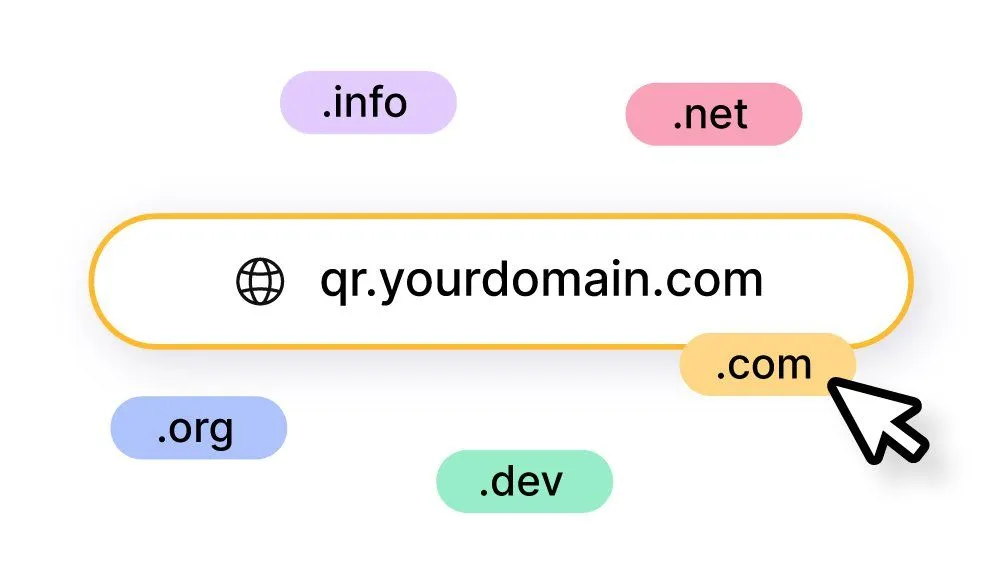
Table of contents
- What Is a Brand Portal?
- What Is a Custom Domain for a Brand Portal?
- Why a Custom Domain for Your Brand Portal Is Not Optional Anymore
- 1. First Impressions Are Brand Impressions
- 2. Trust and Perceived Legitimacy
- 3. Brand Consistency Across Every Channel
- 4. SEO Authority and Long-Term Domain Equity
- 5. Future-Proofing Your Brand Infrastructure
- How Custom Domains for Brand Portals Work (The Technical Reality, Simplified)
- Domain Name System (DNS) — The Internet’s Address Book
- The Two Types of DNS Records You Will Typically Encounter
- What the Setup Process Typically Looks Like
- Choosing the Right Custom Domain for Your Brand Portal
- Keep It Simple and Intuitive
- Match Your Audience’s Mental Model
- Consider Multiple Portals with Multiple Subdomains
- Custom Domains for Brand Portals: Industry Use Cases
- Creative Agencies Managing Client Brand Kits
- Tourism and Destination Marketing Organizations
- Franchise Networks
- Product and Technology Companies
- Nonprofits and Mission-Driven Organizations
- What to Include in Your Brand Portal Before You Add the Custom Domain
- Logo Files — Every Format You Will Ever Need
- Brand Color Palette with Codes
- Typography Guidelines
- Brand Guidelines and Usage Rules
- Photography and Imagery
- Marketing Templates
- Brand Voice and Messaging Guidelines
- Common Mistakes to Avoid When Setting Up a Custom Domain for Your Brand Portal
- Forgetting to Renew Your Domain
- Using an Incorrect DNS Record Type
- Not Verifying HTTPS Is Working
- Sharing the Link Before DNS Has Propagated
- Creating a Brand Portal That Is Not Maintained
- How BrandKity Supports Custom Domains for Brand Portals
- Step-by-Step: Setting Up a Custom Domain for Your BrandKity Brand Portal
- Step 1: Decide on Your Subdomain
- Step 2: Log In to Your Domain Registrar
- Step 3: Add a CNAME Record
- Step 4: Configure the Custom Domain in BrandKity
- Step 5: Wait for DNS Propagation
- Step 6: Test and Share
- The ROI of a Custom Domain for Your Brand Portal
- Frequently Asked Questions About Custom Domains for Brand Portals
- Do I need to buy a new domain to use a custom domain for my brand portal?
- Will using a subdomain affect my main website’s SEO?
- How long does it take to set up a custom domain?
- Can I use a custom domain on the free BrandKity plan?
- What happens to my brand portal link if I switch domain registrars?
- Can I have multiple custom domains pointing to the same brand portal?
- Final Thoughts: Your Brand Portal Deserves a Domain It Can Call Its Own
If you have ever shared a brand kit link with a client, partner, or new team member and felt a subtle twinge of embarrassment at the URL — something like app.someplatform.com/u/yourbrandname — you already understand the problem this guide solves. Your brand is meticulous. Your logo is pixel-perfect. Your color palette is locked and protected. But the very link you use to share all of that brand precision is wearing someone else’s name.
Custom domains for brand portals fix that. They transform a generic, platform-branded URL into something that looks, feels, and functions as an extension of your business — like brand.yourcompany.com or assets.youragency.com. For teams, agencies, and growing businesses managing a brand kit, this is not a vanity upgrade. It is a foundational branding decision that touches trust, professionalism, SEO authority, and long-term perception.
This guide covers everything you need to know about custom domains for brand portals: what they are, why they matter, how they work, how to set one up, and how BrandKity makes the whole process straightforward — even if you have never touched a DNS record in your life.
What Is a Brand Portal?
Before diving into domains, it helps to be clear on what a brand portal actually is — because the term gets used loosely.
A brand portal is a centralized, shareable digital hub where your brand’s assets live. This includes logos in every format, approved color codes, typography guidelines, brand voice documentation, imagery libraries, marketing templates, and any other resource your team or external partners need to communicate your brand correctly and consistently.
Think of it as the single source of truth for your visual identity and brand standards. Instead of sending logos via email (only to have the wrong version used six months later), or maintaining a chaotic shared Dropbox folder, a brand portal gives every stakeholder — employees, designers, agencies, media partners, franchisees — one reliable place to go.
A well-built brand portal:
- Is always up to date, because you control what lives there
- Controls access so the right people see the right assets
- Reduces brand inconsistency caused by outdated or off-brand materials
- Saves enormous amounts of back-and-forth time for marketing and creative teams
- Makes onboarding new team members or agencies dramatically faster
BrandKity is built around exactly this idea. It gives teams and agencies a clean, organized, shareable brand kit — covering logos, colors, fonts, visuals, files, and guidelines — all accessible through a single link.
Now, where does the custom domain come in?
What Is a Custom Domain for a Brand Portal?
A custom domain is a web address that you own and configure to point to your brand portal. Instead of your portal living at a generic platform URL, it lives at an address that you control and that reflects your brand.
Generic portal URL: brandkity.com/kit/yourbrandname Custom domain portal URL: brand.yourbusiness.com or assets.youragency.com
The difference sounds small. The impact is not.
When a journalist, a retail partner, a franchise owner, or a new freelance designer visits your brand portal, the first thing they see is the URL in their address bar. If it reads yourbrand.com, the entire experience carries the weight and authority of your brand from the very first moment. If it reads someplatform.com/yourbrand, that authority is diluted — and the experience subtly signals that you are a tenant on someone else’s property.
Custom domains for brand portals can take a few different forms:
- Subdomain:
brand.yourdomain.comorassets.yourdomain.com— the most common and professional approach for brand portals - Standalone domain:
yourbrandkit.com— useful if you want the portal to be an entirely separate web presence - Subfolder:
yourdomain.com/brand— less common for brand portals but sometimes used for very tight integration with a primary website
For most businesses using a tool like BrandKity, a subdomain (brand.yourdomain.com) strikes the ideal balance: it is clearly connected to your main brand, it is clean and memorable, it is easy to configure, and it signals that your brand assets live in a dedicated, professional home.
Why a Custom Domain for Your Brand Portal Is Not Optional Anymore
There was a time when using a platform’s default URL for a brand portal was acceptable — because brand portals themselves were new, and expectations were low. That time has passed. Here is why a custom domain has become the standard for any brand that takes its image seriously.
1. First Impressions Are Brand Impressions
Every touchpoint a person has with your brand either reinforces or erodes your brand equity. When you send a media partner a link to your brand assets, you are making a brand impression. When a new franchise owner accesses your visual identity guidelines for the first time, you are making a brand impression. When an agency designer downloads your approved logo, you are making a brand impression.
A URL that carries your brand name throughout every one of those moments is not a small thing. It is consistent, deliberate brand communication. A generic platform URL is a missed opportunity at best — and a subtle credibility problem at worst.
Custom domains signal that you have invested in your brand infrastructure, not just your brand identity. They say: this is a company that controls its own experience, end to end.
2. Trust and Perceived Legitimacy
Research consistently shows that users are more likely to trust, click, and engage with links and web pages that carry recognizable, branded domains. In an era of phishing scams, spoofed websites, and general online skepticism, a clearly branded URL reduces friction and increases confidence.
When a retail partner receives a link to brand.yourcompany.com, they know immediately they are in the right place. When the link reads app.genericplatform.com/user/yourcompany, even a loyal partner may experience a moment of hesitation. That hesitation, even if it lasts only a second, is a failure in the brand experience you are trying to create.
For agencies managing brand portals for multiple clients, this trust dimension is especially important. Delivering a brand portal on a custom domain like assets.yourclientname.com signals to the client that you are providing a premium, white-label experience — not just pointing them to a generic tool.
3. Brand Consistency Across Every Channel
Brand consistency is one of the most cited principles in marketing, and it is cited so often because it is genuinely hard to achieve at scale. Your social profiles, your email signatures, your presentations, your website — all of these should create a coherent experience that reinforces the same brand identity.
Your brand portal URL should be no different. If your brand assets live at a URL that does not match your brand, you have introduced an inconsistency at the very location where brand consistency is defined and managed. That is a particularly counterproductive problem.
A custom domain ensures that even the link to your brand portal is on-brand. It creates a seamless experience where every touchpoint — from the email sharing the link, to the click, to the portal itself — reflects the same cohesive identity.
4. SEO Authority and Long-Term Domain Equity
Custom domains build SEO authority in a way that generic, platform-hosted URLs simply cannot. When other websites link to your brand portal, those links point to your domain — not to a platform’s domain. Over time, this accumulates into domain authority that benefits your entire web presence.
Google and other search engines favor unique, branded domains when determining search rankings and credibility. A brand portal living at brand.yourdomain.com contributes to the authority of yourdomain.com. A brand portal at someplatform.com/yourbrand builds authority for someplatform.com.
This distinction matters most for companies where the brand portal is a significant outbound touchpoint — businesses with extensive media relationships, franchise networks, or partner ecosystems where the brand portal link is shared widely and linked to often.
5. Future-Proofing Your Brand Infrastructure
When your brand portal lives at a generic platform URL, you are dependent on that platform’s continued existence, pricing, and URL structure for the stability of every link you have ever shared. If the platform changes its URL scheme, rebrands, or is acquired, every link to your brand portal breaks — and every place you have shared that link becomes dead.
When your brand portal lives at a custom domain you own, you are in control. You can migrate to a different platform, restructure your portal, or make any number of backend changes — and all of your links remain intact. The domain belongs to you. The audience you have built around it belongs to you.
This is not a hypothetical concern. Platforms change. Pricing structures change. Services shut down. The only permanent element in your digital infrastructure is the domains you own.
How Custom Domains for Brand Portals Work (The Technical Reality, Simplified)
You do not need to be a web developer to set up a custom domain for your brand portal. You do need a basic understanding of how domains work. Here is the simplest version:
Domain Name System (DNS) — The Internet’s Address Book
When someone types brand.yourdomain.com into their browser, the internet needs to figure out where that address actually lives — which server should respond to the request. This is what the Domain Name System (DNS) does. It is essentially a massive, global address book that translates human-readable domain names into the IP addresses of the servers that host the actual content.
To set up a custom domain for your brand portal, you need to add a DNS record that tells the internet: “When someone visits brand.yourdomain.com, send them to BrandKity’s servers.”
The Two Types of DNS Records You Will Typically Encounter
CNAME Record (Canonical Name): This is the most common DNS record used for custom subdomains. It points your subdomain (like brand.yourdomain.com) to another domain (like yourportal.brandkity.com). Think of it as a forwarding address: when someone comes to your address, you tell them to go to the platform’s address instead — except the visitor never sees that redirection. They just see your subdomain in the address bar the whole time.
A Record: This points a domain or subdomain directly to a specific IP address. Less commonly used for brand portal setups, but sometimes required depending on the platform’s infrastructure.
What the Setup Process Typically Looks Like
- Register your domain (if you do not already own one) through a registrar like Namecheap, Google Domains, GoDaddy, or Cloudflare.
- Choose your subdomain — something like
brand.,assets.,media.,kit., orpress.followed by your main domain. - Log in to your domain registrar’s DNS settings and add a CNAME record pointing your chosen subdomain to your brand portal platform’s domain.
- Configure the custom domain in your brand portal platform (in BrandKity’s settings) to tell the platform which custom domain to respond to.
- Wait for DNS propagation — this typically takes anywhere from a few minutes to 48 hours, though it is usually much faster with modern DNS infrastructure.
- Verify SSL/HTTPS — your brand portal should automatically serve over HTTPS once the custom domain is configured, ensuring a secure connection for everyone who visits.
Most brand portal platforms — including BrandKity — walk you through this process step by step and handle the SSL certificate automatically, so you do not need to configure security separately.
Choosing the Right Custom Domain for Your Brand Portal
The technical setup is only one part of the equation. Choosing the right custom domain or subdomain prefix is equally important. Here are the key considerations:
Keep It Simple and Intuitive
The best subdomain for a brand portal is one that immediately communicates what the portal is for. Someone who receives a link should be able to look at it and know, without any additional context, that they are about to access brand assets.
Strong subdomain choices for brand portals:
brand.yourdomain.comassets.yourdomain.commedia.yourdomain.compress.yourdomain.comkit.yourdomain.comresources.yourdomain.com
These are all clean, professional, and self-explanatory. Avoid abbreviations, numbers, or hyphens that make the URL harder to remember or type correctly.
Match Your Audience’s Mental Model
Think about who is visiting your brand portal and what language they use. A media portal for journalists might feel most natural at media.yourdomain.com or press.yourdomain.com. A partner portal for franchise owners or retail partners might feel better at brand.yourdomain.com or partners.yourdomain.com. A creative asset library for an agency’s internal team might live at assets.yourdomain.com.
The right choice is the one that feels most natural for the primary audience of that portal.
Consider Multiple Portals with Multiple Subdomains
If your organization has multiple distinct brand portals — for example, one for public press access, one for internal teams, and one for franchise partners — each can have its own custom subdomain. This is one of the underutilized advantages of custom domain configuration: you can maintain separate, purpose-built portals for different audiences while keeping all of them under your brand umbrella.
press.yourdomain.com — for journalists and media partners brand.yourdomain.com — for internal teams and agencies franchisee.yourdomain.com — for franchise network members
Each portal can have different access controls, different asset collections, and different branding — but all of them carry the authority and trustworthiness of your domain.
Custom Domains for Brand Portals: Industry Use Cases
Understanding why custom domains matter is one thing. Seeing how real businesses use them across different industries makes the value concrete.
Creative Agencies Managing Client Brand Kits
For agencies, the brand portal is a deliverable. When you set up a brand kit for a client and share it via a custom domain like brand.clientname.com, you are not just sharing files — you are delivering a premium, finished product that looks and feels like something the client owns. It elevates the perceived value of the work and positions the agency as a sophisticated partner rather than someone who sends ZIP files.
With BrandKity, agencies can create organized brand kits for clients covering logos, colors, fonts, and guidelines, then connect a custom domain so the delivery experience is seamless and professional.
Tourism and Destination Marketing Organizations
Destination marketing organizations (DMOs) and tourism boards work with an enormous ecosystem of partners: hotels, airlines, travel agencies, media outlets, and influencers — all of whom need access to approved destination photography, logos, campaign assets, and brand guidelines.
A branded media portal at media.visitcityname.com or press.tourismboard.com is a public-facing, permanently accessible resource that gives every stakeholder a credible, authoritative source for brand content. It makes the organization look organized and partner-friendly while ensuring that assets shared in the world are always the correct, approved versions.
Franchise Networks
Franchise brands have a particular challenge: they need to maintain strict brand consistency across dozens or hundreds of independently operated locations. The brand portal is often the most important tool in that ecosystem — it is where franchise owners go to get logos, signage templates, marketing materials, and brand guidelines.
When that portal lives at brand.franchisebrand.com or marketing.franchisebrand.com, it reinforces that this is an official, authoritative resource from the franchisor. It signals investment in the franchise system’s brand infrastructure. And it ensures that the link shared in franchise agreements, onboarding documents, and training materials will still be valid years later.
Product and Technology Companies
SaaS companies, hardware brands, and product businesses often maintain press kits, partner portals, and asset libraries for media, resellers, and integration partners. A custom domain like press.yourproduct.com or partners.yoursoftware.com makes the portal feel like a deliberate, maintained part of the company’s infrastructure — not an afterthought shared via Dropbox.
Nonprofits and Mission-Driven Organizations
Nonprofits often work with a wide network of volunteers, chapters, media partners, and donor organizations who need access to brand assets and messaging guidelines. A custom domain brand portal at brand.yourorg.org or media.yourcharity.org gives the organization a credible, always-available resource that works as hard as any paid staff member — without requiring ongoing management once the assets are in place.
What to Include in Your Brand Portal Before You Add the Custom Domain
Setting up a custom domain does not help much if the brand portal behind it is incomplete or disorganized. Before you invest in the domain configuration, make sure your brand portal is worth visiting. Here is what a well-built brand portal should contain:
Logo Files — Every Format You Will Ever Need
Logos should be available in every format your partners and team members might require: SVG for digital scalability, PNG with transparent backgrounds for general use, EPS and AI for print production, and JPEG where necessary. Provide both light and dark versions, horizontal and stacked layouts, and icon-only variants where applicable.
Label files clearly so there is no confusion about which version to use in which context.
Brand Color Palette with Codes
Every brand color should be documented with its HEX code (for digital), RGB values (for screen), and CMYK values (for print). Include your primary palette, secondary palette, and any neutral or accent colors. If you have usage rules — for example, certain colors are only used for digital, or a specific color is reserved for the premium product line — document those rules alongside the color values.
Typography Guidelines
Specify primary and secondary typefaces, including where each is used. Document the font weights available, and include links or files for downloading the fonts if they are not system fonts. If you use a web font service like Google Fonts or Adobe Fonts, link to the specific families used.
Brand Guidelines and Usage Rules
These are the rules that prevent your brand from being used incorrectly. Minimum logo sizes, clear space requirements, forbidden color combinations, approved and forbidden logo lockups — all of this should be documented in your brand portal, not locked away in a PDF that nobody can find.
Photography and Imagery
Approved brand photography, lifestyle images, product shots, and illustration styles should all be accessible and downloadable with appropriate licensing information attached. If certain images are restricted to specific use cases (like “for editorial use only”), label them clearly.
Marketing Templates
Editable templates for social media posts, presentations, email headers, and other recurring marketing formats reduce the time your team spends recreating brand-consistent materials from scratch and dramatically reduce the likelihood of off-brand work going out the door.
Brand Voice and Messaging Guidelines
Written brand assets are just as important as visual ones. Your brand portal should include approved taglines, mission statements, elevator pitches, and tone-of-voice guidelines so that anyone writing on behalf of the brand is working from the same foundation.
Common Mistakes to Avoid When Setting Up a Custom Domain for Your Brand Portal
Even with the best intentions, there are a few pitfalls that trip up teams when configuring custom domains. Here is what to watch out for:
Forgetting to Renew Your Domain
Domain registration is not a one-time purchase. Domains expire, typically annually, and if you forget to renew, your brand portal goes dark for everyone trying to visit it. Set up auto-renewal for any domain you are using for a brand portal, and make sure the renewal is linked to a credit card that stays current.
Using an Incorrect DNS Record Type
Some platforms require a CNAME record; others require an A record. Using the wrong type will result in the domain not resolving correctly. Always follow the specific instructions provided by your brand portal platform rather than assuming.
Not Verifying HTTPS Is Working
After configuring your custom domain, confirm that the portal loads correctly over HTTPS — not just HTTP. Modern browsers flag HTTP sites as “Not Secure,” which is a significant trust issue for any professional portal. Most platforms handle SSL certificate generation automatically, but it is worth verifying.
Sharing the Link Before DNS Has Propagated
DNS propagation takes time. Sharing your custom domain link immediately after configuration may result in some users seeing an error while others see the portal correctly, depending on which DNS server their ISP is using. Give propagation at least a few hours before distributing the link widely.
Creating a Brand Portal That Is Not Maintained
A custom domain creates a permanent impression that the portal at that address is current and authoritative. That impression only holds if the portal is actually maintained. Make a commitment to review and update your brand assets in the portal at least quarterly — especially after any brand refresh, logo update, or new campaign launch.
How BrandKity Supports Custom Domains for Brand Portals
BrandKity is purpose-built for the exact problem custom domains for brand portals solve: giving teams and agencies a clean, organized, professional way to share their brand assets through a single link.
As a free brand kit tool, BrandKity lets you organize all the core elements of your brand — logos, colors, fonts, visuals, files, and guidelines — in one place, accessible via a shareable link. For teams that want to take that experience to the next level, attaching a custom domain transforms the brand kit from a useful utility into a fully branded, professional portal that you own.
The setup is designed to be straightforward. You do not need a developer to configure a custom domain on BrandKity. The platform walks you through the process, and the result is a brand portal that carries your domain, your design, and your brand identity throughout every interaction.
For agencies, this means you can deliver brand portals to clients that look entirely custom-built — with the client’s domain, the client’s colors and logo, and the client’s assets all front and center. The platform does the heavy lifting; your brand does the talking.
For teams managing brand consistency across a growing organization, BrandKity with a custom domain becomes the canonical, permanent home for brand assets. Share the link in your onboarding documentation, your partner agreements, your press contacts list — and know that everyone who follows that link will always land in the right place, always see the right assets, and always leave with a clear sense of your brand’s quality and organization.
Step-by-Step: Setting Up a Custom Domain for Your BrandKity Brand Portal
Here is a practical walkthrough of what the process looks like for most teams:
Step 1: Decide on Your Subdomain
Pick a subdomain that fits your audience and use case. For most businesses, brand.yourdomain.com is the cleanest and most universally understood choice.
Step 2: Log In to Your Domain Registrar
Access the DNS management panel for your domain. Common registrars include Namecheap, GoDaddy, Google Domains (now Squarespace Domains), Cloudflare, and Porkbun. The DNS management panel is usually found under “Advanced DNS,” “DNS Settings,” or “Manage DNS.”
Step 3: Add a CNAME Record
Create a new DNS record with the following information:
- Type: CNAME
- Host/Name: The subdomain prefix you chose (e.g.,
brand) - Value/Target: The domain provided by BrandKity for CNAME configuration
- TTL: Auto or the lowest available value for faster propagation
Save the record.
Step 4: Configure the Custom Domain in BrandKity
Navigate to your BrandKity settings and find the custom domain configuration option. Enter your full custom domain (e.g., brand.yourdomain.com) and save. BrandKity will verify that the CNAME record is pointing correctly and activate the custom domain once the verification succeeds.
Step 5: Wait for DNS Propagation
Most DNS changes propagate within 15–60 minutes, though technically it can take up to 48 hours. You can use a free tool like dnschecker.org to verify propagation across different DNS servers around the world.
Step 6: Test and Share
Once the domain is active, visit brand.yourdomain.com in a fresh browser window and confirm that your brand portal loads correctly, the SSL certificate is valid (look for the padlock icon in the browser address bar), and all your assets are visible and downloadable.
Now share the link with your team, partners, and anyone else who needs access to your brand assets.
The ROI of a Custom Domain for Your Brand Portal
It is worth being direct about the return on investment here, because some teams initially view a custom domain as a luxury rather than a necessity.
Consider the time your team spends handling brand asset requests. Every email from a partner asking for “the current logo file,” every Slack message from a new hire asking where to find the brand colors, every project that goes out the door with an outdated version of a template — all of these represent real costs in time, rework, and brand equity erosion.
A brand portal with a custom domain eliminates most of these costs. It gives every stakeholder a permanent, self-service address where they can always find what they need. The domain makes it memorable, trustworthy, and authoritative enough that people will actually use it rather than defaulting to asking a colleague.
Beyond internal efficiency, consider the external brand perception dimension. Every client, partner, or journalist who accesses your brand assets through a polished, custom-domain portal is having a premium brand experience. That experience shapes how they perceive your organization’s quality, attention to detail, and professionalism — qualities that influence business decisions in ways that are difficult to quantify but impossible to ignore.
For agencies, there is an additional, more direct commercial dimension: a custom-domain brand portal is a premium deliverable. It is something you can charge for, include in a higher-tier service package, or use as a differentiator when pitching against competitors who are still sending brand assets via Google Drive links.
Frequently Asked Questions About Custom Domains for Brand Portals
Do I need to buy a new domain to use a custom domain for my brand portal?
No. In most cases, you will use a subdomain of a domain you already own. If your business website is at yourdomain.com, you can create a brand portal at brand.yourdomain.com without purchasing anything new. You only need to add a DNS record at your existing registrar.
Will using a subdomain affect my main website’s SEO?
A subdomain is treated as a separate entity by search engines for most purposes, so adding brand.yourdomain.com will not negatively affect the SEO of yourdomain.com. Any links pointing to your brand portal subdomain do contribute to your overall domain family, which can have a modest positive effect on domain authority over time.
How long does it take to set up a custom domain?
The technical configuration typically takes 10–20 minutes. DNS propagation — the time it takes for the change to be recognized across the internet — can take anywhere from a few minutes to 48 hours, though 30–60 minutes is typical with modern DNS infrastructure.
Can I use a custom domain on the free BrandKity plan?
Check the current BrandKity plan details at brandkity.com for the most up-to-date information on custom domain availability across plans. Custom domain support is a feature that varies by platform tier.
What happens to my brand portal link if I switch domain registrars?
Your brand portal link is not affected by which registrar manages your domain — only by the DNS records that point to it. Moving your domain to a new registrar does not change those records (they transfer with the domain), so your brand portal link remains stable throughout a registrar change.
Can I have multiple custom domains pointing to the same brand portal?
In most cases, a brand portal is configured with one primary custom domain. If you need multiple portals for different audiences, the cleanest approach is to create separate portals on the platform, each with its own custom domain.
Final Thoughts: Your Brand Portal Deserves a Domain It Can Call Its Own
A brand is built from hundreds of small decisions made consistently over time. The logo system. The color palette. The tone of voice. The typography. The quality of the photography. And yes — the web address where all of those carefully considered assets live and are shared with the world.
Custom domains for brand portals are one of those decisions that seems small in isolation but compounds in significance over time. Every partner who visits brand.yourcompany.com is having a branded experience. Every media contact who downloads a logo from press.yourcompany.com is experiencing brand professionalism. Every new team member who bookmarks assets.youragency.com is starting their relationship with your brand at the right address.
BrandKity gives you the platform to organize and share your brand kit with the clarity and elegance your brand deserves. A custom domain gives that platform your name.
If you are ready to set up your brand portal and connect it to a custom domain that carries your brand identity through every interaction, start with BrandKity — and make every link as on-brand as everything else you do.
Ready to build your brand portal? Create your free brand kit on BrandKity at brandkity.com and give your brand assets a home that carries your name.
Saurabh Kumar
Founder, BrandKity
Saurabh writes about practical brand systems, faster client handoffs, and scalable workflows for designers and agencies building repeatable delivery operations.
Connect on LinkedIn




