Brand Kit vs Brand Portal: They Are Not the Same Thing (Here’s the Real Difference)
Brand Kit vs Brand Portal: What’s the Difference? (Clear Guide) Meta Description: Confused about brand kits and brand portals? Most people use these terms interchangeably, but they serve completely different purposes. Here’s the honest breakdown.
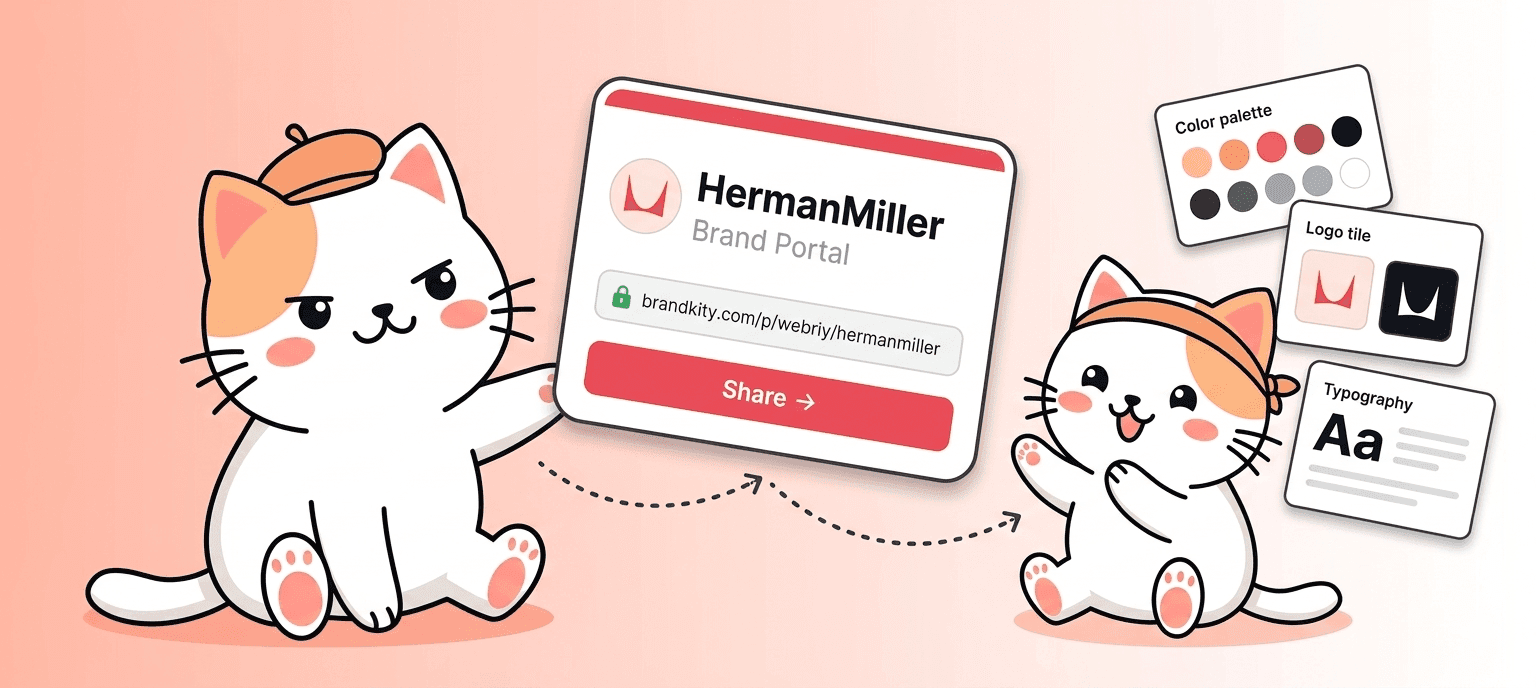
Table of contents
- What Is a Brand Kit?
- What Is a Brand Portal?
- The Core Difference, Stated Simply
- Why Do People Confuse Them?
- When You Need a Brand Kit
- When You Need a Brand Portal
- Brand Kit vs Brand Portal: Side-by-Side Comparison
- How BrandKity Handles This
- FAQ: Brand Kit vs Brand Portal
- 1. Is a brand kit the same as a brand portal?
- 2. Do I need both a brand kit and a brand portal?
- 3. What’s the difference between a brand kit and brand guidelines?
- 4. Can a brand kit replace a brand portal?
- 5. What does a brand portal include?
- 6. What’s the difference between a brand portal and a DAM (Digital Asset Management) system?
- 7. Who should have access to a brand portal?
- 8. How is a brand portal different from a Dropbox or Google Drive folder?
- 9. Can I build a brand portal myself?
- 10. Is BrandKity a brand kit tool or a brand portal tool?
- Final Thought
If you’ve spent any time researching brand management tools, you’ve probably seen these two terms tossed around like they mean the same thing. They don’t.
A brand kit and a brand portal are related, yes. But using them interchangeably is a bit like calling a recipe and a restaurant the same thing. One is a set of instructions. The other is where those instructions come to life.
This post breaks down exactly what each one is, how they differ, when you need one versus the other, and why the confusion exists in the first place. By the end, you’ll know precisely which one your business actually needs right now.
What Is a Brand Kit?
A brand kit is a collection of your core brand assets and the rules for how they should be used. Think of it as a brand identity starter pack.
A typical brand kit includes your logo files in multiple formats (SVG, PNG, PDF), your primary and secondary color palette with exact hex codes, your typography choices with font names and sizing guidelines, spacing rules, and sometimes a few usage examples showing dos and don’ts.
Brand kits are usually delivered as a folder, a PDF document, a ZIP file, or a shared Google Drive link. They’re static. You open them, read them, and then go apply what you learned somewhere else.
When a designer finishes your visual identity and hands over the deliverables, that’s a brand kit. When you download a template from Canva that includes brand colors and fonts, that’s a brand kit. It’s a document. It’s a resource. It’s a reference point.
Brand kits are designed to answer one question: What are our brand assets and how do we use them?
What Is a Brand Portal?
A brand portal is a live, web-based platform where your entire team, clients, partners, and vendors can access, download, and use your brand assets in real time.
It’s not a file. It’s not a PDF. It’s not a Dropbox folder labeled “Brand Stuff.” It’s an actual portal, usually with a custom URL, that centralizes everything brand-related in one place.
A good brand portal includes your logo in every approved format, your color codes, typography, brand guidelines, templates, imagery, icons, approved marketing materials, and whatever else your team needs to produce on-brand work. The key difference is that everyone can access it instantly, from anywhere, without emailing someone to ask for the right logo version.
Brand portals solve a very specific operational problem: the chaos that happens when your brand assets are scattered across email threads, shared drives, Slack messages, and three different versions of a Dropbox folder that nobody has updated since 2022.
Brand portals are designed to answer a different question: How do we make sure everyone always uses the right brand assets, right now?
The Core Difference, Stated Simply
A brand kit is what your brand is made of. A brand portal is where your brand lives and gets distributed.
You can have a brand kit without a brand portal. This is what most early-stage companies do. They have a folder somewhere with their assets, and they share it manually when someone asks for it.
You can technically have a brand portal without a complete brand kit, but it would be a pretty bare portal with not much in it.
The ideal situation is that your brand kit lives inside your brand portal, organized, searchable, and accessible to everyone who needs it.
Why Do People Confuse Them?
The confusion is understandable for a few reasons.
First, many brand kit tools have started adding portal-like features. Canva’s Brand Kit, for example, lets teams access shared brand assets inside Canva. It looks portal-ish from the inside, but it’s still locked to the Canva platform.
Second, some brand management software vendors use the terms loosely in their own marketing. If you’re reading three different product pages and each one uses “brand kit” and “brand portal” slightly differently, it makes sense that the lines blur.
Third, for solo founders and very small teams, the distinction doesn’t matter much in practice. If you’re a team of two and your “brand portal” is a Google Drive folder with all your logos and hex codes, that works fine until it doesn’t.
The confusion starts costing real money when your team grows, when you onboard agencies, when you work with external freelancers, or when inconsistency starts showing up in your marketing materials.
When You Need a Brand Kit
You need a brand kit when you’re just defining or formalizing your visual identity. If you’re working with a designer to create your logo and identity system, the deliverable is a brand kit.
You also need a brand kit when you’re briefing an agency or freelancer on your brand. You hand them the kit so they know exactly what to work with.
For small teams where one or two people handle all the brand-related work, a brand kit is usually enough. It’s simple, portable, and does the job.
When You Need a Brand Portal
You need a brand portal when brand access becomes a shared problem, not a solo one.
If you have a marketing team that regularly needs to produce materials, if you work with external agencies or contractors, if you have resellers or franchise locations that represent your brand, or if you’ve ever had someone use an outdated logo version on a live campaign, a brand portal is the right tool.
Brand portals also make a significant difference when you’re going through a rebrand or updating your visual identity. Instead of chasing down every person who has old assets saved somewhere on their desktop, you update the portal once and everyone immediately has access to the new files.
For SaaS companies, agencies, consultants, and any business with distributed teams, a brand portal isn’t a luxury. It’s basic operational hygiene.
Brand Kit vs Brand Portal: Side-by-Side Comparison
| Brand Kit | Brand Portal | |
|---|---|---|
| Format | File, folder, or PDF | Web-based platform |
| Access | Shared manually | Self-serve, any time |
| Updates | Requires re-sharing | Updated in one place |
| Best for | Solo teams, defining identity | Growing teams, multiple stakeholders |
| Purpose | Document what the brand is | Distribute and manage brand assets |
| Searchable | No | Yes |
| User roles/permissions | No | Yes |
| Tracks downloads/usage | No | Often yes |
How BrandKity Handles This
BrandKity is a brand portal platform, not just a brand kit builder. The distinction matters because what we’re solving is the distribution and management problem, not just the definition problem.
With BrandKity, you take your existing brand kit (your logos, colors, fonts, guidelines) and bring it into a hosted, shareable portal that your whole team can use. You get a clean URL, a professional interface, and a single source of truth for every brand asset you own.
If you’re working with a brand designer who’s delivering your identity, BrandKity is where that identity lives after the work is done. Your kit goes in. Your portal comes out. And from that point forward, everyone on your team, your agency partners, and your vendors has instant access to exactly what they need.
FAQ: Brand Kit vs Brand Portal
1. Is a brand kit the same as a brand portal?
No. A brand kit is a collection of your brand assets and usage guidelines, usually delivered as a file or folder. A brand portal is a web-based platform where those assets are hosted, organized, and made accessible to your entire team and external stakeholders. They serve different purposes: a brand kit defines your brand, while a brand portal distributes it.
2. Do I need both a brand kit and a brand portal?
In most cases, yes. Your brand kit is the content (logos, colors, fonts, guidelines), and your brand portal is the container that makes that content accessible. If you’re a solo founder just starting out, a brand kit alone may be enough. But once you have a team, external agencies, or multiple people producing brand materials, a portal becomes essential for consistency.
3. What’s the difference between a brand kit and brand guidelines?
A brand kit typically includes the actual asset files along with basic rules for how to use them. Brand guidelines (also called brand style guides) go deeper into the why, covering voice, tone, imagery direction, and detailed usage specifications. Brand guidelines are often included in or alongside a brand kit, but they focus more on rules than on file delivery.
4. Can a brand kit replace a brand portal?
Not really. A brand kit can give someone everything they need to work with your brand, but it can’t scale the way a brand portal can. Brand kits require someone to manually share files. They don’t update automatically. They don’t let you control who sees what, and they don’t give you any visibility into how your assets are being used. A brand portal solves all of these problems.
5. What does a brand portal include?
A brand portal typically includes logo files in all approved formats, color codes (hex, RGB, CMYK), typography specifications and downloadable font files, brand guidelines, approved photography or illustration assets, marketing templates, and sometimes usage instructions or dos and don’ts. Some portals also include messaging frameworks, positioning statements, and boilerplate copy.
6. What’s the difference between a brand portal and a DAM (Digital Asset Management) system?
Brand portals are specifically designed for brand assets and are usually simpler and more accessible to non-technical users. A DAM is a broader asset management system that can store all kinds of digital files (photos, videos, documents) across an entire organization. Brand portals are focused; DAMs are comprehensive. For most small to mid-size businesses, a brand portal is sufficient. Large enterprises with massive content libraries often use a DAM.
7. Who should have access to a brand portal?
Anyone who creates, publishes, or represents your brand. This includes your internal marketing team, designers, social media managers, PR contacts, agencies you work with, freelancers on active projects, resellers, franchisees, and sometimes even press or media contacts who need official assets for coverage.
8. How is a brand portal different from a Dropbox or Google Drive folder?
A Dropbox or Drive folder technically stores your assets, but it’s not a brand portal. A brand portal has a professional, custom-branded interface. It’s designed specifically for brand assets, often with search, filtering, preview, and download options. It may also include brand guidelines built in alongside the files. A Drive folder is functional but carries no brand presence of its own and offers very limited structure for non-technical users.
9. Can I build a brand portal myself?
You can build something that works like one using tools like Notion, Google Sites, or even a simple website. But dedicated brand portal tools like BrandKity are built specifically for this use case, with proper file handling, asset previews, permissions, and a professional front-end your clients and partners will actually trust. Building your own is possible but often takes more time to maintain than it saves.
10. Is BrandKity a brand kit tool or a brand portal tool?
BrandKity is a brand portal platform. It’s where your brand kit lives after it’s been created. You bring in your assets (from your designer, from Canva, from wherever you created your identity), and BrandKity turns them into a hosted, shareable, professional brand portal your whole team can use.
Final Thought
Brand kits and brand portals are not competing concepts. They’re sequential ones. You define your brand with a kit, and then you distribute and manage it through a portal.
The confusion mostly comes from the fact that most people first encounter brand assets in kit form, and the idea of a living, hosted portal is a newer way of thinking about brand management. But once your team grows past a handful of people, or once you start working with agencies or external partners, the difference between a file in a folder and a professional brand portal becomes very clear, very quickly.
If you’re ready to move from a folder to a real portal, BrandKity is built for exactly that.
Saurabh Kumar
Founder, BrandKity
Saurabh writes about practical brand systems, faster client handoffs, and scalable workflows for designers and agencies building repeatable delivery operations.
Connect on LinkedIn