
Marketing Assets
Brand Story
CopyFlows – Build Faster. Design Better.
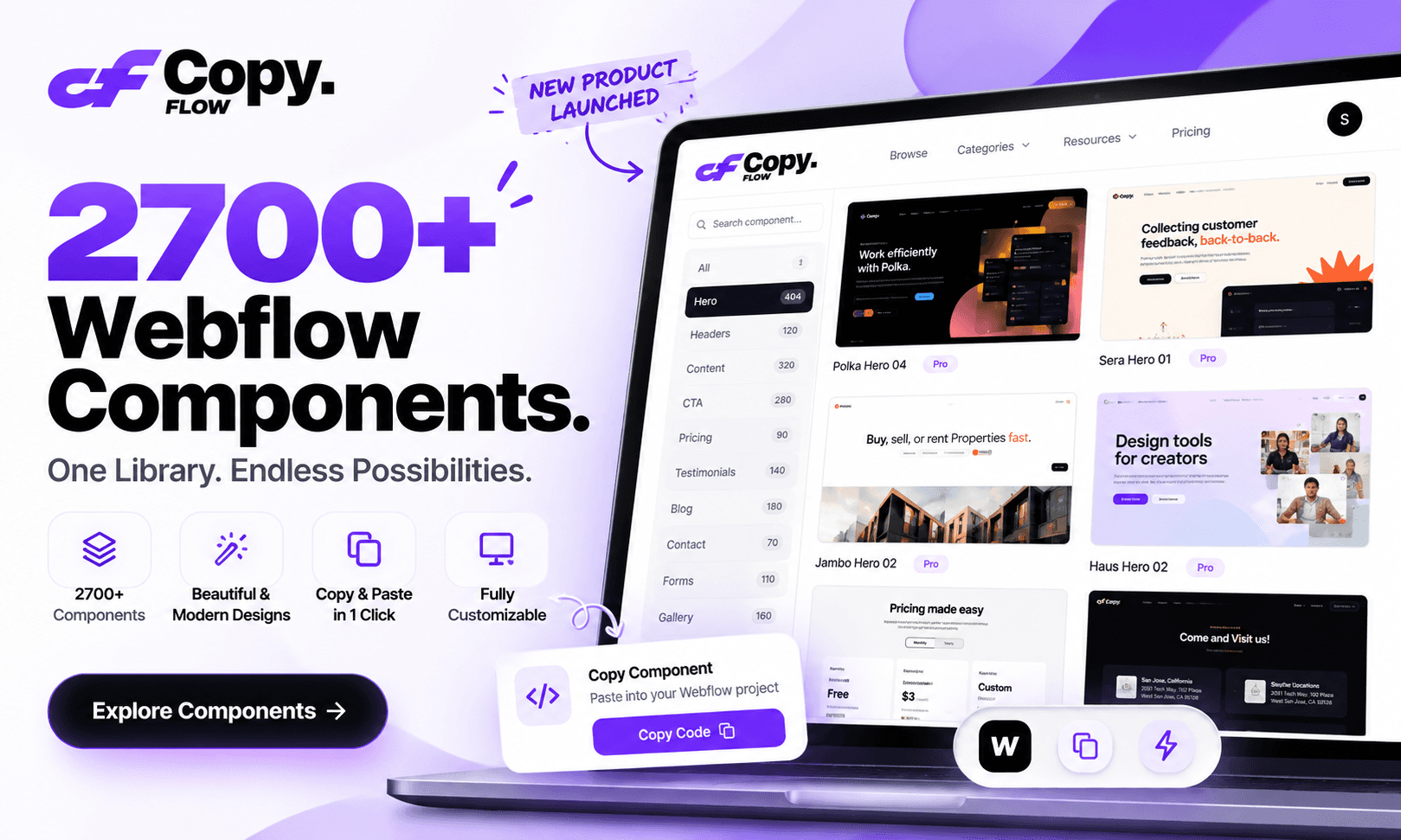
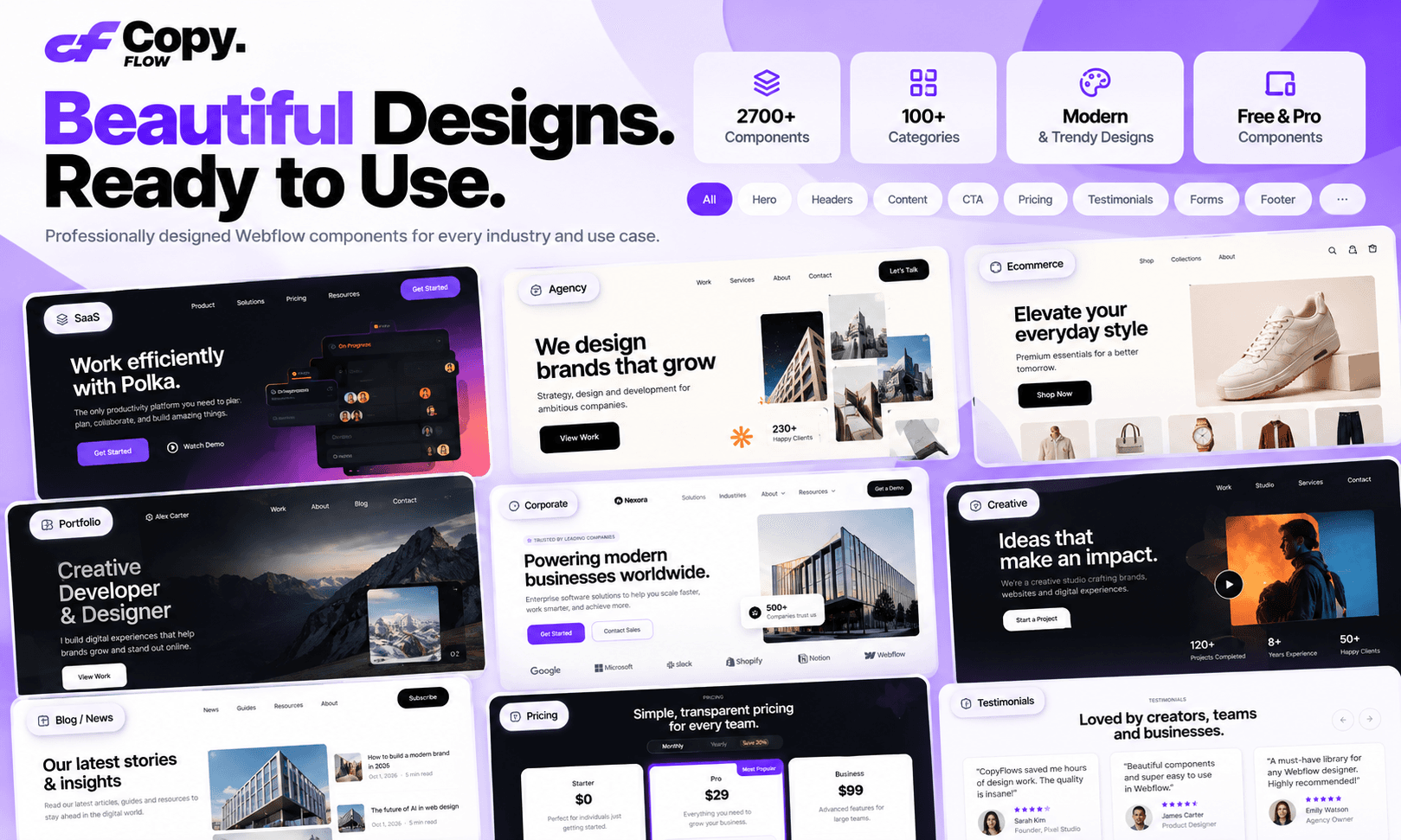
2,700+ Webflow Components. One Powerful Library.
Stop building every website section from scratch. Explore thousands of professionally designed Webflow components, copy the ones you love, and paste them directly into Webflow Designer.
Build beautiful websites faster with ready-to-use sections for every part of your project.
2,700+ Components | 28 Categories | Free & Pro Designs
Build Websites Without Starting From Scratch
Every Webflow project needs the same essential sections: hero banners, navigation bars, pricing tables, testimonials, FAQs, contact forms, footers, and much more.
Why spend hours recreating them?
CopyFlows gives you access to a growing library of professionally designed components that you can use directly in your Webflow projects.
Find the perfect design, copy it, paste it into Webflow, and make it yours.
Spend less time building repetitive sections and more time creating exceptional websites.
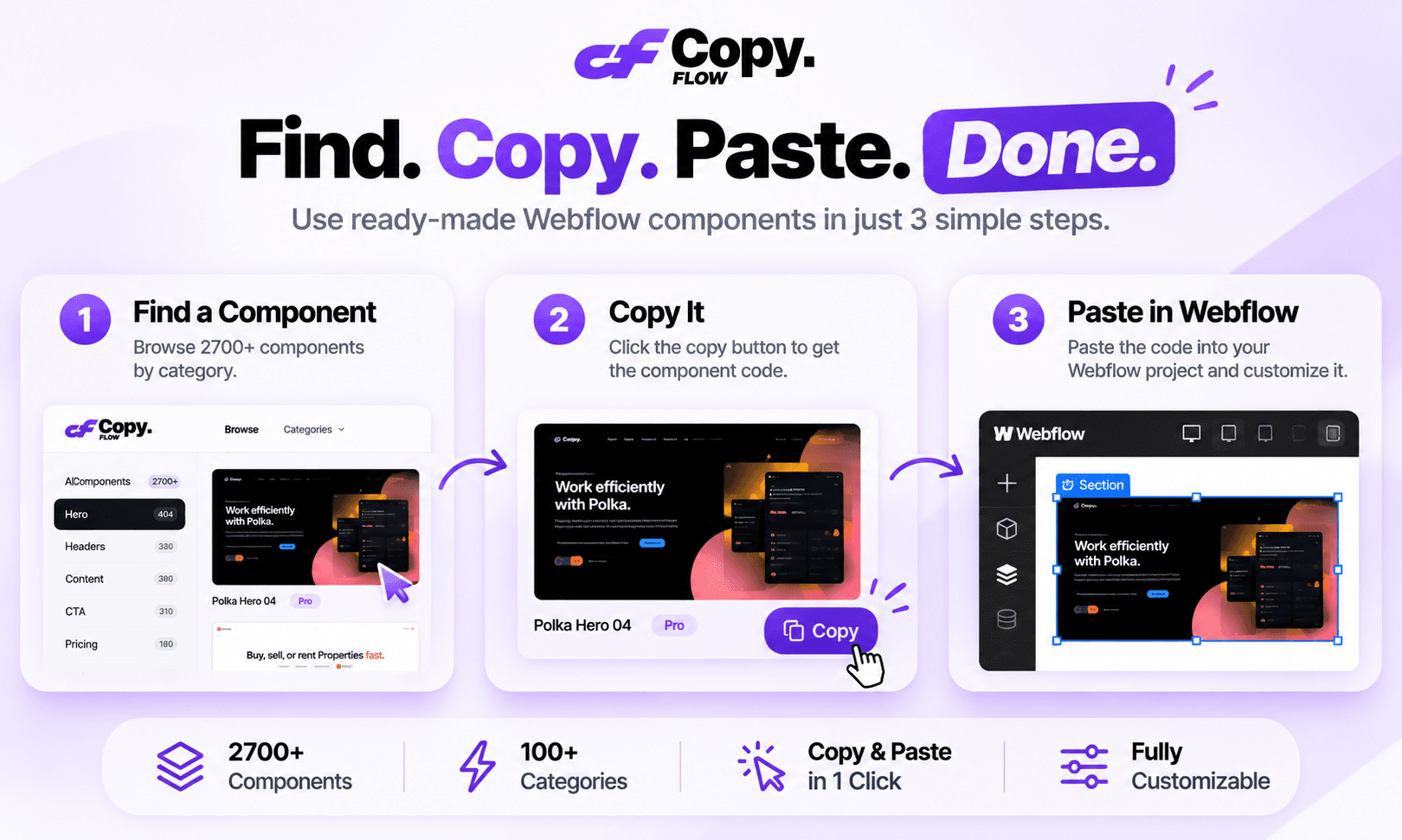
How CopyFlows Works
1. Explore the Library
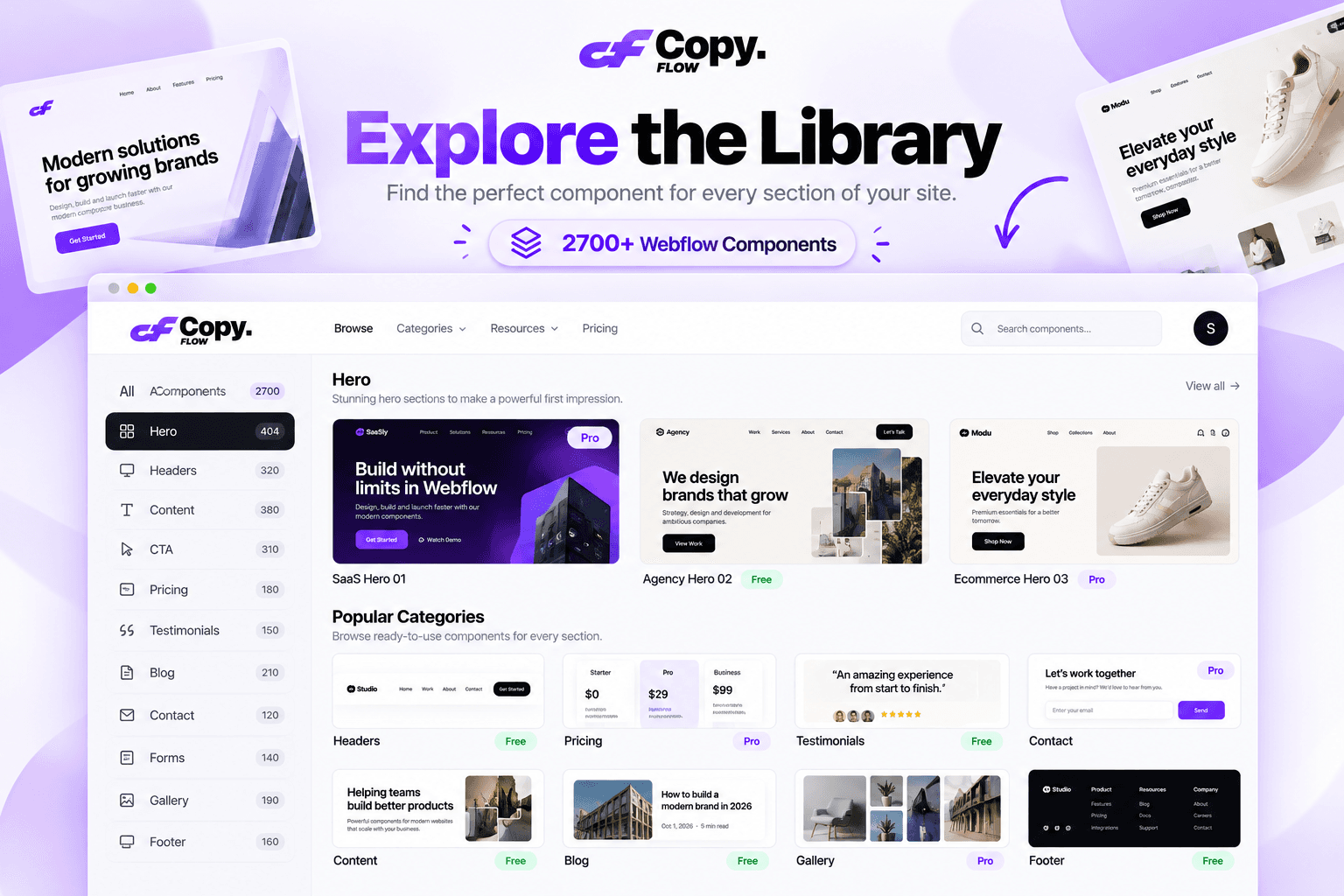
Browse more than 2,700 ready-to-use Webflow components across 28 categories. Discover designs for different industries, website types, and creative needs.
Use categories, tags, and filters to find exactly what you're looking for.
2. Find Your Perfect Component
Preview different designs and choose the component that fits your project.
Explore multiple variations of hero sections, CTAs, pricing tables, headers, testimonials, and more.
Choose from free and premium components.
3. Click Copy
Found something you like? Simply click the Copy button.
CopyFlows prepares the component in a format that Webflow Designer can understand.
No downloads, installations, or complicated setup required.
4. Paste Directly into Webflow
Open your Webflow project, select the appropriate location in the Designer, and press Ctrl+V (or Cmd+V on Mac).
Your copied component appears directly on your Webflow canvas.
5. Customize and Publish
Make the component your own. Change colors, typography, images, spacing, content, and layouts to match your brand.
Your design, your website, your creativity.
Everything You Need, All in One Library
Explore components for every part of your website.
Hero Sections
Make a powerful first impression with professionally designed hero sections, banners, and landing page headers.
Navigation & Headers
Create beautiful website navigation with modern headers, menus, and responsive layouts.
Content Sections
Present your products, services, and ideas with beautifully structured content layouts.
Call to Actions
Turn visitors into customers with engaging CTA sections and conversion-focused layouts.
Pricing Tables
Showcase your plans, packages, and pricing with clean and professional pricing sections.
Testimonials
Build trust with attractive customer reviews, testimonials, and social proof sections.
Blog Sections
Create engaging blog layouts, article cards, featured posts, and content grids.
Forms & Contact
Build better contact experiences with beautifully designed forms and contact sections.
Galleries & Portfolios
Showcase your work, projects, products, and creative collections.
Footers
Complete your website with professional footer designs, useful links, and organized layouts.
And many more categories to explore.
Why Choose CopyFlows?
A Massive Component Collection
Explore 2,700+ components across 28 categories, with new designs added regularly.
Simple Copy & Paste
Move components directly into Webflow Designer without downloading files or installing additional plugins.
Designed for Real Projects
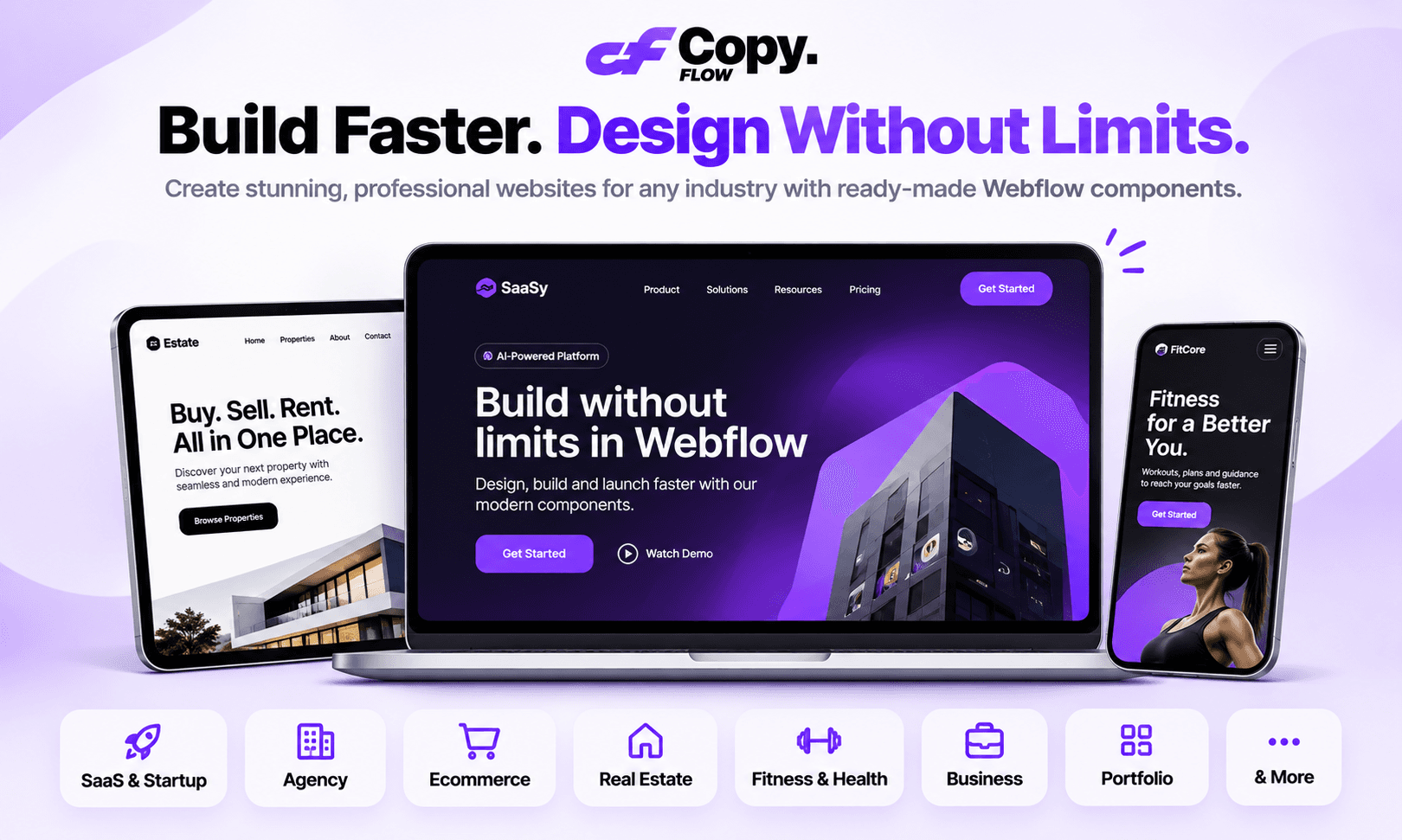
Find ready-to-use layouts for SaaS websites, agencies, ecommerce stores, portfolios, startups, businesses, and more.
Fully Customizable
Every pasted component can be edited inside Webflow Designer. Adjust the design to fit your brand and creative vision.
Free & Premium Components
Explore free designs or unlock the complete premium collection with a Pro subscription.
No Vendor Lock-In
Once you paste a component into your Webflow project, it's yours to customize and use. Your existing pasted components don't disappear if you cancel your CopyFlows subscription.
Works With Webflow
CopyFlows uses Webflow's native copy-and-paste workflow, making it easy to bring components into your existing projects.
Built for Everyone Who Creates With Webflow
Freelance Webflow Designers
Deliver client websites faster without repeatedly building common layouts.
Web Design Agencies
Streamline your workflow and increase project output with a reusable component library.
Webflow Developers
Spend less time creating repetitive sections and more time focusing on functionality and custom development.
Startup Founders
Build professional landing pages and business websites without designing every section from zero.
Marketing Teams
Create campaign pages, product pages, and conversion-focused layouts faster.
Creative Professionals
Discover design inspiration and turn ideas into real Webflow projects.
Your Next Website Starts Here
You don't need to start from a blank canvas every time.
With 2,700+ Webflow components at your fingertips, building your next website becomes faster, easier, and more enjoyable.
Find it. Copy it. Paste it. Make it yours.
Build Faster. Design Better.
Explore CopyFlows today and discover a better way to build with Webflow.
Frequently Asked Questions
What is CopyFlows?
CopyFlows is a Webflow component library that provides thousands of ready-to-use website sections. You can browse, copy, and paste components directly into Webflow Designer.
How do I use CopyFlows?
Browse the library, select your preferred component, click Copy, open your Webflow Designer, and paste using Ctrl+V on Windows or Cmd+V on Mac.
Do I need to install a Webflow plugin?
No. CopyFlows uses Webflow's native copy-and-paste functionality. There is no additional plugin or installation required.
Can I customize the components?
Yes. Once pasted into Webflow Designer, you can customize the component's content, colors, typography, spacing, images, and other design properties.
Are there free components?
Yes. CopyFlows includes both free and premium components. You can browse the available free components and upgrade to Pro for premium access.
Does CopyFlows work with all Webflow plans?
Yes. The copy-and-paste workflow works with Webflow plans that support the native Designer functionality.
Can I use components for client projects?
Yes. Components can be customized and used in your website and client projects, subject to the applicable CopyFlows license.
Do I need coding knowledge?
No. You can use the copy-and-paste workflow directly in Webflow Designer. Basic familiarity with Webflow will help you customize your components more effectively.
What happens to my components if I cancel my subscription?
Components already pasted into your Webflow projects remain part of your projects. You don't lose those existing designs when your CopyFlows subscription ends.
Are new components added?
Yes. CopyFlows is continuously growing, with new designs and components added to expand the library.
CopyFlows – Build Faster. Design Better.